nanoCADcom
nanoCAD - smart design & drafting
Nanosoft AS offered innovative software distribution and development. We created nanoCAD to fight piracy in the global CAD software market.
We build cost-effective CAD solutions to provide a seamless flow from unlicensed CAD tools to legitimate software. Furthermore, we are focused on developing innovative, quality products that meet global challenges and make our customers’ lives better.
We believe that professional software can be affordable. Therefore, we strive to ensure that our clients can get advanced technologies and services at the lowest cost.
nanoCAD 23 is a professional-grade CAD platform fully compatible with the industry’s DWG standard. It offers the standard user interface with a wide set of tools for 2D/3D drafting that can be extended with 5 essential modules: 3D Modeling, Construction, Mechanica, Raster, and Topoplan.

Creating a Construction Note Template - nanoCAD Advanced Tutorial - Lesson 9

Recognizing Tables and Title Blocks - nanoCAD Advanced Tutorial - Lesson 8

Master Advanced Table Functions in nanoCAD - nanoCAD Advanced Tutorial - Lesson 7

Field categories - nanoCAD Advanced Tutorial - Lesson 6

Creating custom DWT template - nanoCAD Advanced Tutorial - Lesson 5

Sheet Set - nanoCAD Advanced Tutorial - Lesson 4

Custom title blocks - nanoCAD Advanced Tutorial - Lesson 3

Isolating and hiding objects - nanoCAD Advanced Tutorial - Lesson 2

Bounding prism - nanoCAD Advanced Tutorial - Lesson 1

What's new in nanoCAD 25

nanoCAD 25 – Powerful, Affordable CAD for Engineers & Designers

Volume Calculation - nanoCAD 3DScan - Lesson 7

Ground classification - nanoCAD 3DScan - Lesson 6

Creating room labels. Adding plan objects. Tables - nanoCAD Construction Module Tutorial - Lesson 3

Finishing Walls. Adding Windows & Doors - nanoCAD Construction Module Tutorial - Lesson 2

Interface Settings. Axes. First wall constructions - nanoCAD Construction Module Tutorial - Lesson 1

Technical requirements and creating the drawing format - nanoCAD Mechanica Module Tutorial- Lesson 6

Creating detailed views and sections - nanoCAD Mechanica Module Tutorial - Lesson 5

Preparing drawing - nanoCAD Mechanica Module Tutorial - Lesson 4
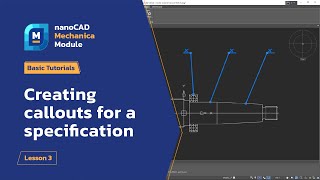
Creating callouts for a specification - nanoCAD Mechanica Module Tutorial - Lesson 3

Work with GIS data and preparing drawings for printing - nanoCAD Topoplan Module Tutorial - Lesson 3

Adding standard elements - nanoCAD Mechanica Module Tutorial - Lesson 2. Part 3

Working with surfaces and creating contour lines - nanoCAD Topoplan Module Tutorial - Lesson 2

Editing shaft sections - nanoCAD Mechanica Module Tutorial - Lesson 2. Part 2

Preparing source data for work and creating a TIN - nanoCAD Topoplan Module Tutorial - Lesson 1

Creating shaft sections - nanoCAD Mechanica Module Tutorial - Lesson 2. Part 1

Launch and Interface - nanoCAD Mechanica Module Tutorial - Lesson 1

3D Constraints - nanoCAD 3D Modeling Module Tutorial - Lesson 5. Part 3

Making a simple Apartment plan with nanoCAD - Part 2

3D Manipulations - nanoCAD 3D Modeling Module Tutorial - Lesson 5. Part 2