Bascomb Productions
Bascomb Productions is home to "I'll Show You", which will show you, in simple ways, how to do things. You will find video editing tutorials for beginner and intermediate editors with Final Cut Pro for iPad as well as Final Cut Pro for Mac, iMovie for iOS and iPadOS, and LumaFusion for iOS and iPadOS.
SUBSCRIBE and enjoy videos that aim to teach you in a simple and clear way.
Have a suggestion? Send it in via a YouTube message or at https://www.bascombproductions.com/contact/

How to change the look of a Cross Dissolve in Final Cut Pro for iPad | Custom Transition Tutorial

How to create a helium voice effect in Final Cut Pro for iPad | Funny Audio Tutorial

Как ускорить видеоклип в Final Cut Pro для iPad | Быстрое и простое руководство по редактированию

Как добавить нижнюю титру в Final Cut Pro для iPad | Учебное пособие по созданию заголовков и тек...

How to do a Zoom transition in Final Cut Pro for iPad | Fast & Easy Editing Tutorial

How to edit Cinematic mode video in Final Cut Pro for iPad | iPhone Cinematic Editing Guide

Как экспортировать только видео (без звука) в Final Cut Pro для iPad | Быстрое и простое руководство

How to edit a multicam video in Final Cut Pro for iPad | Sync, Switch & Cut Multiple Angles

Как выполнить редактирование роликов в Final Cut Pro для iPad | Точный монтаж для бесшовных склеек

Устранение аудиошума в Final Cut Pro для iPad | Улучшение звука с помощью шумоподавления и изоляц...

How to change the Log Processing in Final Cut Pro for iPad | Changing the camera LUT

How to make a GIF in Final Cut Pro for iPad | Export GIFs with the help of the Shortcuts App

How to Create a Comic Book Look in Final Cut Pro for iPad | Cartoon & Illustrated Video Effect

Animate Text with Keyframes in Final Cut Pro for iPad | Keyframing Basics for Beginners

Quick Color Correction in Final Cut Pro for iPad | Easy AI Color Grading Tutorial

Как создать «картинку в картинке» в Final Cut Pro для iPad | Учебное пособие по мобильному видеом...

How to quickly adjust audio levels for multiple clips | Final Cut Pro for iPad tutorial

How to add and customize text in Final Cut Pro for iPad | Beginner’s Tutorial

How to record a voiceover in Final Cut Pro for iPad — Easy Tutorial for Mobile Creators

How to draw on a video with Apple Pencil in Final Cut Pro for iPad | Live Drawing tutorial

How to rename clips in Final Cut Pro for iPad (browser vs. timeline)

How to create a blurry landscape background for a vertical video in Final Cut Pro for iPad

How to open an iMovie for iOS project in Final Cut Pro for iPad (Two Easy Methods!)

Silence Timeline Playback While Editing in Final Cut Pro for iPad | How to Turn Off Scrubbing Audio

How to create a vertical video timeline in Final Cut Pro for iPad (Portrait Mode Tutorial)

Maximize your iPad screen for editing: Make a larger timeline in Final Cut Pro for iPad
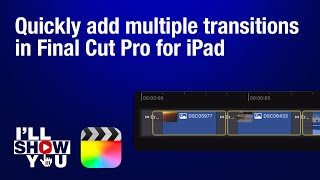
How to quickly add transitions between many clips in Final Cut Pro for iPad

How to use Titles as Markers in Final Cut Pro for iPad (Workaround Hack)

How to use audio keyframes in Final Cut Pro for iPad

How to fade to black in Final Cut Pro for iPad | Cross Dissolve to Black Background