Kraznet's Samplitude Tutorials
A selection of DAW "how to" tutorials I created for MAGIX Samplitude and Sequoia .These videos show you how to use this digital recording software.

Birdline Skins Lab V2

Samplitude Pro X8: New Audio Comping using Lanes
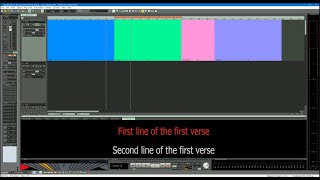
Samplitude Pro X6: Lyric Markers

Birdline Mixer Lab Tutorial for Samplitude and Sequoia

Samplitude Pro X5: Automation Shapes

Samplitude Pro X5: New Improved Tempo Track

Samplitude Pro X4: Routing Massive synth to a separate audio output

Samplitude Pro X4: Snap setting Shortcuts

Samplitude ProX4: Steven Slate Drums SSD5 Multiple Outs

Samplitude Pro X4 New Features: MIDI

Samplitude Pro X4 New Features: Project Window Improvements

Samplitude Pro X4 New Features: Automation Lanes

Samplitude Pro X4 New Features: The Plug-in Browser

Samplitude Pro X3: Using Virtual Instruments (VSTi's)

Samplitude Pro X3: Tempo Smoothing

Samplitude Pro X3: Vita String Ensemble - Articulation switching in the MIDI editor

Samplitude Pro X3: Freezing Independence MIDI Tracks

Samplitude Pro X3: Spectral Layers Pro & Sound Forge Pro Integration

Samplitude Pro X3: New in Build .296 Exporting Mono & Stereo Stems in a Single Pass

Samplitude Pro X3: Creating a 16 track mono recording template

Samplitude Pro X3: Exporting Individual Tracks as Stems (Multitrack bounce).

Samplitude Pro X3: Using the Mousewheel to scroll the Mixer and adjust the Faders.

Samplitude Pro X3: Integrating VCA Faders into your workflow.

Samplitude Pro X3: Project Docking Changes Build .157

Samplitude Pro X3: Saving and Loading Master FX Preset Chains 4K

Samplitude Pro X3: Musical Typing Keyboard 4K

Samplitude Pro X3 - Build .157 : Creating an Audio Click Track (updated) 4K