Fixing uWSGI and Nginx Connectivity Issues for Your Flask App
Автор: vlogize
Загружено: 2025-08-01
Просмотров: 3
Learn how to troubleshoot and fix connectivity issues between your `Flask` backend served with `uWSGI` and `Nginx` on an `EC2` instance.
---
This video is based on the question https://stackoverflow.com/q/71361864/ asked by the user 'Bouji' ( https://stackoverflow.com/u/11235680/ ) and on the answer https://stackoverflow.com/a/71362096/ provided by the user 'Adithya' ( https://stackoverflow.com/u/5783608/ ) at 'Stack Overflow' website. Thanks to these great users and Stackexchange community for their contributions.
Visit these links for original content and any more details, such as alternate solutions, latest updates/developments on topic, comments, revision history etc. For example, the original title of the Question was: Can not reach Flask app served with uWSGI and Nginx
Also, Content (except music) licensed under CC BY-SA https://meta.stackexchange.com/help/l...
The original Question post is licensed under the 'CC BY-SA 4.0' ( https://creativecommons.org/licenses/... ) license, and the original Answer post is licensed under the 'CC BY-SA 4.0' ( https://creativecommons.org/licenses/... ) license.
If anything seems off to you, please feel free to write me at vlogize [AT] gmail [DOT] com.
---
Troubleshooting uWSGI and Nginx Connectivity Issues for Your Flask Application
Are you having trouble connecting your Flask application to the web through uWSGI and Nginx? You're not alone! Many developers encounter this challenge when deploying their Flask apps on platforms like Amazon EC2. In this post, we'll explore the common issues that can arise in this scenario and provide a step-by-step guide to solving them.
Understanding the Problem
You've got a functional Flask backend, but when you try to access it through your domain, you get a frustrating 502 Bad Gateway error from Nginx. This usually indicates that Nginx is having trouble communicating with your backend, which is running under uWSGI on port 5000.
Here's the scenario:
Your Flask app works perfectly when run in development mode, but not when deployed.
Nginx appears to serve the frontend correctly, but fails to connect to the backend.
You've opened all necessary ports, yet nothing seems to work.
Analyzing Your Configuration Files
Let’s take a closer look at the configurations you've shared and see where the issue may be stemming from.
The uWSGI Configuration
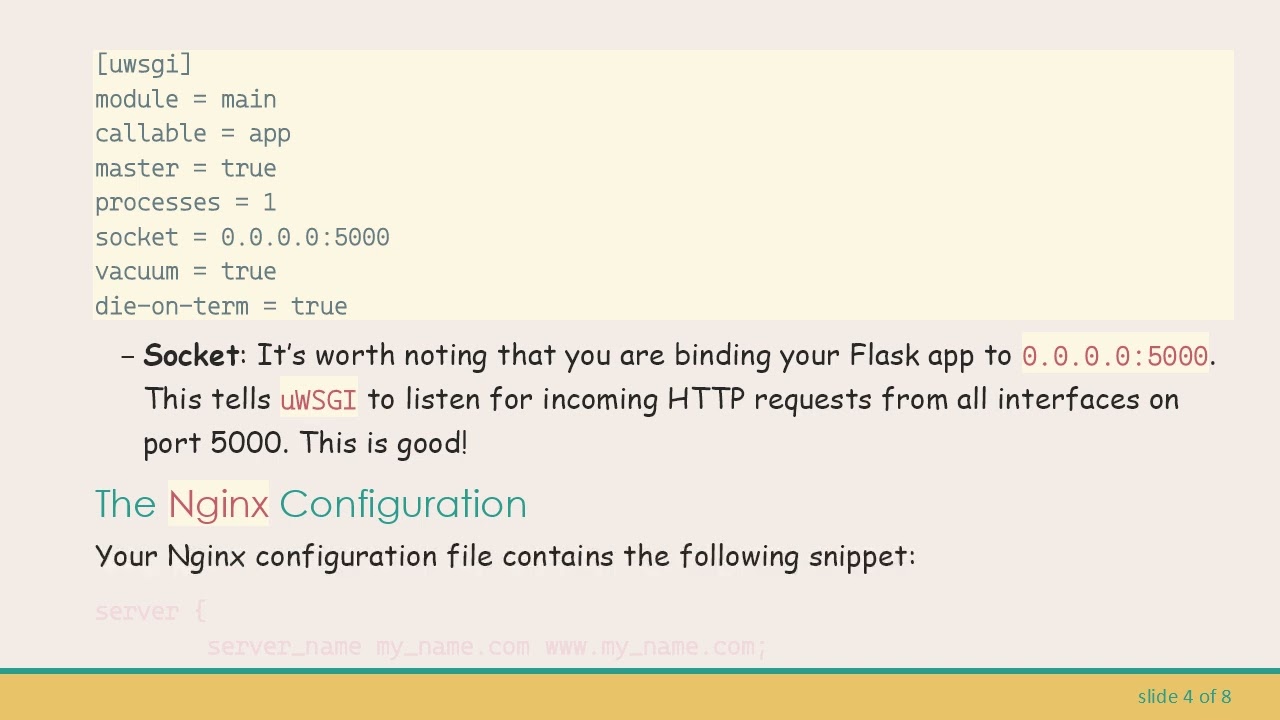
Your uwsgi.ini file looks like this:
[[See Video to Reveal this Text or Code Snippet]]
Socket: It’s worth noting that you are binding your Flask app to 0.0.0.0:5000. This tells uWSGI to listen for incoming HTTP requests from all interfaces on port 5000. This is good!
The Nginx Configuration
Your Nginx configuration file contains the following snippet:
[[See Video to Reveal this Text or Code Snippet]]
Here are a few observations:
Incorrect Protocol: You are using https in the proxy_pass. This should actually be http since uWSGI is configured to listen over HTTP on port 5000.
Localhost: The directive has localhost, but since uWSGI is set to 0.0.0.0, it’s preferable to access it using http://0.0.0.0:5000 or simply http://127.0.0.1:5000 to avoid potential connection issues.
Solution Steps
Update Your Nginx Configuration
The first step to resolving this issue lies in updating your Nginx configuration. Make the following changes:
Change the proxy_pass directive from https to http:
[[See Video to Reveal this Text or Code Snippet]]
Alternatively, you could bind it to 0.0.0.0 like this:
[[See Video to Reveal this Text or Code Snippet]]
Applying the Changes
After updating your Nginx configuration file, you need to restart the Nginx server to apply the changes. Use the following command:
[[See Video to Reveal this Text or Code Snippet]]
Or, if you are using an older version:
[[See Video to Reveal this Text or Code Snippet]]
Testing the Setup
Now, try making a GET request to my_name.com/gan again. If everything is configured correctly, you should be able to access your Flask backend without any issues!
If you still encounter problems, consider checking:
The firewall settings on your EC2 instance to ensure that port 5000 is allowed.
The logs for uWSGI and Nginx for any error messages that could provide more context.
Conclusion
Deploying Flask applications can often involve overcoming connectivity challenges, especially when working with uWSGI and Nginx. By ensuring that your configurations are set correctly, you can achieve smooth communication between your backend and the client. If you run into further issues, feel free to revisit this guide, and take your time to double-check configurations—you might just find the solution you need. Happy coding!
Доступные форматы для скачивания:
Скачать видео mp4
-
Информация по загрузке: