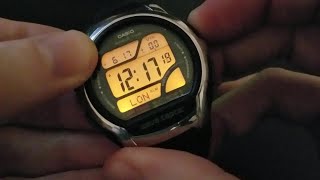
Setting Daylight Saving Time On Casio Digital Watch - WV58A
Автор: casioUSAservice
Загружено: 2016-03-07
Просмотров: 100398
Setting DST on Casio WV58A
Transcript
Welcome
In this video we will cover adjusting your watch for Daylight Saving Time
For this video we will be using a Casio WV58A
Please note while many functions are similar on all our watch models it is important to reference your manual for specific operating instructions for your watch.
In this video we will refer to the buttons of the watch as
In this video we will refer to the buttons of the watch as
Top left - A, Top Right - B, Bottom Left - C, Bottom Right - D
To begin setting your watch verify you are in timekeeping mode.
When in timekeeping the watch will Display the Date along with the current time.
If your watch is not in timekeeping mode continue to press C to cycle trough modes until you arrive to it.
To begin setting you watch Hold A until the watch beeps and the city code begins to flash.
Press C
The middle display will indicate that you are adjusting Daylight Saving Time with a flashing DST.
Press D to cycle between AUTO, OFF, and ON
If your date and city code are set properly we recommend using AUTO.
If your location does not use DST or you want to set it manually you can select on or off to adjust your time by 1 hour.
Once you have your time set press A.
Your watch has now been properly set for DST.
If after setting the DST your time, date, or any other setting are incorrect please views our other videos for watch settings.
You can also contact our technical support at 1-800-435-7732
And as always, thank you for contacting Casio

Доступные форматы для скачивания:
Скачать видео mp4
-
Информация по загрузке: