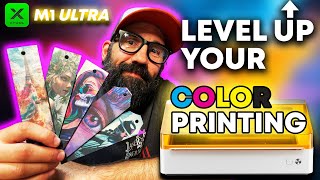
How to Make Layered Stencils with the XTool M1 Ultra
Автор: Burnt Wood Workshop
Загружено: 2025-09-13
Просмотров: 504
Want to make custom, layered stencils with clean cuts and perfect alignment?
In this video, I walk you through how to create multi-layer stencils using the blade cutting tool on the @xToollaser M1 Ultra. From design layout to alignment tips and material choices, I’ll show you how to cut detailed, reusable stencils for painting, etching, crafting, and more.
You’ll learn:
How to design and align stencil layers in XTool Creative Space (XCS)
Blade cutting settings that work for common stencil materials
How to avoid stretching or tearing thin details
Great for adding color and detail to wood signs, canvas, fabric, or anything else you want to personalize.
✂️ Cut with the M1 blade head — no laser needed!
👍 Like, subscribe, and drop a comment if you've used layered stencils—I’d love to see how you’re putting them to work!
#StencilDIY #XToolM1 #BladeCutting #LayeredStencils #CraftingTools #XToolCreativeSpace #BurntWoodWorkshop

Доступные форматы для скачивания:
Скачать видео mp4
-
Информация по загрузке: