Camera Gimbal for DJI Phantom (Complete Guide)
Автор: mygiguser
Загружено: 2014-07-26
Просмотров: 151021
This video is about how to modify and install and adjust a cheap gimbal with a BCG control board onto a DJI Phantom with Naza-M controller, and a gimbal control lever on the remote control.
The gimbal was designed for a GoPro 2 with SD card access on the right. The GoPro Hero 3 has the SD card on the left. I switched the gimbal arm around to the other side to gain access to the card slot, when the camera is mounted.
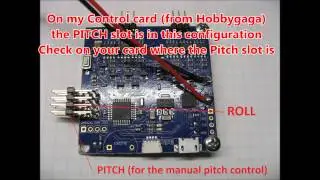
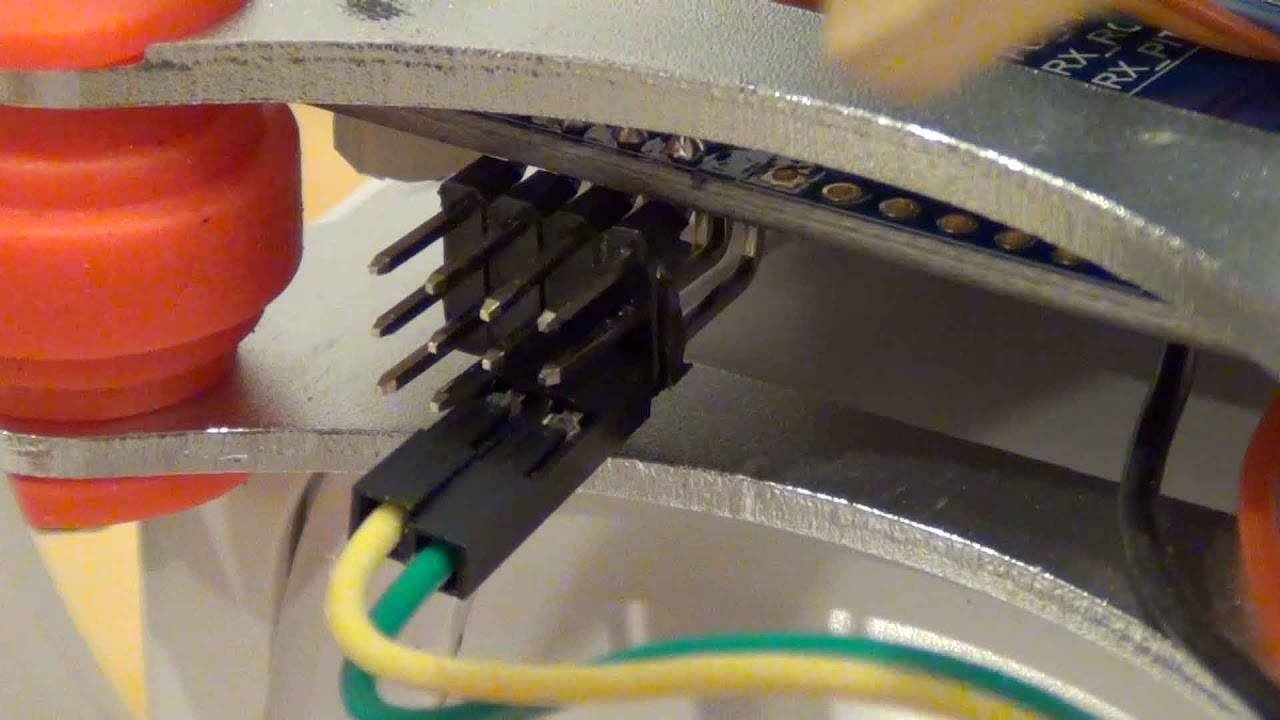
I have connected a yellow wire to F1 for the roll control
and a green wire to F2 for the pitch control.
If we power the gimbal from the same battery, that is connected to the Naza controller, then there is no need to connect ground and power to the signal connectors.
The gimbal power and the gimbal control wires are routed
through this hole in the landing gear.
I had to use the orange colored anti-vibration dampeners, because I lost the original black dampeners during a crash.vWe need to be careful to not damage them.
I modified a chop stick from the Chinese restaurant to make my own tool for this task. Make sure the tool you use does not have sharp edges. As an alternative you can use this method here: • How to Mount Vibration Dampers
Because I lost a few during a crash, I now use cable ties to secure the dampener.
You may notice, that I modified the camera arm. I did this, because I use a GoPro 3, and I want access to the USB connector at all times. I had to grind off some aluminum to make sure the Velcro strap fits. And I moved the sensor to the left. I covered the sensor board in silicone to protect it from water.
After we install the DJI and BGC software, we connect one USB to the DJI and one USB to the BGC board.
In the Naza Assistant we turn the gimbal control on, and set everything to default settings.
In the BGC software we adjust the pivot and roll limits,
and we calibrate the gimbal sensors. I show all that in the video.
I know this video is long, but it took longer to make it, and I explain everything in great detail.
Good luck, and I hope you enjoy watching this video.
Don’t forget to rate - comment - and subscribe, if you can.
Buy for example at Amazon.com - search for brushless-camera-gimbal with motor and controller for DJI Phantom F450 F550 X525 GoPro Hero3
DJI Phantom Software available at
www.dji.com
Controller board software at
www.basecamelectronics.com/downloads/
I added this ( • DJI Phantom BGC Gimbal Pitch Control Setup ) video, where I explain how to test the gimbal pitch control with DJI and BGC software. At this point I see, that there are issues with Phantom 2 and a non activated Gimbal switch.
Доступные форматы для скачивания:
Скачать видео mp4
-
Информация по загрузке: