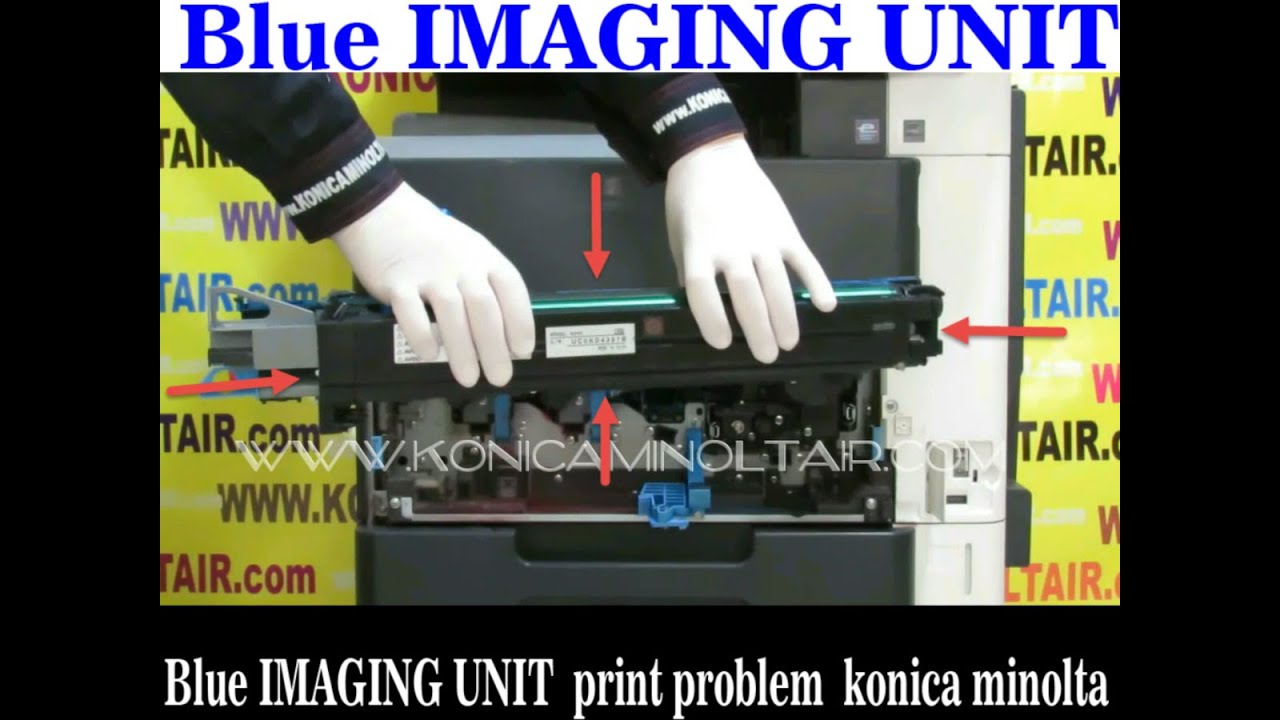
Blue IMAGING UNIT print problem konica minolta
Автор: copyir
Загружено: 2025-03-29
Просмотров: 230
Blue Imaging Unit Print Problem in Konica Minolta
If you experience printing issues with the blue (cyan) color on a Konica Minolta device, the problem may be related to the Blue Imaging Unit. Some common symptoms include:
✅ Misalignment or calibration issues
✅ Unwanted background in print (background shading)
✅ White spots or missing areas in blue print
📌 Steps to Check and Fix the Blue Imaging Unit Issue:
1️⃣ Check Color Calibration
🔹 If colors appear incorrect or inconsistent, run a color calibration from the printer settings.
2️⃣ Verify Cyan Toner Level
🔹 Ensure the cyan toner is not low or empty. If needed, replace or refill the toner.
3️⃣ Inspect and Clean the Blue Imaging Unit
🔹 Remove the Cyan Imaging Unit and check if the toner is evenly distributed.
🔹 If there is dust or dried toner, clean it with a lint-free cloth or compressed air.
4️⃣ Check the Drum and Developer Unit
🔹 If there are white spots, streaks, or faded prints, inspect the drum and developer unit and replace them if necessary.
5️⃣ Verify Printer Driver and Settings
🔹 Make sure the printer driver is correctly installed and the color settings for cyan are properly configured.
6️⃣ Run a Test Print
🔹 Print a test page to check if the issue is resolved.
🔹 Key Considerations:
✅ If cleaning and servicing the Cyan Imaging Unit does not resolve the issue, consider replacing it.
✅ Always use original Konica Minolta toner and parts to maintain print quality.
✅ Perform periodic calibration to ensure accurate color output.
📌 For further assistance, check related video tutorials. 😊
----------------------------------------------------------------------
------------------------------------------------
--------------------
مشکل چاپ در یونیت ایمیج آبی دستگاه
Konica Minolta
اگر در چاپ رنگ آبی دستگاه
Konica Minolta
مشکل داشتید، این موضوع ممکن است به یونیت ایمیج آبی مربوط
باشد. برخی از نشانههای این مشکل شامل موارد زیر هستند:
✅ کالیبره نبودن رنگها
✅ زمینه ناخواسته در چاپ
(Background Issue)
✅ وجود نواحی سفید یا چاپ ناقص در رنگ آبی
📌 مراحل بررسی و رفع مشکل یونیت ایمیج آبی:
1️⃣ بررسی وضعیت کالیبراسیون
🔹 اگر رنگها درست چاپ نمیشوند، وارد تنظیمات Calibration شوید و دستگاه را کالیبره کنید.
2️⃣ کنترل سطح تونر آبی
🔹 مقدار تونر آبی
(Cyan)
را بررسی کنید. اگر میزان آن کم است، باید تعویض یا شارژ شود.
3️⃣ بررسی و تمیز کردن یونیت ایمیج آبی
🔹 یونیت ایمیج آبی
(Cyan Imaging Unit)
را خارج کرده و بررسی کنید که آیا تونر در آن بهدرستی توزیع شده است یا خیر.
🔹 در صورت وجود گرد و غبار یا تونر خشکشده، با دستمال مخصوص یا هوای فشرده آن را تمیز کنید.
4️⃣ بررسی درام
(Drum)
برسی یونیت دولوپر
(Developer Unit)
🔹 در صورتی که لکههای سفید یا بیکیفیتی در چاپ وجود دارد، درام و
Developer Unit
را بررسی و در صورت نیاز تعویض کنید.
5️⃣ چک کردن تنظیمات چاپ و درایور پرینتر
🔹 اطمینان حاصل کنید که درایور چاپگر بهدرستی نصب شده است و در تنظیمات، رنگ آبی به درستی تنظیم شده است.
6️⃣ اجرای تست چاپ
(Test Print Page)
🔹 یک صفحه تست چاپ کنید تا ببینید آیا مشکل رفع شده است یا خیر.
🔹 نکات مهم:
✅ اگر پس از تمیز کردن و سرویس کردن یونیت ایمیج آبی مشکل باقی ماند، ممکن است نیاز به تعویض آن داشته باشید.
✅ همیشه از تونر و قطعات اورجینال
Konica Minolta
استفاده کنید تا کیفیت چاپ بهینه حفظ شود.
✅ بهصورت دورهای دستگاه را کالیبره کنید تا رنگها دقیق چاپ شوند.
📌 در صورت نیاز به راهنمایی بیشتر، ویدئوهای آموزشی مرتبط را مشاهده کنید. 😊
Доступные форматы для скачивания:
Скачать видео mp4
-
Информация по загрузке: