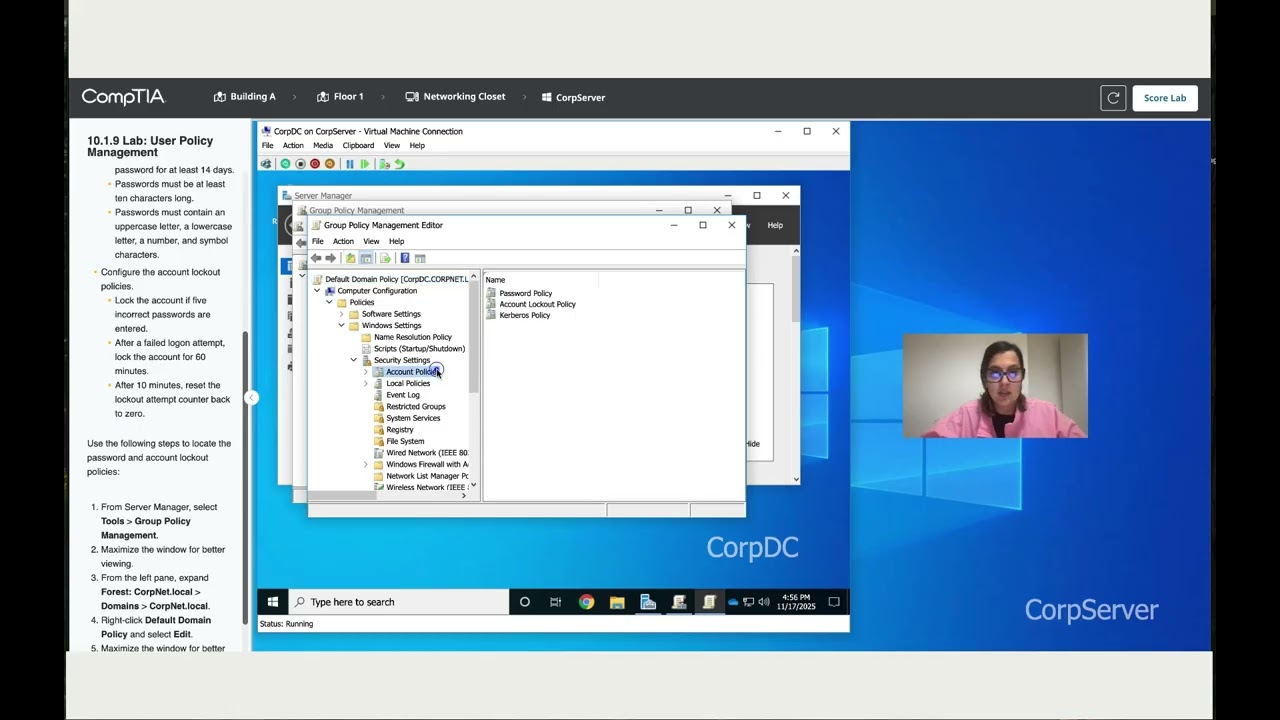
10.1.9 Lab: User Policy Management
Автор: LearnTech-Today
Загружено: 2025-11-17
Просмотров: 1493
10.1.9 Lab: User Policy Management
You are the IT administrator for a small corporate network. You need to configure a password policy for the domain on the CorpDC virtual server, which you can access via Hyper-V.
In this lab, your task is to edit the Default Domain Policy and configure the account policy settings using the following instructions:
Configure the password policies.
New passwords must be different from the previous ten passwords.
Users must change passwords every 90 days.
Users cannot change a new password for at least 14 days.
Passwords must be at least ten characters long.
Passwords must contain an uppercase letter, a lowercase letter, a number, and symbol characters.
Configure the account lockout policies.
Lock the account if five incorrect passwords are entered.
After a failed logon attempt, lock the account for 60 minutes.
After 10 minutes, reset the lockout attempt counter back to zero.
Use the following steps to locate the password and account lockout policies:
Domain password policy tutorial – in this Windows Server lab (10.1.9), we edit the Default Domain Policy on CorpDC to configure domain-wide password and account lockout settings. This step-by-step guide shows how to enforce strong password rules and protect user accounts in Active Directory.
What you will learn:
• How to access Group Policy Management on a domain controller
• How to edit the Default Domain Policy safely
• How to configure password history (last 10 passwords)
• How to set password age: 90-day max, 14-day minimum
• How to enforce 10-character passwords with complexity
• How to configure account lockout: 5 attempts, 60-minute lockout
• How to set lockout counter reset to 10 minutes
This lab is ideal for Windows Server beginners, CompTIA A+ students, and anyone learning Active Directory security. Comment below which lab you need next and I will create it for you.#WindowsServer #ActiveDirectory #GroupPolicy #PasswordPolicy #CompTIA #APlus #ITSupport #SysAdmin
Доступные форматы для скачивания:
Скачать видео mp4
-
Информация по загрузке: