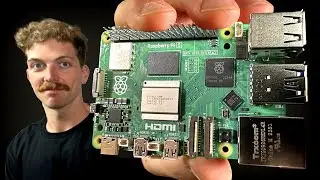
Fixing pyautogui Mouse Position Issues on Raspberry Pi with Debian Bookworm
Автор: vlogommentary
Загружено: 2025-12-30
Просмотров: 4
Learn how to resolve stale mouse position readings in pyautogui on Raspberry Pi running Debian Bookworm by switching from Wayland to X11.
---
This video is based on the question https://stackoverflow.com/q/79386568/ asked by the user 'HEP' ( https://stackoverflow.com/u/8416262/ ) and on the answer https://stackoverflow.com/a/79434659/ provided by the user 'HEP' ( https://stackoverflow.com/u/8416262/ ) at 'Stack Overflow' website. Thanks to these great users and Stackexchange community for their contributions.
Visit these links for original content and any more details, such as alternate solutions, latest updates/developments on topic, comments, revision history etc. For example, the original title of the Question was: pyautogui is not updating mouse position on Raspberry
Also, Content (except music) licensed under CC BY-SA https://meta.stackexchange.com/help/l...
The original Question post is licensed under the 'CC BY-SA 4.0' ( https://creativecommons.org/licenses/... ) license, and the original Answer post is licensed under the 'CC BY-SA 4.0' ( https://creativecommons.org/licenses/... ) license.
If anything seems off to you, please feel free to drop me a comment under this video.
---
The Problem: Stale Mouse Position in pyautogui on Raspberry Pi
When using pyautogui on a Raspberry Pi 4 running Debian Bookworm, you might notice that mouse position updates become stale or incorrect, even though other pyautogui functions work fine. This issue typically happens due to the display server backend in use.
Why Does This Happen?
pyautogui relies on the underlying display server to get real-time mouse position data. On Debian Bookworm, Raspberry Pi might default to using Wayland as its display backend instead of X11. Unfortunately, pyautogui has limited support for Wayland, causing inaccurate mouse position readings.
Solution: Switch from Wayland to X11 Backend
Switching the Raspberry Pi's window manager from Wayland to X11 resolves this issue.
Step-by-step guide:
Open the terminal.
Run the Raspberry Pi configuration tool:
[[See Video to Reveal this Text or Code Snippet]]
Navigate to 6 Advanced Options.
Select A6 Wayland to manage display backends.
Choose W1 X11 to switch the window manager to Openbox with X11 backend.
Exit the config tool and reboot your Raspberry Pi.
After reboot, pyautogui will be able to correctly track live mouse positions.
Additional Notes
The issue is unrelated to how pyautogui is installed, although installing packages in system-managed environments requires care (prefer virtual environments as needed).
The code snippet below demonstrates that pyautogui works well after switching to X11:
[[See Video to Reveal this Text or Code Snippet]]
If you encounter package installation errors, consider creating a virtual environment:
[[See Video to Reveal this Text or Code Snippet]]
Summary
If pyautogui returns stale mouse positions on Raspberry Pi with Debian Bookworm, it's likely due to the Wayland display server. Switching to the X11 backend via raspi-config fixes the problem and restores accurate mouse tracking.
Доступные форматы для скачивания:
Скачать видео mp4
-
Информация по загрузке: