Git tutorial for beginners [2024]
Автор: microapis
Загружено: 2024-06-25
Просмотров: 137
Git is the most popular and widely used source control management tool.
If you're a developer, you probably use git. And if you're not using it, you should!
The problem is, in my experience, most developers are not familiar with Git. And this is a big blocker in their work.
Becoming a proficient Git user is fundamental for any software developer, so I thought I'd put this short tutorial together showing you the most basic Git commands. The commands that I use every day.
This tutorial is for you if you're a junior developer, a fresh graduate, or someone learning to code. If you're an advanced Git user, this tutorial won't teach you anything new. But if you're a mid-level user, you may learn something new.
00:00 Introduction
03:05 git init (initialise git repository)
03:49 adding a remote
05:12 git remote show origin
05:36 run the SSH agent
06:10 setting up a sample project (with FastAPI)
08:05 git status
08:16 git add .
08:50 git commit -m "commit message"
09:08 git push origin main
10:33 git checkout server.py (undo changes to a file)
11:01 git checkout -b new_branch (working on feature branches)
11:17 git checkout -
12:22 git commit -am "commit_message" (commit changes to tracked files)
14:00 git push origin local_branch:remote_branch (push to a different branch in the remote)
14:44 creating another feature branch
16:10 working with pull requests on GitHub
17:11 git checkout main && git pull origin main (bring your local branch up to date)
17:48 ctrl + r (reverse search of previous commands)
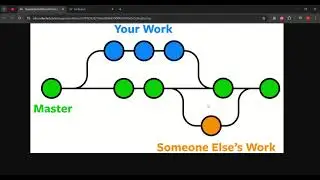
18:32 git merge vs git rebase
20:23 git rebase
20:36 resolving conflicts
21:19 git checkout server.py --theirs (disregard changes from main during rebase)
22:03 git checkout server.py --ours (disregard our changes during rebase)
22:39 git rebase --abort (cancel rebase)
22:53 resolving conflicts
23:17 git rebase --continue + vi editor
23:24 git log and git log --oneline (check your commit history)
25:25 git push origin branch -f and merging PR
25:54 accidentally continue working on previous feature branch (oh no!)
26:45 git cherry-pick commit_hash
27:52 git commit --amend -m "commit_message" (amend your previous commit)
28:44 git reset HEAD~1 (undo previous commit)
30:39 git branch -m new_branc_name (rename current branch)
31:04 git rm file (removing files with git) and recovering accidentally deleted files
31:56 git reset HEAD (remove files from staging area)
32:47 git stash (put current changes on hold) + git stash apply (bring back the changes)
34:24 git stash save "message" (stash changes with a message)
35:05 git stash list
35:30 git stash apply stash@{0} (apply a specific set of stashed changes)
35:48 git stash clear (remove all the temporary changes from the stash)
36:03 .gitignore + intro to nano
36:51 conclusions and recommendations
39:32 wrapup
If you liked this video, please like it and share it with your network, and subscribe to my channel!
I'm also the author of the following Manning books:
"Microservice APIs" (https://www.manning.com/books/microse.... Get a 40% discount using the following code: slperalta (reach out to me if you have issues using the code).
"Secure APIs" (https://www.manning.com/books/secure-.... This book is currently available in early access, which means only the first few chapters are published and you'll get access to more as I progress in my writing. You also get a chance to give me feedback and help me improve the book. Get a 40% discount using the following code: watchperalta40 (reach out to me if you have issues using the code).
You can also download two chapters of the book for free from this link: https://microapis.io/resources/micros...
Check out my newsletter for advanced content on APIs and distributed systems: https://microapis.substack.com/
Let me know also what other kinds of topics you'd like me to address in future videos!
#git #scm #terminal
.
![Git tutorial for beginners [2024]](https://i.ytimg.com/vi/5bVCXWGOJhM/maxresdefault.jpg)
Доступные форматы для скачивания:
Скачать видео mp4
-
Информация по загрузке:


![API Security Fundamentals [2023]](https://image.4k-video.ru/id-video/Pj3crnYZEKM)




![Running applications in Docker [2024] (Python + FastAPI example)](https://image.4k-video.ru/id-video/mNpG1zg1QFc)

![Build APIs with Python [workshop]](https://image.4k-video.ru/id-video/oOu11ohhwIs)