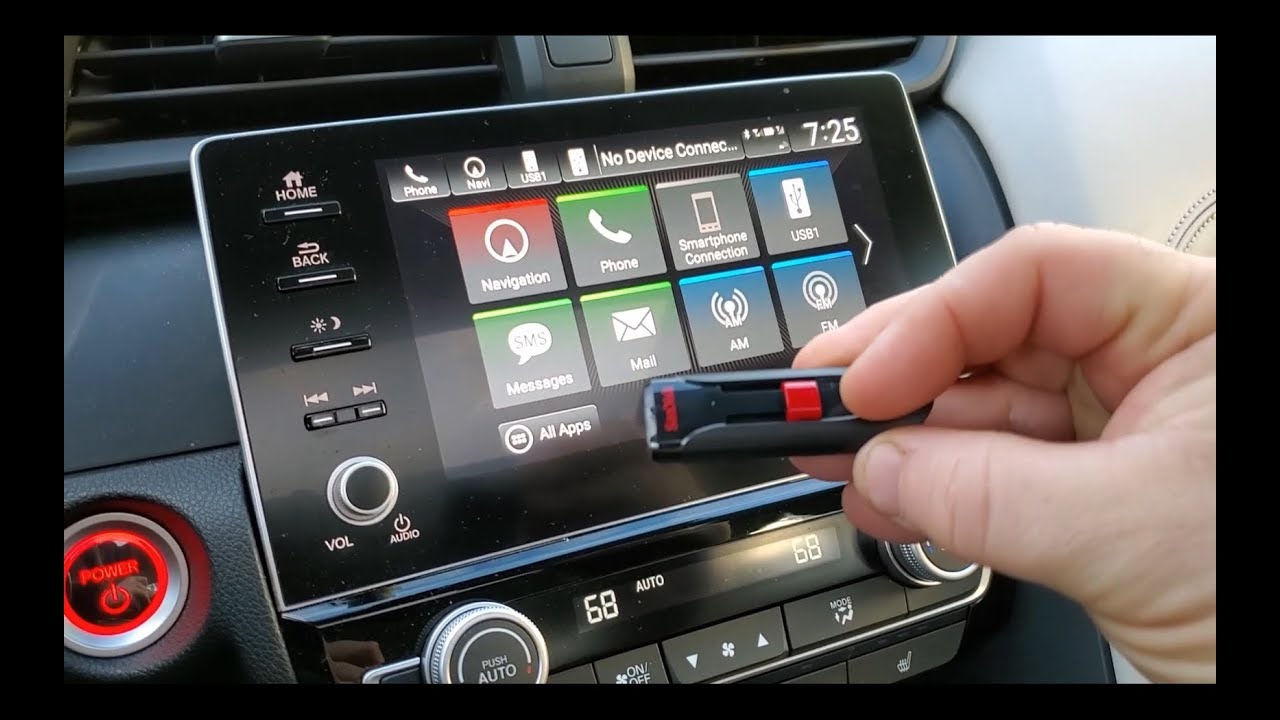
How to Play Music From USB Drive in a Honda CRV - USB Stick for Music in Civic Accord Insight HRV
Автор: TheRenderQ
Загружено: 2025-03-08
Просмотров: 21302
How to Play Music From USB Drive in a Honda CRV - USB Stick for Music in Civic Accord Insight HRV
Product Links:
Get 50% off Amazon Prime here (ages 18-24): https://amzn.to/3Xt3qyK
SanDisk USB Drive (64GB): https://amzn.to/4btnqqL
SanDisk USB Drive (128GB): https://amzn.to/43ijirP
SanDisk USB Drive (256GB): https://amzn.to/41sPA0H
SanDisk USB Drive (512GB): https://amzn.to/4h8mIAo
SanDisk USB Drive (1TB): https://amzn.to/3F5oV2n
In this video, I'll show you everything you need to know about playing music from a USB flash drive in a 2021 Honda CRV. These instructions also apply to any similar Honda. Both USB ports in the dashboard will work but the one on the left is for your phone to access Apple Car Play or Android Auto. So it's better to use the one on the right. Also any USB drive will work, but I prefer to use an ultra compact SanDisk USB stick which comes in capacities up to 1TB. And I'll list it here in the description so it's easy for you to find.
Here's why the tiny drive is better. If I plug the regular one in, it can easily be knocked around and possibly damage the USB port. With the SanDisk drive There's barely anything sticking out and is less likely to get caught on things.
And here's an important note. Flash drives need to be formatted to FAT32 to work in Honda vehicles. To check the format on a Windows PC, right click on the drive and click on Properties. Here I can verify this drive is already FAT32. If not, here's how to format. Right click on the drive and select Format. Under File System, choose FAT32 then click Start. As a warning, this will erase everything on the flash drive so just be aware of that. For Mac users the formatting process is similar.
The compatible audio files you can play are MP3, WMA, AAC, FLAC and WAV. And you can organize these files in separate folders to create albums.
To access the music on the USB drive, tap Source on the touchscreen. Then tap the USB button on the right. And in a couple of seconds, audio starts playing. To return to the radio or other source just tap the Source button. And that's how you play music from a USB drive in a Honda CRV or other Honda vehicle.
If this video was helpful please give me a thumbs up and hit the subscribe button to stay up to date on all my weekly videos!
Disclaimer: As an Amazon Associate I earn from qualifying purchases.
***Equipment I Use For My Videos***
Canon EOS M6: https://amzn.to/2pwQ0Vq
Canon EF-M 22mm f/2 Lens: https://amzn.to/31mLfLq
Tokina 11-16mm Wide Angle Lens: https://amzn.to/33TFaYH
Fotodiox EF to EOS M Lens Adapter: https://amzn.to/31u3AGq
Comica CVM-WM300A Wireless Microphones: https://amzn.to/31tbiAD
Aputure Amaran AL528W LED Light: https://amzn.to/2VRuwyK
Kamerar SD-1 Camera Slider: https://amzn.to/2VUB5Ax
AVermedia HDMI Game Capture Module: https://amzn.to/31phsSp

Доступные форматы для скачивания:
Скачать видео mp4
-
Информация по загрузке: