How to Use LazyVStack in SwiftUI While Supporting iOS 13
Автор: vlogize
Загружено: 2025-09-06
Просмотров: 0
Learn how to implement a `LazyVStack` in a SwiftUI application that supports iOS 13, ensuring smooth functionality on both iOS 13 and later versions.
---
This video is based on the question https://stackoverflow.com/q/63218071/ asked by the user 'keegan3d' ( https://stackoverflow.com/u/239380/ ) and on the answer https://stackoverflow.com/a/63218390/ provided by the user 'Asperi' ( https://stackoverflow.com/u/12299030/ ) at 'Stack Overflow' website. Thanks to these great users and Stackexchange community for their contributions.
Visit these links for original content and any more details, such as alternate solutions, latest updates/developments on topic, comments, revision history etc. For example, the original title of the Question was: typealias LazyVStack for iOS 13
Also, Content (except music) licensed under CC BY-SA https://meta.stackexchange.com/help/l...
The original Question post is licensed under the 'CC BY-SA 4.0' ( https://creativecommons.org/licenses/... ) license, and the original Answer post is licensed under the 'CC BY-SA 4.0' ( https://creativecommons.org/licenses/... ) license.
If anything seems off to you, please feel free to write me at vlogize [AT] gmail [DOT] com.
---
How to Use LazyVStack in SwiftUI While Supporting iOS 13
With the introduction of new features in SwiftUI, developers want to take advantage of updates like LazyVStack without pressing the users who are still on earlier versions of iOS. In this guide, we’ll explore how to effectively implement a LazyVStack for iOS 13 support, allowing you to use the new layout in iOS 14 and above. Let's dive in!
The Challenge: Using LazyVStack without Losing Compatibility
If you are developing a SwiftUI app that you want to maintain compatibility with iOS 13, but simultaneously wish to leverage the advantages of LazyVStack and LazyHStack introduced in iOS 14, you may encounter a dilemma. Specifically, how can you establish a typealias for these new components without causing issues on iOS 14?
Using a simple typealias may not suffice, as it would become available on all versions, including iOS 14, which is not the desired outcome.
What You Need to Achieve
Use LazyVStack on iOS 14 and above
Fall back to VStack for iOS 13 users
Ensure a clean and organized code without redundancy
The Solution: Creating a Compatible View Wrapper
To gracefully handle this issue, you can create a custom struct that acts as a wrapper for LazyVStack and VStack. This wrapper will check the iOS version and choose the appropriate stack for the current platform. Here’s how to implement this solution:
Step-by-Step Implementation
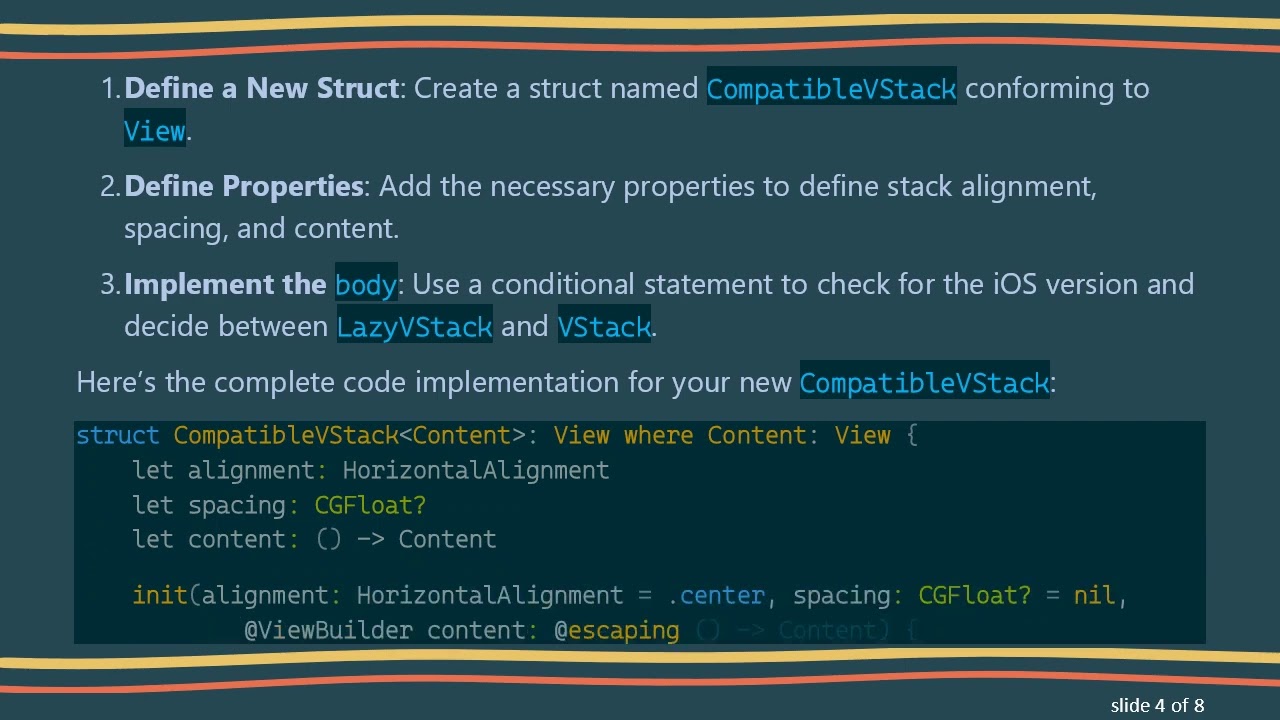
Define a New Struct: Create a struct named CompatibleVStack conforming to View.
Define Properties: Add the necessary properties to define stack alignment, spacing, and content.
Implement the body: Use a conditional statement to check for the iOS version and decide between LazyVStack and VStack.
Here’s the complete code implementation for your new CompatibleVStack:
[[See Video to Reveal this Text or Code Snippet]]
Explanation of the Code
CompatibleVStack: This struct will serve as our custom stack view.
Content: This generic type ensures that the content passed to the stack can be any type of view.
body Implementation:
The if # available(iOS 14, *) statement checks the iOS version at runtime.
Depending on the result, it either uses LazyVStack for iOS 14 and above or falls back to the standard VStack for iOS 13.
Why This Works
This approach promotes code reusability and keeps your views clean and organized. At the same time, it ensures that you do not compromise on user experience by relying on features that are not available on older iOS versions.
By wrapping the new layout in a conditional structure, you can gracefully allow your application to serve both users on iOS 13 and those who have upgraded to iOS 14 and beyond.
Conclusion
Developing applications that cater to multiple iOS versions can be challenging. However, with a thoughtful approach like creating a version-specific wrapper, you can easily implement modern UI components while maintaining backward compatibility.
By implementing the CompatibleVStack, you can harness the best of both worlds, ensuring your app looks great and runs smoothly across different versions of iOS.
Keep experimenting with SwiftUI and enjoy the flexibility it brings to iOS development!
Доступные форматы для скачивания:
Скачать видео mp4
-
Информация по загрузке: