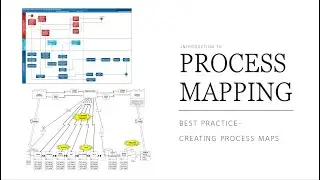
Process Management - 5: Process Mapping and Flow Design
Автор: Process App
Загружено: 2026-01-04
Просмотров: 1
The fifth episode of the Process App instructional series is dedicated to one of the most important issues in organizational management – process mapping.
The video shows how to identify, visualize, and analyze business processes carried out in individual departments of your company. Thanks to this tool, you will gain a holistic view of the organization's functioning and more easily find areas requiring improvement.
In this episode, we discuss the following functionalities:
● LOCATION AND ACCESS: We explain where to find the Process Mapping module, located in the Company tab. Before entering the module, you can familiarize yourself with the details of its operation and the available AI and manual functions.
● PROCESS LIST AND AI GENERATION: Upon entering the module, you will see a list of previously added processes. The main part of the video is the presentation of automatic process generation using Artificial Intelligence. Using the example of the human resources management process, we show how the system suggests ready-made lists of processes that you can accept and save with one click.
● MANUAL ADDING OF PROCESSES: For those preferring independent configuration, we present the option of manually adding a process. You will learn which fields need to be completed: name, description, process owner, and its weight.
● GENERATING ACTIVITIES AND OPTIMIZATION: We show how, using the star icon next to a specific process, the AI system can generate a list of detailed activities making up that process in moments. We also discuss the ability to report problems, ideas, and generate optimizations and indicators directly from the list view.
● GRAPHIC DESIGN (DIAGRAMS): We move to the advanced design view, available under the "Design" button. Here, you build a visual scheme of the process.
○ Detailed AI descriptions: Clicking the star on a tile generates a comprehensive description of a given stage.
○ Voiceover function: To facilitate work with large amounts of text, a speaker icon is available, allowing you to listen to the generated description.
○ Process arrangement: You can use the sidebar to manually drag elements or use AI to automatically arrange the diagram structure.
Why is this worth watching? The video demonstrates how to turn complex operational actions into clear schemes. Understanding the workflow allows for the identification of bottlenecks and making better business decisions.
________________________________________
Timestamps:
● 00:00 - Introduction
● 00:16 - Module location in the system
● 01:10 - Process list overview
● 01:27 - Automatic process generation by AI
● 01:58 - Manually adding a new process
● 02:22 - Generating a list of activities for a process
● 02:45 - Visual design and process diagrams
● 03:00 - Creating stage descriptions and voiceover function
● 03:35 - Arranging the diagram and reporting problems at the design stage
● 04:15 - Summary of mapping benefits
Contact and Support: We encourage you to test the mapping module in practice on a free account.
● App Address: zp.processapp.pl
● Phone: +48 570 009 774
● Email: biuro@processapp.pl
#ProcessApp #ProcessMapping #BPM #Optimization #AIinBusiness #ProcessManagement #Diagrams #Tutorial #Instruction

Доступные форматы для скачивания:
Скачать видео mp4
-
Информация по загрузке: