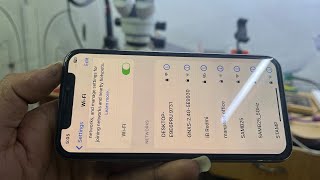
iphone XS max no Wifi singl Network Fix repair
Автор: Merosewa4k
Загружено: 2025-10-14
Просмотров: 161
If your iPhone XS Max is showing “No Wi-Fi signal” or the Wi-Fi isn’t working, here’s a complete step-by-step repair and fix guide 👇
---
🔧 Basic Software Fixes (Try these first)
1. Restart the iPhone
Press and hold the Side button + Volume button, then slide to power off.
Wait 30 seconds, then turn it on again.
2. Check Airplane Mode
Go to Settings → Airplane Mode.
Turn it ON for 10 seconds, then OFF again.
3. Forget and Reconnect Wi-Fi
Go to Settings → Wi-Fi → (i) next to your Wi-Fi name → Forget This Network.
Reconnect and re-enter the password.
4. Reset Network Settings
Go to Settings → General → Transfer or Reset iPhone → Reset → Reset Network Settings.
(This removes all saved Wi-Fi and VPNs.)
5. Update iOS
Go to Settings → General → Software Update, install any available update.
6. Check Wi-Fi Assist
Go to Settings → Cellular → Wi-Fi Assist, turn it off and test again.
---
⚙️ Advanced Fixes (if still no Wi-Fi signal)
1. Check for Overheating
iPhones sometimes disable Wi-Fi temporarily when they overheat.
Let it cool down, then test again.
2. Check Antenna Flex Cable
The Wi-Fi antenna or upper flex cable may be loose or damaged.
This is common after a drop or water damage.
🔩 Parts to inspect (for technicians):
Wi-Fi antenna near top rear camera area
Logic board connector (J5700) for antenna
Shield grounding points
3. Use External Wi-Fi Dongle (Test)
Connect via Lightning to USB adapter + external Wi-Fi dongle (just to test network connection).
4. Logic Board Rework (For Technicians Only)
If antenna is fine, problem might be in Wi-Fi IC (Murata chip) on the motherboard.
Needs reballing or replacement — use hot air station and microscope.
Common IC: Murata 339S00551 (for iPhone XS Max)
---
🧰 Repair Solution Summary
Problem Solution
No Wi-Fi option (grayed out) Reheat or replace Wi-Fi IC
Weak Wi-Fi signal Replace Wi-Fi antenna flex cable
Wi-Fi disconnecting often Clean board and re-seat antenna connector
No Wi-Fi after water damage Clean board with isopropyl alcohol, check corrosion near antenna/IC

Доступные форматы для скачивания:
Скачать видео mp4
-
Информация по загрузке: