How to Dynamically Change Django Form Fields Based on User Type
Автор: vlogize
Загружено: 2025-09-15
Просмотров: 2
Discover how to dynamically adjust Django form fields depending on user roles. Learn to hide or show fields effectively for different user types in your Django applications.
---
This video is based on the question https://stackoverflow.com/q/62587087/ asked by the user 'Manoj Karki' ( https://stackoverflow.com/u/11408022/ ) and on the answer https://stackoverflow.com/a/62587905/ provided by the user 'Pavan kumar' ( https://stackoverflow.com/u/11602126/ ) at 'Stack Overflow' website. Thanks to these great users and Stackexchange community for their contributions.
Visit these links for original content and any more details, such as alternate solutions, latest updates/developments on topic, comments, revision history etc. For example, the original title of the Question was: Django Dynamic Form Field - how to change?
Also, Content (except music) licensed under CC BY-SA https://meta.stackexchange.com/help/l...
The original Question post is licensed under the 'CC BY-SA 4.0' ( https://creativecommons.org/licenses/... ) license, and the original Answer post is licensed under the 'CC BY-SA 4.0' ( https://creativecommons.org/licenses/... ) license.
If anything seems off to you, please feel free to write me at vlogize [AT] gmail [DOT] com.
---
How to Dynamically Change Django Form Fields Based on User Type
In the world of web development, user experience is paramount, and forms play a crucial role in that experience. When building applications using Django, you may encounter a scenario where you need to change form fields dynamically based on the user's role. In this post, we’ll address a specific question: How can you change a form field widget dynamically based on the user login type?
The Problem
You have a Django form that includes a field for selecting a flat number from a list. You want to ensure that this field (flatno_id) is only shown to superusers, while for all other users (non-superusers), you would like to hide this field instead. The requirement is clear: show the field for elevated permissions and hide it for regular users.
The Solution
To achieve this functionality, you can override the _init_ method of your Django form. This method is called when a form instance is created, allowing you to modify form fields based on specific conditions—like the logged-in user's type.
Step-by-Step Guide
Here’s how you can implement this solution:
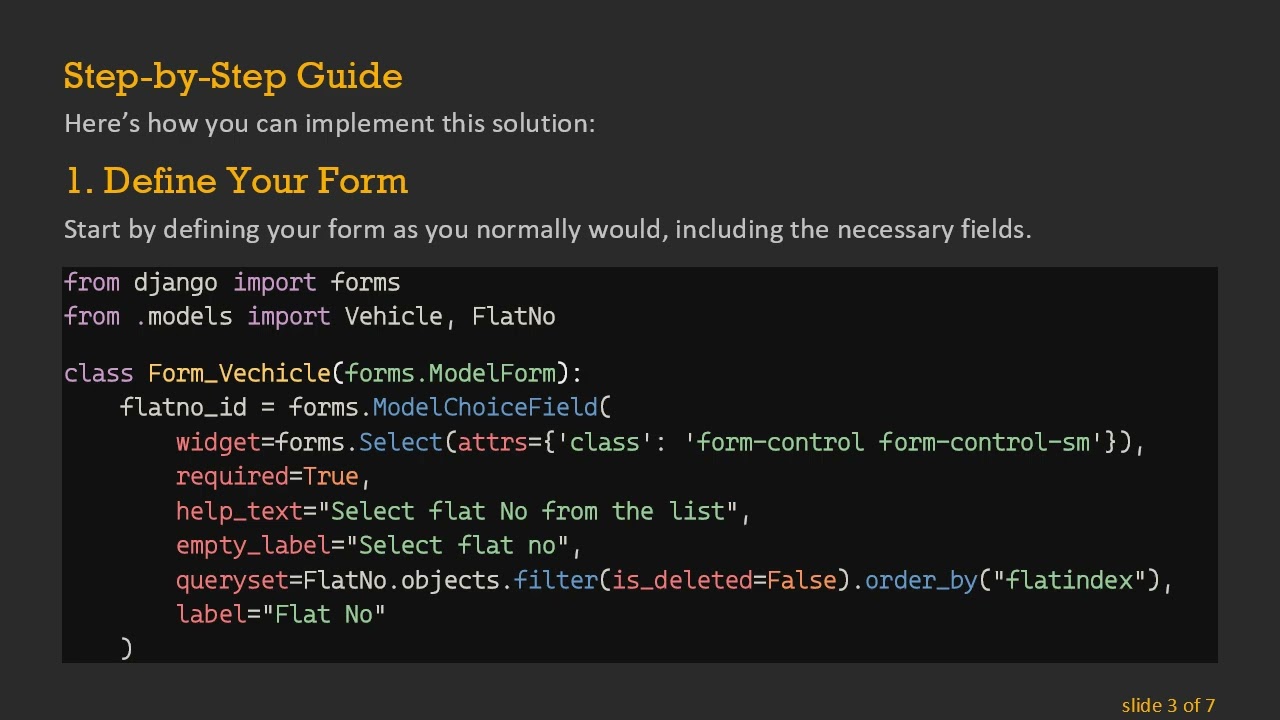
1. Define Your Form
Start by defining your form as you normally would, including the necessary fields.
[[See Video to Reveal this Text or Code Snippet]]
2. Override the _init_ Method
Next, you will override the _init_ method to change the widget based on the user type. Here’s how you can achieve that:
[[See Video to Reveal this Text or Code Snippet]]
3. Pass the Request Object to Your Form
To access the user in your form, ensure to pass the request object when instantiating the form. You might do this from your view like so:
[[See Video to Reveal this Text or Code Snippet]]
Key Points to Remember
Dynamic form fields improve user experience by ensuring attendees only see relevant information.
Always check the user type before altering the form field.
Pass the request object to the form to easily access the user's properties.
Conclusion
Changing form field widgets dynamically based on user roles is a powerful feature in Django that enhances usability and security. By following these simple steps, you can create forms that cater to different user permissions seamlessly. Implement this in your next Django project, and provide a tailored experience for each of your users!
Доступные форматы для скачивания:
Скачать видео mp4
-
Информация по загрузке: