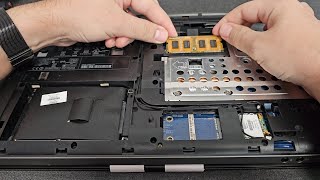
How to install SSD on HP all in one computer I HP 200 G3 All in One Pc replace hard Disk
Автор: nikhilmanakkapady
Загружено: 2024-12-13
Просмотров: 102
Differences between HDD and SSD
The primary differences between HDD (Hard Disk Drive) and SSD (Solid State Drive) lie in their technology, speed, durability, and usage:
1. **Technology**:
**HDD**: Uses spinning disks (platters) coated with magnetic material to read/write data.
**SSD**: Uses flash memory chips (NAND) with no moving parts for data storage.
2. **Speed**:
**HDD**: Slower read/write speeds, typically around 80-160 MB/s.
**SSD**: Much faster speeds, usually 200-550 MB/s for SATA SSDs, and even higher for NVMe SSDs (up to 5000 MB/s or more).
3. **Durability**:
**HDD**: More susceptible to physical damage due to moving parts.
**SSD**: More resistant to shocks and drops, more reliable over time.
4. **Capacity**:
**HDD**: Usually offers larger storage capacities at lower costs, commonly exceeding 4TB.
**SSD**: While larger SSDs are available, they tend to be more expensive per gigabyte.
5. **Noise**:
**HDD**: Can be noisy due to moving parts.
**SSD**: Silent operation as there are no moving components.
6. **Power consumption**:
**HDD**: Generally consumes more power, especially during startup.
**SSD**: More energy-efficient, leading to longer battery life in laptops.
7. **Use Cases**:
**HDD**: Typically used for bulk storage, backups, and less speed-sensitive applications.
**SSD**: Preferred for operating systems, applications, gaming, and tasks requiring high speed.
In summary, SSDs are generally faster, more durable, and quieter, but HDDs are more cost-effective for large storage needs.
#nikhilmanakkapady #nikhilmanakkappady #nikhil #manakkappady

Доступные форматы для скачивания:
Скачать видео mp4
-
Информация по загрузке:




![Что такое оперативная память и для чего она нужна? [Руководство]](https://ricktube.ru/thumbnail/-aQOv3T7P8E/mqdefault.jpg)


