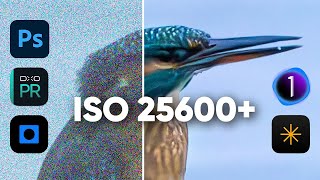
Fix blurry high ISO photos: Topaz Photo AI vs Lightroom
Автор: Parker Photographic
Загружено: 2024-11-12
Просмотров: 4196
👉️ FREE TRIAL Topaz Photo AI: https://cutt.ly/SeVLUaS1
👉️ Topaz Photo AI Complete Guide; • Topaz Photo AI 4 Complete Guide
================================================
Still struggling with Topaz? You need a system... a workflow...
Early Bird special only 67 out of 100 left at this price...
👉️ https://parkerphotographic.short.gy/T... Photo AI
================================================
================================================
📸 Finally... a photo composition shortcut you can learn in minutes, not days or years... https://parkerphotographic.short.gy/c...
================================================
Lightroom vs. Topaz Photo AI: Which One Delivers Superior Noise Reduction for Sharp, Natural Photos?
Are you tired of seeing your high-ISO images come out soft, blurry, or full of unwanted digital noise? If you've been wondering whether Lightroom or Topaz Photo AI does a better job at preserving realistic detail while reducing noise, this video has you covered.
Today, we’ll test both tools on a hummingbird image shot at ISO 8000. From initial edits in Lightroom to a direct comparison with Topaz Photo AI’s advanced noise reduction and sharpening features, you’ll see firsthand which software delivers the best results for detailed, lifelike images.
Testing Lightroom’s Noise Reduction with Denoise AI
Starting with Lightroom, I’ll show you how its Denoise AI feature works to clean up digital noise. By default, Lightroom’s luminance noise reduction setting softens the noise but often at the cost of important details, resulting in an overall soft or even blurry effect.
This smoothing is great for getting rid of unwanted noise, but it can make the subject look less sharp and natural. If you’ve ever noticed that “painterly” effect after noise reduction in Lightroom, you know exactly what I mean.
During the demonstration, I highlight some essential Lightroom techniques, like adjusting the luminance settings to control noise reduction strength. Even with careful tuning, however, Lightroom’s results sometimes lack the detail you may want, giving the image a more artificial look.
Lightroom vs Topaz Photo AI
Next, we dive into Topaz Photo AI to see how its features compare to Lightroom.
Topaz Photo AI is well-known for its powerful digital noise reduction and sharpening capabilities. It can target specific parts of your image for targeted processing.
For example, only sharpening the subject while leaving the background untouched.
This tool allows you to control which parts of the image are sharpened and where noise reduction is applied, a feature Lightroom lacks.
In this test, I import our high-ISO hummingbird image into Topaz Photo AI, choosing TIFF format at 16-bit color depth to preserve the smooth color transitions, especially in the background. The 16-bit setting minimizes color banding and enhances the overall quality, an advantage over Lightroom’s DNG format.
Why Topaz Photo AI’s Advanced Features Are Better than Lightroom
Topaz Photo AI offers targeted sharpening options that fix different types of blur, including motion blur, softness, and out-of-focus areas.
For this hummingbird photo, I set Topaz to denoise the entire image and then precisely sharpen the subject for a realistic, detailed effect. With these customizable options, you get enhanced control to achieve a clean look that’s free from the overly smooth, “plastic” look that often results from Lightroom’s Denoise AI.
Topaz Photo AI allows you to adjust the noise reduction strength, and its advanced sharpening features bring out lifelike detail in the hummingbird’s feathers.
You’ll notice that with Topaz, the details appear crisper and more realistic, while Lightroom’s Denoise AI sometimes leaves a smoother, more artificial look. Topaz’s ability to isolate noise reduction and sharpening only to specific areas is a major advantage for those who want precision in post-processing.
Final Comparison: Side-by-Side Results of Lightroom and Topaz Photo AI
After editing the photo in both programs, we compare Lightroom’s Denoise AI and Topaz Photo AI side-by-side. In Lightroom, the digital noise in the background is effectively removed, but the hummingbird’s details are slightly blurred, resulting in a less realistic outcome.
In contrast, Topaz Photo AI preserves much more detail in the subject, providing a natural, lifelike appearance that enhances the realism of the shot.
For photographers who value detail and realistic textures, Topaz Photo AI is the clear winner in this test (in my humble opinion). While both Lightroom and Topaz Photo AI effectively reduce background noise, Topaz does so without sacrificing essential details, offering a sharper, more true-to-life result.
If you want to learn more about Topaz Photo AI, I’ve created a full guide on maximizing its potential, from noise reduction settings to sharpening techniques.
Watch it here: • the NEW Topaz Photo AI complete guide, for...
Some links are affiliate links

Доступные форматы для скачивания:
Скачать видео mp4
-
Информация по загрузке: