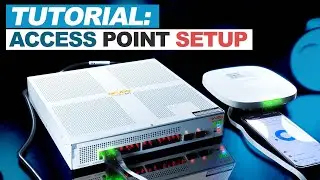
Configure Cisco Access Point using GUI Standalone/Autonomous with WPAv2 Authentication Key
Автор: IT Support People
Загружено: 2020-11-27
Просмотров: 410714
#Configure_Cisco_AP #Standalone_GUI #IT_Support_People
IT Support People Facebook Page:
/ it_support-peopledesktop-support-111268543...
Link for Other Related Videos:
Configuring Cisco Router to Access Internet through ISP Home router:
• Connect Cisco Router & Switch to ISP Home...
Configure VLAN | Allow VLANs to Access Internet
• Configure VLAN | Allow VLANs to Access Int...
In this video I've shown step by step process How to Configure Cisco AIRONET 3602i Autonomous/Standalone Access Point using GUI with WPAv2 Authentication Key. I've divided the whole process into two parts which are given below:
Part 1: Accessing Cisco Aironet Access Point GUI Web Interface
• Console the Access Point with Putty (default user name and Password: Cisco)
• Resetting to factory Default Settings Using the MODE Button
• Check IP status and Assign a static IP to BVI1 interface with same subnet mask
• Go to Web Browser and type http://BVI1 interface IP address (keep user name blank and default Password: Cisco)
Part 2: Configuring Aironet Access Point with WPAv2 Authentication in GUI
1. In Easy Setup
Under Network Configuration
--Edit AP hostname, Static IP, Subnet mask and Default Gateway
Under In Radio Configuration
--Create SSID name WLAN_New under Radio 2.4GHz and select Broadcast SSID in Beacon
2. Apply Encryption Modes to AES CCMP
3. Enable WPAv2 and apply WPA Pre-shared Key: to SSID
4. Enable Wireless Radio Interface (Radio0-802.11N2.4GHz/ Radio1-802.11N5GHz) UP
5. Save the configuration
6. Finally check the SSID Wi-Fi connection, Security Key, IP address and browsing through internet
Cover Topic:
How to configure Cisco AP,
How to Configure Standalone Cisco Access Point,
Configure Cisco AIRONET 3602i Autonomous/Standalone Access Point using GUI,
How to Configure Cisco Standalone/Autonomous Access Point using GUI,
Cisco access point configuration step by step GUI,
How to configure standalone Cisco access point from GUI,
How to Configure a Cisco Wireless Access-Point (AP) from GUI,
How to configure standalone Cisco access point from GUI,
WPAv2 Authentication Key, Encryption AES CCMP,
Cisco AP Wireless Radio Interface Radio0-802.11N2.4GHz/ Radio1-802.11N5GHz,
Create Cisco AP SSID GUI, Enable WPAv2 and WPA Pre-shared Key,
cisco 3602i standalone configuration,
Resetting Cisco AP to factory Default Settings Using the MODE Button,
Cisco IOS Configuration Guide for Autonomous Aironet,
cisco autonomous ap configuration example,
how to access cisco ap web interface,
cisco ios configuration guide for autonomous aironet access points,
Cisco Autonomous Wireless Network - Home style configuration,
Configuring the Access Point for the First Time,
SSID on Autonomous AP Configuration Example,
Cisco Autonomous AP - Initial Setup & Open SSID Creation,
Autonomous AP - Initial Setup & Open SSID Creation,
Using the Web-Browser Interface Cisco Aironet 3600 Series,
SSID on Autonomous AP Configuration Example - Cisco,
how to access cisco ap web interface,
how to configure cisco access point without controller,
How do I assign an IP address to a Cisco access point,
How do I access my Cisco wireless access point,
how to configure cisco wireless access point via console,

Доступные форматы для скачивания:
Скачать видео mp4
-
Информация по загрузке: