unity table format, WYSIWYG real merge, split, resize, zebra, more - with Tonkers Table Topia
Автор: Tonkers Tinkers
Загружено: 2025-10-16
Просмотров: 97
Get the tool:
GitHub: github.com/TonkersTinkers/TonkersTableTopia/
Support the game this was built for:
Historic Helix on Steam: store.steampowered.com/app/3844910/Historic_Helix/
What this video is:
A live demo of the scripts doing their thing. Not a tutorial. You will see the editor tooling and runtime in action. Bring popcorn. :)
Highlights you will see:
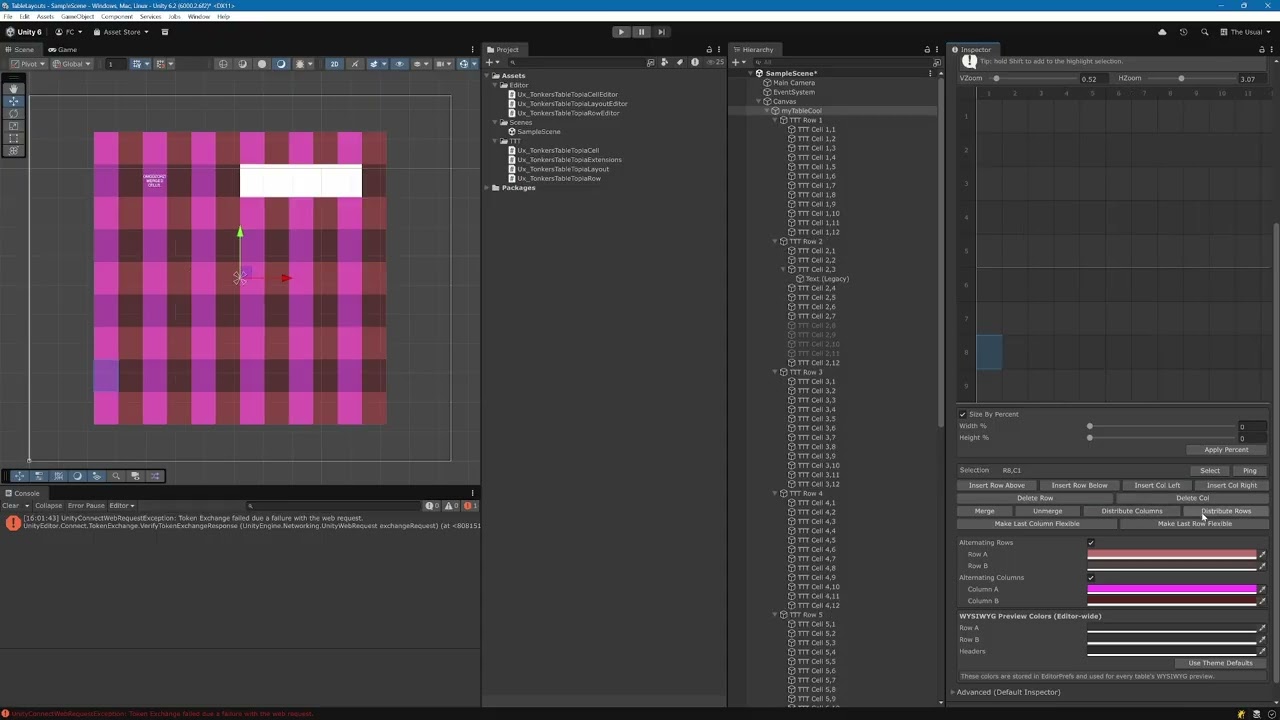
• WYSIWYG preview with row and column headers.
• Click to select cells, Shift to select rectangles.
• Merge and unmerge cells.
• Insert or delete rows and columns with safety prompts.
• Drag splitters to resize rows or columns in the preview.
• Even or custom sizing, in pixels or normalized percent.
• Zebra striping by rows and by columns, with blended overlap.
• Per row and per column background sprites and tints, optional per cell overrides.
• Optional ContentSizeFitter per cell.
• Works in edit and play mode.
• Editor UI only depends on Unity, no third party packages.
• Clean C#, runtime safe, MIT licensed.
(If you know the pain, you know why this feels like a spa day for UI layouts. ^_^)
Who is this for:
• Unity game devs who build leaderboards, inventories, stats panels, options menus, or any data grid.
• Anyone who typed “unity ugui table” at 3 AM and whispered “please.”
• Teams that want editor-time control and predictable runtime behavior without spaghetti.
Why it helps:
• You get spreadsheet-like control without switching tools.
• Pixel and percent sizing means layouts adapt when parents change size.
• Visual editing reduces trial-and-error and inspector juggling.
• Safer structural edits with confirmation prompts so you do not nuke a layout by accident.
• Runtime safe updates keep your UI stable while the game runs.
• MIT license means you can drop it into projects with confidence.
How to try it:
Grab the repo above and copy runtime classes into Assets/UI/TonkersTableTopia/.
Copy the Editor scripts into Assets/Editor/TonkersTableTopia/.
Add the component Tonkers Table Topia to any RectTransform.
Set row and column counts, toggle the WYSIWYG preview, and go wild.
Optional asmdefs included if you want separation.
Ship something pretty, then tell your future self “you are welcome.” :)
Not a tutorial, just a showcase:
This video only demonstrates features in-editor and at runtime. If you want a step-by-step tutorial, say the word and I will record one. Until then, enjoy the chaos neatly formatted into rows and columns. :D
#unity #unityugui #unityui #gamedev #uiediting #csharp #indiegamedev #tools
Доступные форматы для скачивания:
Скачать видео mp4
-
Информация по загрузке: