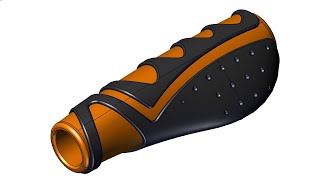
Master the Honeycomb Pattern on Curved Surface in SolidWorks | Pro Tips and Tricks for CAD Users
Автор: Easy CAD Solutions
Загружено: 2020-08-25
Просмотров: 84408
Unlock Your SolidWorks Potential Create Stunning Honeycomb Patterns with Ease!
Are you ready to elevate your SolidWorks skills and become a design master in no time? In this comprehensive video tutorial, we'll guide you through the intricate process of creating a honeycomb curved shell in SolidWorks 2018. Whether you are a beginner seeking to learn the best practices or an experienced designer looking for advanced techniques, this video is tailored just for you!
Why Mastering Honeycomb Patterns Matters
Creating intricate designs with honeycomb patterns can significantly enhance your projects. This organic model style is not only visually appealing but also crucial in industries like aerospace and automotive engineering due to its lightweight yet strong structural capabilities. By mastering this skill, you can impress clients and employers alike!
What You’ll Learn in This Video
Essential Commands Get hands-on experience with core features including
Surface Revolve: Understand how to create complex rounded shapes effortlessly.
Surface Extend: Learn to elongate surfaces smartly for tailored designs.
Surface Offset: Discover how to maintain structure while creating unique depths.
Extrude Cut: Master cutting techniques to refine your designs down to the finest detail.
Thicken: Transform thin surfaces into robust models.
Mirror: Feature Duplicate features for symmetrical design compatibility.
Fill Pattern: Explore using diverse patterns to breathe life into your projects.
Combine (Add): Learn the power of merging shapes for integrated solutions.
Fillets: Add smooth transitions for better flow and design aesthetics.
Revolve Boss/Base: Create solid forms from revolving sketches.
Sweep Boss/Base: with Circular Profile Achieve continuous curves with seamless results.
Change Appearance: Experiment with visual customizations for a distinctive touch.
The Fill Pattern Technique Learn how to use the fill pattern effectively to create complex designs in SolidWorks. This technique is essential for anyone keen on elevating their CAD design aesthetic!
Modeling Strategies Discover unique approaches to tackle intricate modeling challenges that even seasoned professionals face.
Design Tips Understand practical tips to reduce modeling time while increasing accuracy - perfect for busy professionals.
Who This Video Is For
Aspiring Designers If you're entering the field of CAD software, this video will set you on the right path.
Experienced Engineers Take your skills to the next level by layering complex patterns seamlessly into your work.
Hobbyists Perfect for enthusiasts who want to turn their creative ideas into tangible designs.
Why This Tutorial Stands Out
1. Free Workshop Invitation Sign up for our FREE SolidWorks workshop where we cover the 10 best practices to becoming a SolidWorks Pro in days—not years. Avoid boring practice and learn effectively!
[Register for the Workshop Here](https://easycadsolutions-learnsolidwo...)
2. Significant Practical Knowledge Each command is broken down with clarity, ensuring you gain a deep understanding that you can immediately apply.
3. Expert Guidance Join your instructor, who brings years of industry experience and practical knowledge that you can implement in your projects today! Users will benefit greatly from insights that are both theoretical and practical.
4. Community Building Join our fast-growing community where professionals and enthusiasts alike share resources, ask questions, and provide feedback.
5. Resourceful Connections Resources, templates, and ongoing support will be directly accessible to all learners who engage with the content.
Join Our Community
Please don’t forget to like, subscribe, and comment below to share your thoughts or ask any questions. Your engagement inspires future content and helps us grow this community of aspiring designers!
Contact Us for Freelance Services or Personalized Guidance
-WhatsApp: +919793662583 or
-Email: [email protected].
-LinkedIn: [Nishant Gautam LinkedIn]( / nishant-gautam-86253a100 )
Don’t miss your chance to become a SolidWorks expert and learn how to create stunning honeycomb patterns on curved surfaces.
Take charge of your CAD skills today; watch the video and start modeling your vision efficiently and effectively!

Доступные форматы для скачивания:
Скачать видео mp4
-
Информация по загрузке: