How to Use VLOOKUP in Excel - Easy Step-by-Step Tutorial for Beginners
Автор: Florence Wachira
Загружено: 2026-01-22
Просмотров: 1
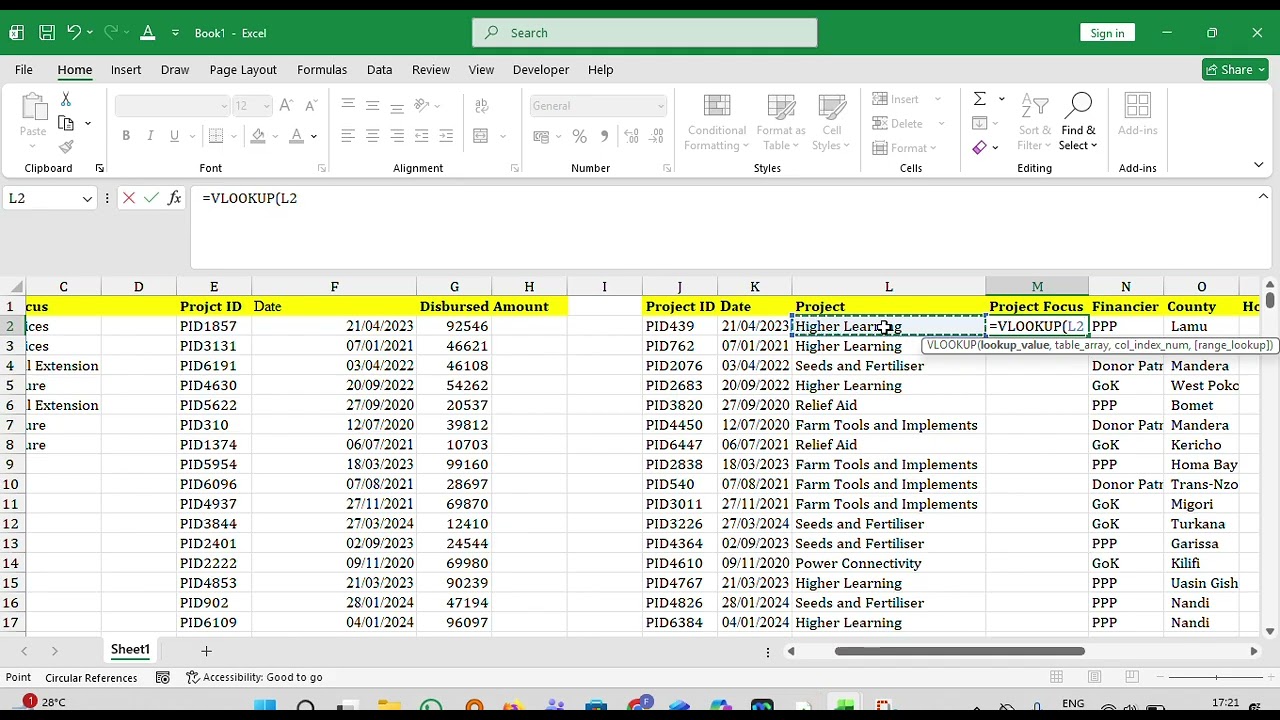
Learn how to use the VLOOKUP function in Excel to search and retrieve data from large spreadsheets!VLOOKUP is one of Excel's most powerful functions for looking up and matching data between different tables. Whether you're working with inventory lists, employee databases, price lists, or customer records, this tutorial will show you exactly how to use VLOOKUP step-by-step.What You'll Learn:What VLOOKUP is and when to use itThe VLOOKUP syntax and arguments explainedHow to look up values from another tableUnderstanding TRUE vs FALSE (exact vs approximate match)Common VLOOKUP errors and how to fix themPractical examples you can use immediatelyVLOOKUP Formula Syntax:=VLOOKUP(lookup_value, table_array, col_index_num, [range_lookup])Perfect for:Excel beginners learning data lookup functionsStudents working with databases and spreadsheetsProfessionals managing inventory, sales, or customer dataAnyone who needs to match and retrieve data efficientlyWhy Learn VLOOKUP?VLOOKUP saves hours of manual searching and data matching. It's essential for data analysis, reporting, and working with multiple data sources in Excel.👍 If this tutorial helped you master VLOOKUP, please like and subscribe for more Excel tutorials!💬 Having trouble with VLOOKUP? Drop your questions in the comments below!🔔 Subscribe for more Excel tips and functions: [Your Channel Link]Related Topics: Excel lookup functions, XLOOKUP, INDEX MATCH, data analysis, Excel formulas
Доступные форматы для скачивания:
Скачать видео mp4
-
Информация по загрузке:








![Excel Tutorial for Beginners [Made Easy]](https://imager.clipsaver.ru/fzdn1vcHPsA/max.jpg)