Luminosity Masks Are Child's Play Compared to This!
Автор: f64 Academy
Загружено: 2019-07-11
Просмотров: 47113
Learn More about the ZSE6: http://f64.co/essentials
The Evolution of Luminosity Masks
I love Luminosity Masks, I have been using them for ages, and they have been an integral part of my workflow. Before we get too far into this post, I want to clarify that I have nothing against the Traditional Luminosity Mask and there is definitely a place for them in Photoshop. But, there is always a but, I have recently discovered a new use for a common tool that makes the traditional Luminosity Mask as you have known it look a little foolish.
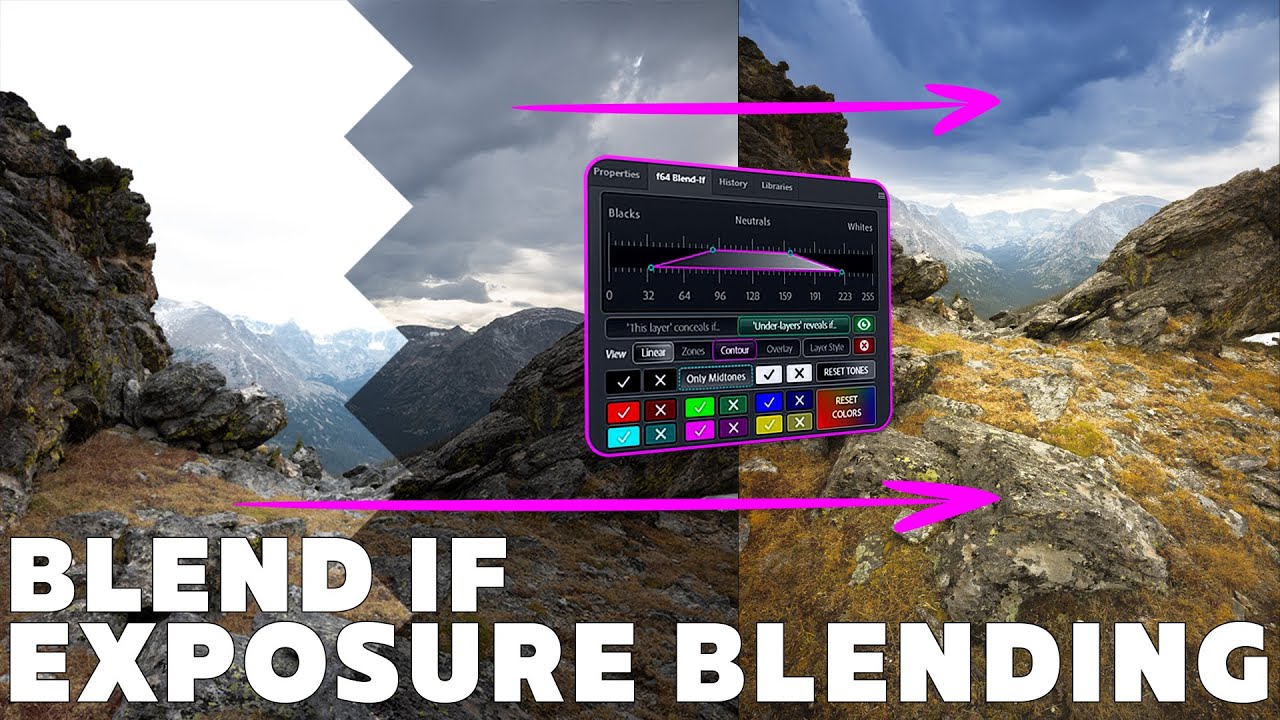
Over the last several years, I have been experimenting with Blend If. If you have followed me from at least 2014, you will have seen the plethora of ways I use it in my workflow. What you haven't seen is how many countless hours of research I have spent trying to evolve the Luminosity Mask into a Blend If Mask. It has been a grueling process but, I finally did it, and I incorporated it into the Zone System Express 6.
Why did I do all this research?
Well, I was explaining ice to my five-year-old. He found it fascinating that water could freeze into more shapes than an ice cube and it was quite funny trying to watch him put large chunks of ice into a cup after they had frozen together. You may have done this too, a large grouping of ice cubes gets lumped together and you try to put it into a cup and all you do is make a mess.
Something clicked when I saw that and it made me think of a Luminosity Mask that had been made on one image and used on another. It is a clunky piece of ice. BUT Blend If is fluid and changes as the "vessel" changes.
What I mean by this is that a Luminosity Mask is a mask that is frozen for the item it is made on. Sure you can alter the mask with levels, but the mask is still meant for that image. Blend If, however, works on pixel values and not pixel masks. So anything under a blend if layer will be altered by their pixel values and not necessarily the mask created for them.
This discovery opens a lot of gates in post-production, especially with the new advancements in Adobe Camera Raw and Lightroom and the ability to make LUT profiles.
How are these Blend If Masks better? (all explained in the video, but here it is for those who like to read)
They are entirely non-destructive and do not make pixel masks but use pixel values to turn on or off the effect that is being applied. This makes them much easier to modify than traditional Luminosity Masks and much more accurate.
The layer that has Blend If applied to it can be pulled from one image and placed onto the next and it will know what pixels to "turn on and off" and will make the "mask" accordingly. So you can do a bunch of layers with Blend If settings on them, then transfer them to another image and they will make the same effect without the hard edge of the traditional Luminosity Mask.
You can use these Blend If functions for RAW level editing when you turn them into a LUT in Photoshop then make a LUT profile in ACR. This can dramatically increase your workflow and give you access to high quality, Fine Art level adjustments at the RAW level. It is a GROUNDBREAKING advancement in Post Processing.

Доступные форматы для скачивания:
Скачать видео mp4
-
Информация по загрузке:







![[2026] Feeling Good Mix - English Deep House, Vocal House, Nu Disco | Emotional / Intimate Mood](https://imager.clipsaver.ru/cxLdtvzf2sI/max.jpg)

![Two Great Methods For Creating Luminosity Masks in Photoshop [Step-by-Step Guide]](https://imager.clipsaver.ru/oSBXT8OYcEE/max.jpg)