"How to Connect Mobile with Camtasia TechSmith Fuse | মোবাইল দিয়ে ক্যমটেশিয়ায় ভিডিও পাঠান!"
Автор: Technology Tricks.
Загружено: 2025-08-28
Просмотров: 29
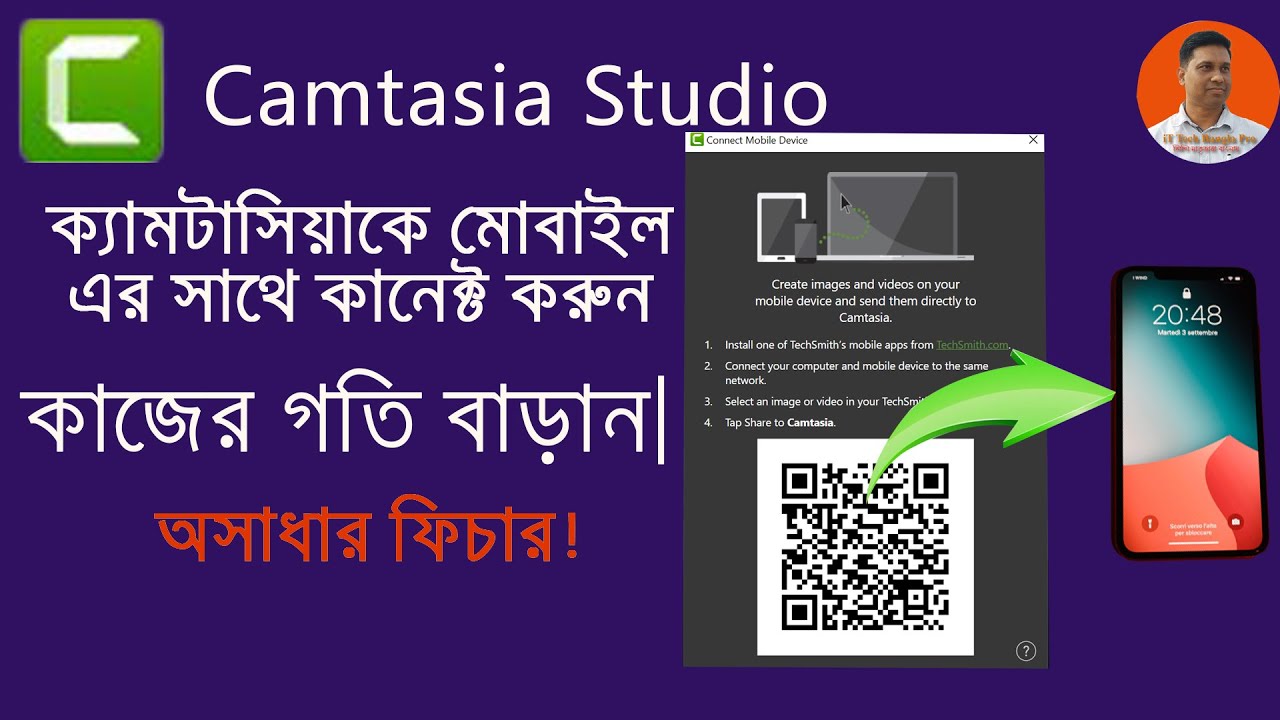
Want to quickly import photos and videos from your phone into Camtasia? In this tutorial, you’ll learn how to connect your mobile with Camtasia using TechSmith Fuse app — fast and wirelessly!
This method is perfect for content creators who want to:
Instantly transfer mobile footage to Camtasia
Edit mobile videos directly on desktop
Avoid cables or manual file transfers
Save time with seamless syncing
TechSmith Fuse is a free mobile app available for both Android and iOS that lets you send media directly to Camtasia Studio via Wi-Fi. This video shows step-by-step:
How to install TechSmith Fuse
How to scan QR code to connect mobile with Camtasia
How to send photos and videos instantly
Troubleshooting connection issues
This process works with Camtasia 9 and above, and it's super easy. You’ll also learn how to optimize your video settings before import for better quality editing.
📱 Whether you're using your phone for vlogs, tutorials, or screen recordings, this method saves time and boosts productivity.
💡 Bonus Tip: Learn how to organize media files inside Camtasia after importing from mobile.
🔔 Don’t forget to subscribe to our channel "Technology Tricks" for more smart video editing tips, mobile-to-PC tools, and Camtasia tutorials.
✅ 5 Hashtags:
#CamtasiaTips
#TechSmithFuse
#MobileToPC
#VideoEditing
#TechnologyTricks
✅ 15 Related YouTube Titles:
How to Connect Mobile with Camtasia via TechSmith Fuse
মোবাইল দিয়ে ক্যমটেশিয়ায় ভিডিও Import করার সহজ উপায়
TechSmith Fuse Full Setup Tutorial
Send Videos to Camtasia from Android
Fuse App Not Working? Fix Connection Issues
How to Use TechSmith Fuse with Camtasia 2025
Import Mobile Media into Camtasia Fast
Transfer Videos from iPhone to Camtasia
TechSmith Fuse QR Code Scan Guide
Mobile Video to PC Editing using Camtasia
Camtasia Fuse Connection Troubleshooting
Best Way to Sync Mobile with Camtasia
Wireless Video Transfer to Camtasia
Fuse App for Camtasia Explained in Bangla
Quick Import from Phone to Camtasia Studio
📢 Don’t Forget to Subscribe!
If this tutorial helped you, please subscribe to our channel "Technology Tricks" for more Camtasia guides, mobile editing hacks, and time-saving tech tutorials! 🎬📲
আরও চাইলে Fuse + Camtasia নিয়ে
❤️ Follow me on social media ❤️
✅ Facebook: / mahmudulhoquekhan550
✅ Linkedin: / mahmudul-hoque-khan-0037b4156
✅ Twitter: / mahmudulhoquek7
🔔 Subscribe for more tips just like this: / @technologytricks .
🔎 ONLY BUSINESS INQUIRIES 🔎
mhkhan150383ed@gmail.com
DisClamer:
Earnings Disclaimer:
Technology Tricks is a professional marketer and does not guarantee any results. Your results may be more, the same, or less depending on your work ethic, your individual abilities, economic conditions, and your ability to apply the skills you learned.
Disclaimer:
The information in this video and the process showed is for students and for education purpose only!
⚠️ 𝐂𝐎𝐏𝐘𝐑𝐈𝐆𝐇𝐓 𝐃𝐈𝐒𝐂𝐋𝐀𝐈𝐌𝐄𝐑➡️➡️➡️
This channel may use some copyrighted materials without specific authorization of the owner but contents used here falls under the "Fair Use" Copyright Disclaimer under Section 107 of the Copyright Act 1976, allowance is made for "fair use" for purposes such as criticism, comment, news reporting, teaching, scholarship, and research. Fair use is a use permitted by copyright statute that might otherwise be infringing. Non-profit, educational or personal use tips the balance in favor of fair use.
If you found this video helpful, please consider subscribing to my channel and leaving a comment below. Thanks for watching!"
Доступные форматы для скачивания:
Скачать видео mp4
-
Информация по загрузке:






![ChatGPT и Gemini устарели. Вот реально рабочий инструмент [Opal]](https://image.4k-video.ru/id-video/0RvCVXVMftE)