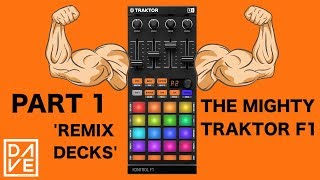
👓 REMIX DECKS as SAMPLERS & SAMPLING LIVE VOICE with TRAKTOR (shown with the Z2)
Автор: Aprende Scratching
Загружено: 2022-04-17
Просмотров: 8350
(Please activate English subtitles!) *** I explain how to use one-shots and loops and how to set them. I show how to record from the microphone live in the loop recorder and move the recording to the remix deck as well. (I do not show here how to pick track portions to the remix decks nor advanced sync functions)
Although I use Traktor Pro 3 here, everything should work the same in Traktor Scratch Pro 2 (the version included with my Z2).
INDEX:
*******
0:00 Intro
0:10 Create a custom layout for 4 decks
0:46 Set one-shot sample for playing just on hold
2:11 Settings for voice live recording
3:28 Use as a sample a live recording¹
5:55 set loop sample synced¹
7:32 Several samples in one slot¹
10:02 Trigger a sample again before it ends¹
11:13 Volume & pitch for each slot¹
11:30 Set small view once you've set the remix deck
12:33 Save remix set
¹Advanced view in the remix deck is required. Please check first 1:08 if you haven't seen it yet
APPENDIX
***********
How to change the track deck view in the main screen 2:38
How to change the remix deck view in the main screen 1:08
Change sample color and name 1:43
Horns from other popular DJ software 1:59
Why can't I see the global section? 2:28
Moving recording to the remix deck (with the mouse) 3:44
Set recording sample as one-shot 3:56
How to play with pitch playing a sample (with the mouse) 5:08
How to select wich samples will have FX 5:39
How to erase a sample from the remix deck (Z2) 5:47
Wrong BPM in the remix deck after sync? (double click in the below BPM) 6:20
How to stop a sample 6:56
How to start a sample right (sync on) 7:09
Keylock on each slot 7:55
Wrong (cut) start with triggered loop samples? 12:25
NOTES
*******
The sound has been recorded with autogain with an app in my smartphone. Please do not think Traktor or the Z2 bring the final mix like this!
If your loops start cut (as shown at 12:25), try to disable keylock in its slot.
The loop recorder stops recording automatically according to its size (4, 8, 16 o 32 beats)
Here I ignore the bar and beats counter in the remix decks.
SOCIAL
********
/ aprendescratching
/ aprendescratching
https://fiverr.com/bronxio_sound

Доступные форматы для скачивания:
Скачать видео mp4
-
Информация по загрузке:
![КАК ИСПОЛЬЗОВАТЬ TRAKTOR REMIX DECKS? | Native Instruments [ПроГайд#1]](https://ricktube.ru/thumbnail/eNiQ8Kgodoo/mqdefault.jpg)