How To Create A Self Cleaning Log In Microsoft Access And Automatically Delete Old Records
Автор: Computer Learning Zone
Загружено: 2026-01-20
Просмотров: 442
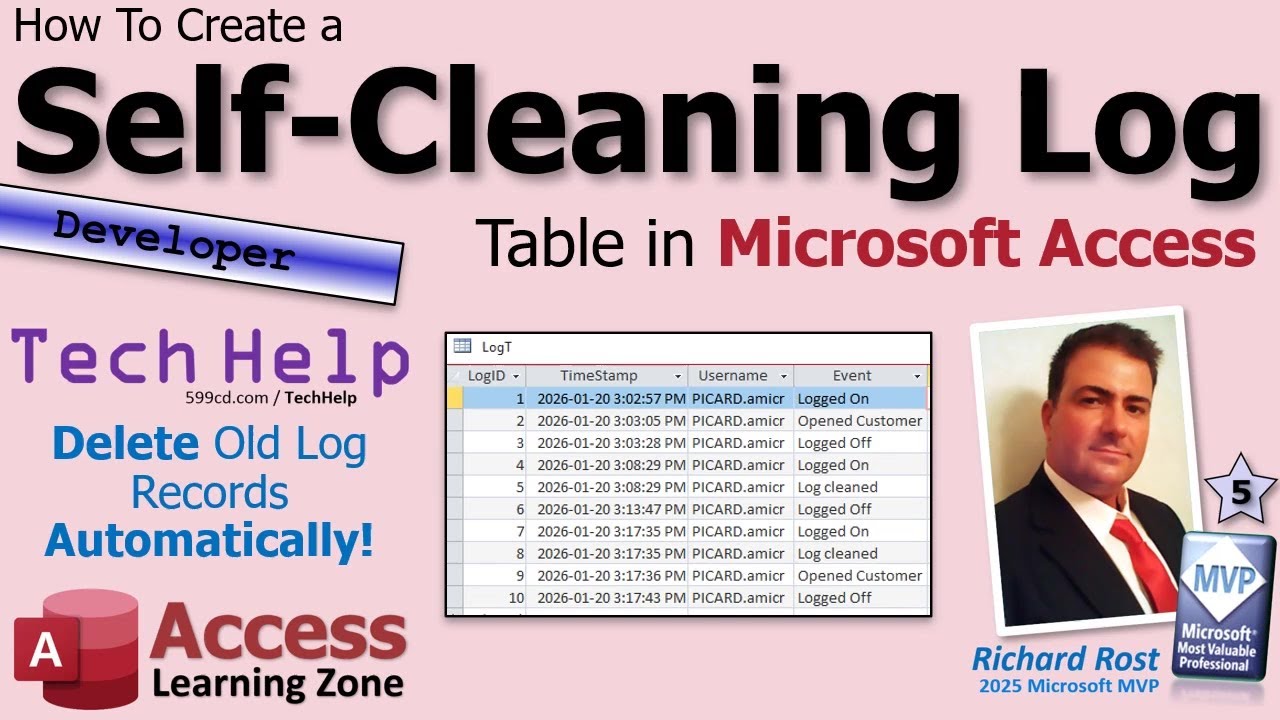
In this video, we will talk about how to automatically clean up old log records in a Microsoft Access database to prevent log tables from growing too large and slowing down performance. I will show you a simple method using a few lines of code to remove log entries based on age, so you do not have to manually delete them or remember to do regular maintenance. We will cover how to set up the cleanup routine, some tips on date formatting for SQL, and considerations for where to place the code in your database.
Allison from Madison, Wisconsin (a Platinum Member) asks: I watched your earlier video about logging activity in an Access database, and I set that up years ago at work. It's been doing its job, but I just noticed the log table is absolutely massive now. I opened it up the other day and it just kept scrolling and scrolling. I use this database every day to track customer calls and orders, and lately it feels slower than it used to be, so I'm guessing this log has something to do with it. I don't really want to keep going in there every few months and deleting old stuff by hand, because I know I'll forget. Is there a simple way to have Access automatically clean out old log entries after a certain amount of time, like keeping the last 30 or 60 days only, without a lot of extra setup?
Silver Members & up get access to an Extended Cut of this video. In the extended cut, we will learn how to create a LogIt function that can be used anywhere in your database to centralize all logging logic, track various events such as log ons, log offs, and form openings, automatically create the log table if it is missing, and implement proper error handling.
MEMBERS-ONLY EXTENDED CUT VIDEO:
• Self Cleaning Log EXTENDED CUT MEMBERS ONL...
BECOME A MEMBER:
YouTube: / @599cd
or My Site: https://599cd.com/THMember
LEARN MORE:
Self Cleaning Log: https://599cd.com/SelfCleaningLog
PREREQUISITES:
Track Log On: https://599cd.com/TrackLogon
Track Changes: https://599cd.com/TrackChanges
LINKS:
Don't Delete Data: https://599cd.com/DontDelete
Archive Records: https://599cd.com/ArchiveRecords
ISO Date Format: https://599cd.com/ISO
NOTE ON DATE FORMAT:
Quick note about dates and international settings: When working with dates inside Access SQL statements, things can get tricky depending on your regional date format. Even though ISO dates look universal, Access still internally expects month and day order when using date literals inside SQL. If you ever run into issues with date criteria not behaving correctly, the safest approach is to format the date explicitly as mm/dd/yyyy before injecting it into SQL, or better yet use a parameter query. I kept the example in this video simple on purpose, but I wanted to mention this in case you are working outside the US or see unexpected results.
RECOMMENDED COURSES:
Access Developer Courses: https://599cd.com/Developer
FREE TEMPLATE DOWNLOADS:
TechHelp Free Templates: https://599cd.com/THFree
Blank Template: https://599cd.com/Blank
Contact Management: https://599cd.com/Contacts
Order Entry & Invoicing: https://599cd.com/Invoicing
More Access Templates: https://599cd.com/AccessTemplates
DIAMOND SPONSORS:
More info on our Sponsors: https://599cd.com/DiamondSponsors
ADDITIONAL RESOURCES:
FREE Access Beginner Level 1: https://599cd.com/Free1
How to Use Access in 30 Minutes: https://599cd.com/30Minutes
$1 Access Level 2: https://599cd.com/1Dollar
Donate to my Tip Jar: https://599cd.com/TipJar
Merch Store! Get your swag here: https://599cd.com/Merch
Get on my Mailing List: https://599cd.com/YTML
Contact Me: https://599cd.com/Contact
TechHelp: https://599cd.com/TechHelp
Consulting Help: https://599cd.com/DevNet
Twitter: / learningaccess
https://en.wikipedia.org/wiki/Microso...
https://products.office.com/en-us/access
https://microsoft.com/en-us/microsoft...
KEYWORDS:
TechHelp, Access 2016, Access 2019, Access 2021, Access 2024, Access 365, Microsoft Access, MS Access, MS Access Tutorial, #msaccess, #microsoftaccess, #help, #howto, #tutorial, #learn, #lesson, #training, #database, automatically clean up old log records, delete old log entries, compact and repair, backup database, log table performance, SQL delete command, archive logs, ISO date format, Format function yyyymmdd, CurrentDB Execute, user activity tracking, On Load event, error handling
QUESTIONS:
Please feel free to post your questions or comments below. Thanks.
Live long, and prosper.
Доступные форматы для скачивания:
Скачать видео mp4
-
Информация по загрузке:




![Как сжимаются изображения? [46 МБ ↘↘ 4,07 МБ] JPEG в деталях](https://imager.clipsaver.ru/Kv1Hiv3ox8I/max.jpg)