Retrieving Bearer Token with Postman in Flutter
Автор: vlogize
Загружено: 2025-10-08
Просмотров: 5
Learn how to effectively retrieve a Bearer Token from Postman and store it in shared preferences within your Flutter application, ensuring user login persistence.
---
This video is based on the question https://stackoverflow.com/q/64474777/ asked by the user 'Aphron' ( https://stackoverflow.com/u/14383521/ ) and on the answer https://stackoverflow.com/a/64475033/ provided by the user 'chunhunghan' ( https://stackoverflow.com/u/2179571/ ) at 'Stack Overflow' website. Thanks to these great users and Stackexchange community for their contributions.
Visit these links for original content and any more details, such as alternate solutions, latest updates/developments on topic, comments, revision history etc. For example, the original title of the Question was: retrieve bearer token postman to flutter
Also, Content (except music) licensed under CC BY-SA https://meta.stackexchange.com/help/l...
The original Question post is licensed under the 'CC BY-SA 4.0' ( https://creativecommons.org/licenses/... ) license, and the original Answer post is licensed under the 'CC BY-SA 4.0' ( https://creativecommons.org/licenses/... ) license.
If anything seems off to you, please feel free to write me at vlogize [AT] gmail [DOT] com.
---
Retrieving Bearer Token with Postman in Flutter: A Step-by-Step Guide
As a Flutter developer, you may encounter challenges when implementing user authentication features. A common requirement is to access a Bearer Token, which is generated upon logging in. This is crucial for maintaining user sessions, even if the app is closed and reopened later. In this guide, we'll explore how to retrieve a Bearer Token using Postman and save it in shared preferences so that users can stay logged in seamlessly.
Understanding the Problem
You’ve built a simple login feature in your Flutter application that requires users to enter their email and password. But now you want to enhance the user experience by allowing them to log in automatically without having to re-enter their credentials after the app has been closed. This is where the Bearer Token becomes essential.
When your app successfully logs in, it receives a token from the server, which should be stored locally for future use. This way, if users open the app later, they can be logged in without additional input.
Getting the Bearer Token Value
To effectively retrieve the Bearer Token from your login API response, you need to parse the JSON data returned by the API. In your case, the response from the API looks something like this:
[[See Video to Reveal this Text or Code Snippet]]
Step 1: Extract the Bearer Token
In the login function of your Flutter application, you can retrieve the Bearer Token as follows:
[[See Video to Reveal this Text or Code Snippet]]
Step 2: Store the Token in Shared Preferences
Once you have the Bearer Token, the next step is to store it using Shared Preferences:
[[See Video to Reveal this Text or Code Snippet]]
Step 3: Retrieve the Token on App Start
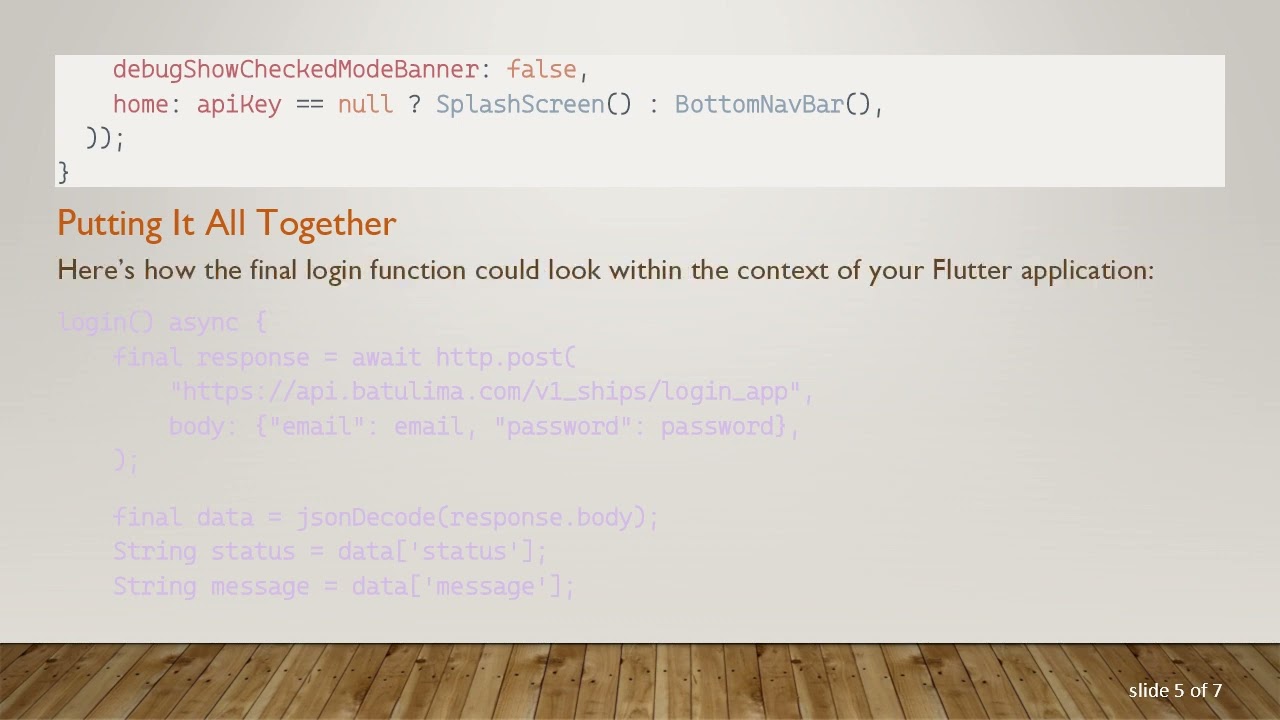
When your app starts, you need to check if the Bearer Token is already stored. Here's how you could set up your main function:
[[See Video to Reveal this Text or Code Snippet]]
Putting It All Together
Here’s how the final login function could look within the context of your Flutter application:
[[See Video to Reveal this Text or Code Snippet]]
Final Thoughts
Integrating Bearer Tokens and shared preferences is an essential part of the user authentication process in Flutter apps. By following the steps outlined above, you can easily store and retrieve the token to maintain user sessions seamlessly. This not only enhances the user experience but also improves the overall reliability of your application.
If you have any questions or feedback, feel free to leave a comment below!
Доступные форматы для скачивания:
Скачать видео mp4
-
Информация по загрузке: