Pressure Pipes: Site Design Workflows
Автор: Autodesk Transportation Infrastructure
Загружено: 2020-06-18
Просмотров: 31729
Learn more about site design workflows for pressure pipes in this workflow video.
Stay connected with #Autodesk #Infrastructure on LinkedIn: / autodesk-infrastructure
Details:
1. The typical process to create plans for pressure pipes such as water main and force main is very manual. This manual process can lead to a large amount of rework if there is a design change. Manual text edits and offsetting linework to represent pressure pipes is the way it has been done for years.
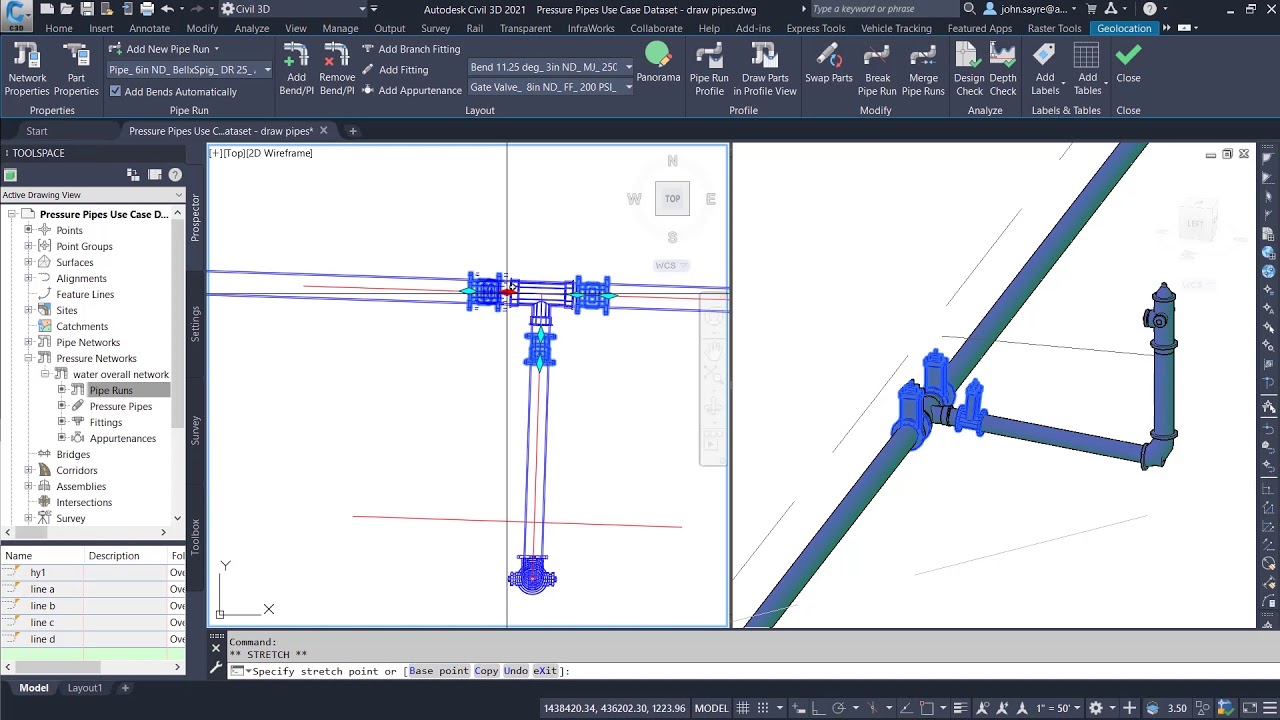
2. Inside of #Civil3D, you can take advantage of the enhanced dynamic pressure network tools. An overall network is created and then broken down into separate pipe runs. A typical bury depth can be applied to reference any surface in your model.
3. The civil engineer can take advantage of the enhanced layout and editing tools, that automatically apply the correct fittings at bends when laying out water main.
4. Because the fittings are intelligent when two pipes come to an intersection, the user can add a branch fitting and Civil 3D will add the appropriate tee. Gate Valves can be instantly placed and then modified if needed to reflect the design intent.
5. Out-of-the-box parts such as fire hydrants can be added to the network also, as an additional pipe run. These parts are all dynamic in nature which allows you to modify placement at any time. So when a design change needs to be made, your plans are updated.
6. When pressure pipes are added to a profile, the civil engineer can select any surface in the model for the pressure pipes to follow. You also have the ability to control the depth of the pipe from the surface. These selections can be updated at any point in the design.
7. When pressure pipes are edited in plan view not only do the proper fittings update but the labeling for that fitting updates. This takes out the human error in updating the text manually.
8. Many times, civil engineers are required to supply trench volumes for pressure pipes, especially if the contractor hits a rock in the field. Civil 3D allows you to quickly calculate that volume for just Pipe Runs affected.
9. Pipe clashes in the design are something that all civil engineers encounter on every project. With the use of Navis Works, the civil engineer can run clash detection between all of the intelligent pipe networks and pressure pipe networks designed in Civil 3D. This is a much more efficient way of finding design problems before they get to the field.
10. Quantities also have to be calculated for the design project and this is typically a manual process. By adding pay items to pressure pipes, Civil 3D will calculate the design quantities, taking away another manual process.
11. By utilizing pressure pipes in Civil 3D, the civil engineer benefits from the layout and editing tools and dynamic functionality. These tools alleviate the old manual processes that civil engineers still use today.
Author: John Sayre
Доступные форматы для скачивания:
Скачать видео mp4
-
Информация по загрузке: