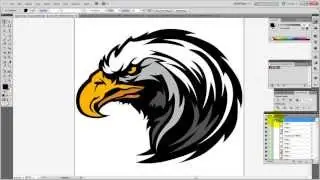
How to Create a Cut Line in Adobe® Illustrator®
Автор: Stahls' TV™
Загружено: 2015-10-28
Просмотров: 258422
To create perfectly cut graphics on your Roland® VersaCAMM® or VersaSTUDIO using Adobe® Illustrator®, you must first create a cut line. In this video, Stahls' TV educator Steven Jackson will show you the easiest way to prepare your graphic for print and cut operations.
Related Videos:
Art for Screen Printing - Adobe Illustrator Edition
• Art for Screen Printing - Adobe Illustrato...
Art for Print/Cut - Adobe Illustrator Edition
• Art for Print/Cut - Adobe Illustrator Edition
Follow Us:
Facebook / stahlsheatprinting
Twitter @StahlsIDDirect ( / stahlsiddirect )
Instagram Stahlsheatprinting ( / stahlsheatprinting )
Stahls' Blog https://blog.stahls.com/
~-~~-~~~-~~-~
Liked this video? Then please watch: "5 Cool Ways to Use Heat Transfer Foil & Adhesive"
• How to Use Heat Transfer Foil: 5 Best Appl...
~-~~-~~~-~~-~
Доступные форматы для скачивания:
Скачать видео mp4
-
Информация по загрузке: