How to Send Multiple Documents for Signature Using Adobe Acrobat Web Video 2
Автор: Dr. Cassie PT - Helping Children Grow
Загружено: 2025-07-24
Просмотров: 1804
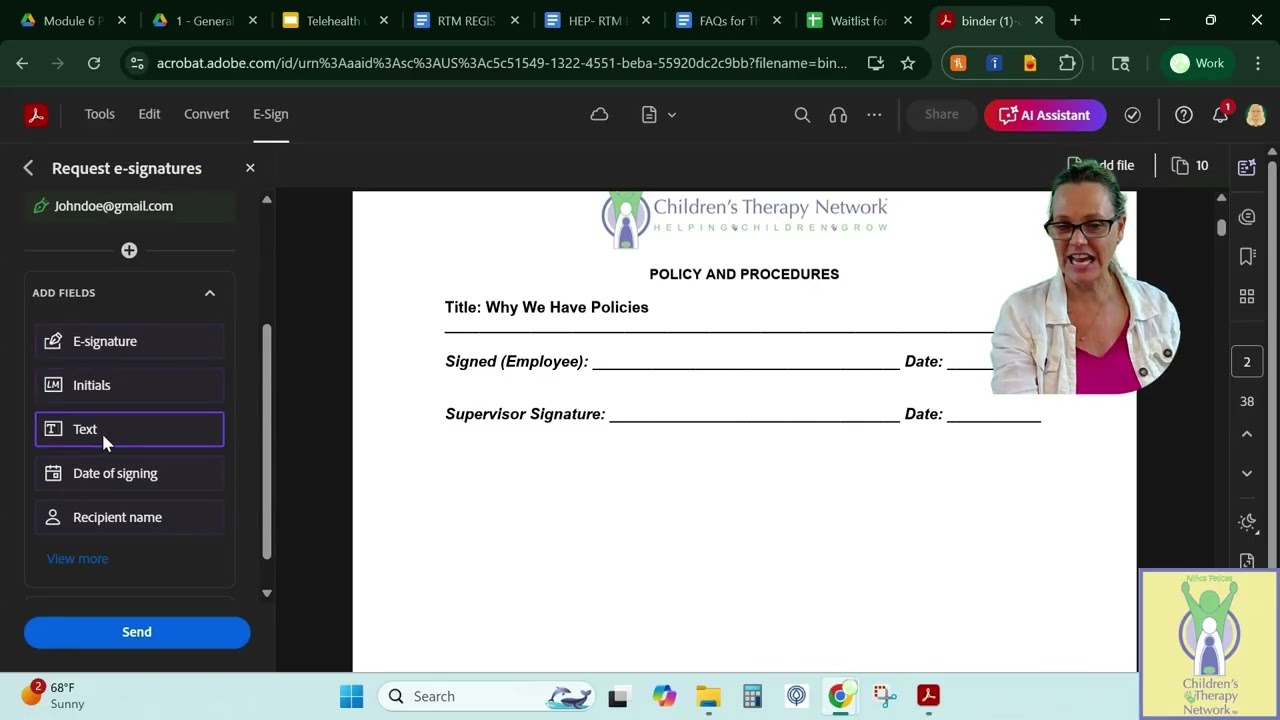
In this second video of the Adobe Signature Series, Dr. Cassie from Children’s Therapy Network shows you how to use the Adobe Acrobat web version to send multiple separate files in a single signature request — without needing to combine them into one PDF.
This method is perfect for:
✅ Sending short, simple documents like policies or one-page forms
✅ Avoiding the extra step of creating a binder
✅ Sending to one or more recipients, with easy field assignment
You’ll learn how to:
Upload multiple files at once (PDFs, Word, Excel, even images)
Use the “Request Signatures” tool on the Adobe web platform
Assign signature fields to one or more signers
Work within file size limits (tip: use for lightweight files only!)
Preview and send without needing the desktop app
🔹 Part of the Adobe Signature Series:
1️⃣ Video 1: Convert and Send a Single File for Signature
2️⃣ (You’re here!) Send Multiple Files Using Adobe Web Version
3️⃣ Video 3: Create a Binder in Adobe Acrobat Pro (Desktop)
🖥️ Tool used: Adobe Acrobat Web (https://acrobat.adobe.com)
👩⚕️ Presented by: Dr. Cassie | Children’s Therapy Network
📂 Watch the full playlist: [Insert Playlist Link Here]
🔔 Like, comment, and subscribe for more pediatric telehealth and admin tips!
My Amazon Store Front: https://www.amazon.com/shop/childrens...
Disclaimer: As an Amazon Associate, I earn from qualifying purchases. I do receive a commission on purchases you make through my storefront. Proceeds go directly to support DrCassie.com education programs or Children’s Therapy Network.
#AdobeSign #AdobeAcrobatWeb #eSignature #AdminTools #DrCassie #PDFworkflow #ClinicOperations #TelehealthResources #CTNtools
Доступные форматы для скачивания:
Скачать видео mp4
-
Информация по загрузке:


