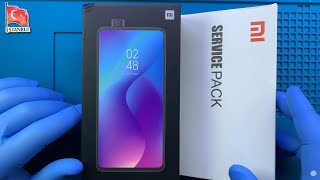
Xiaomi Redmi K20 | Mi 9T Pro LCD Touch Screen Replacement
Автор: Geardo
Загружено: 2022-07-08
Просмотров: 13057
A step-by-step repair guide on how to repair and replace a broken/cracked/not working LCD Touch Digitizer Touch Screen digitizer glass on Xiaomi Redmi K20/k20 Pro/Mi 9T/Mi 9T Pro mobile phones.
Guides you May Like
Redmi K20 | Mi 9T Pro Charging Port Replacement • Xiaomi Redmi K20 | Mi 9T Pro Charging Port...
Galaxy A71 5G Battery Replacement • Samsung galaxy A71 5G Battery Replacement
Oneplus Nord N10 5G Battery Replacement • Oneplus Nord N10 5G Battery Replacement
Amazon Fire HD 8 2020 Camera Lens • Amazon Fire HD 8 2020 Camera Lens Glass & ...
If our video was helpful, you could always support (for $1.99) us by becoming a member. A Joining Member will help us to create more variety of content for the community.
Youtube Join https://bit.ly/3O7X5SH
Tools
Heat Mat - https://cutt.ly/VeUCEKFy
Portable Heat Gun|Stations- https://cutt.ly/oeUZ5en5
Premium Screwdrivers & Sets - https://cutt.ly/HeUCKf5L
Silicone Repair Mat https://cutt.ly/SeUCVEau
Glue | Adhesive https://cutt.ly/HeUCPSDs
Clamps & Essentials https://cutt.ly/SeUUCmCA
Our Partners
https://www.diygeardo.com ( Guides, Tips & News)
Timestamps
00:00 Intro
00:10 Opening Redmi K20
00:40 Removing Back Cover
01:17 Removing Board Frame
01:57 Removing connectors & Logic Board
02:44 Removing Front camera & Front camera Motor
04:24 Removing sensor flex & earpiece
04:55 Removing power volume rubber bracelets & Flex
05:53 Removing Bottom Cover
06:16 Removing LCD Flex
06:24 disconnect the main & Touch ID Camera
07:00 Removing Charging Board
07:12 Removing Touch ID Camera
08:00 Removing vibrator motor
08:19 Removing battery
08:35 Removing Main Flex
08:59 Types of screen
09:25 Selecting the New Redmi K20 Screen (with frame)
09:38 Placing power volume rubber bracelets & Flex
11:12 Placing sensor flex & earpiece
11:27 Placing Front camera & Front camera Motor
12:05 Placing Logic Board & connectors
12:45 Placing vibrator motor
13:00 Placing Touch ID Camera
13:12 Placing Charging Board
14:04 Placing Main Flex
15:17 Placing battery
15:37 Placing LCD Flex
15:56 Placing the Bottom Cover
16:43 Placing Board Frame
17:23 Testing
17:30 Installing the Back Cover
18:00 Closing & Back cover installation, Binding
#screenreplacement #diyrepair #geardo

Доступные форматы для скачивания:
Скачать видео mp4
-
Информация по загрузке:
![Destroyed Xiaomi Redmi K20 Pro Phone Restoration [ASMR Videos]](https://ricktube.ru/thumbnail/V8tOHngroWQ/mqdefault.jpg)