How to Generate SSH Keys For Multiple Accounts in GitHub
Автор: JXiong's Dev Diary
Загружено: 2023-11-03
Просмотров: 85
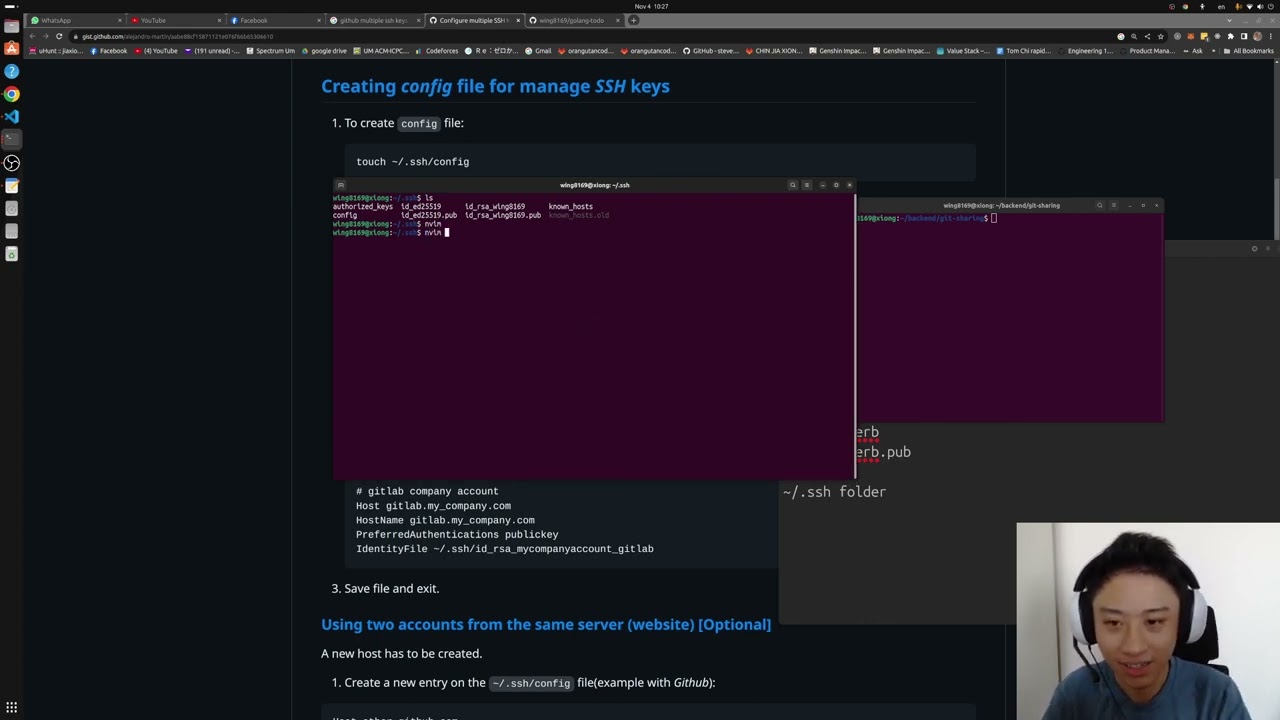
ssh-keygen -t rsa -C "usera@gmail.com"
id_rsa_usera
id_rsa_usera.pub
ssh-keygen -t rsa -C "userb@gmail.com"
id_rsa_userb
id_rsa_userb.pub
put the 4 generated files into ~/.ssh folder
create a ~/.ssh/config file, put in the following contents:
Host usera.github.com
HostName github.com
IdentityFile ~/.ssh/id_rsa_usera
PreferredAuthentications publickey
Host userb.github.com
HostName github.com
User git
IdentityFile ~/.ssh/id_userb
PreferredAuthentications publickey
Clone or add remote URL (Rename usera with your username, and repo_name to your repo's name):
git clone git@usera.github.com:usera/repo_name.git
git remote add origin git@usera.github.com:usera/repo_name.git
Доступные форматы для скачивания:
Скачать видео mp4
-
Информация по загрузке:
![#6 Register Page & SQLite for User Registration [Real time Chat app with Golang + HTMX]](https://image.4k-video.ru/id-video/qH3TG3TkIg4)


![Как сжимаются изображения? [46 МБ ↘↘ 4,07 МБ] JPEG в деталях](https://image.4k-video.ru/id-video/Kv1Hiv3ox8I)



![#4 JWT-Based Authentication with Cookies [Real time Chat app with Golang + HTMX]](https://image.4k-video.ru/id-video/vHAlpexkAZE)