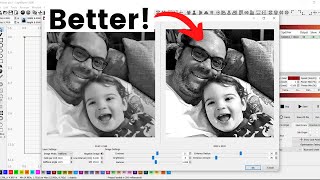
E2 - Scanning Offset & Overscanning
Автор: intoCrafts
Загружено: 2022-10-30
Просмотров: 9291
If your engraving with FILL method or any dithering method does not have straight side ends...
If you photo engraving has not enough sharpness...
If your scanned lines ends are under- or over-burnt...
... you may consider watching this video, that helps you to tune you laser software according to your machine features.
After following this video, you will be able to engrave projects with the expected finish and same engraving intensity of the edges like the core of the lines:
Step 1: Test File
Step 2: First scanning offset entries
Step 3: Guess the scanning offset value
Step 4: Run with the first guess
Step 5: Improve the first guess
Step 6: Fine tune the guessed value
Step 7: Find entries for few operating speeds
Step 8: Overscanning feature
Step 9: Align the lines with overscanning
Step 10: Investigate different overscanning values
Link to Episode 1 (Belt tension and Eccentric nut adjustment): • E1 - Mechanical Check (Laser Engraver Belt...
Link to the test file: https://www.intocrafts.dk/files/E2.zip

Доступные форматы для скачивания:
Скачать видео mp4
-
Информация по загрузке: