TopN vs RANKX in Power BI | DAX Deep Dive with Real Examples (When to Use and Why)
Автор: Ashish Tiwari
Загружено: 2025-10-31
Просмотров: 559
Power BI TopN vs RANKX Explained | DAX Simplified for Interviews & Real Projects
If you’ve ever wondered when to use TOPN and when to use RANKX in Power BI, this video is your complete guide!
Understanding the difference between TopN and RankX is one of the most important DAX skills every Power BI developer and data analyst must master — not only for interviews but also for building dynamic dashboards that tell meaningful stories.
🧩 In This Video:
This video is a complete breakdown of how both TOPN() and RANKX() functions work — when they seem similar, where they differ, and how you can use them effectively depending on your business scenario.
We’ll cover:
What is TOPN in DAX — how it returns a table of top results based on expression and sorting order.
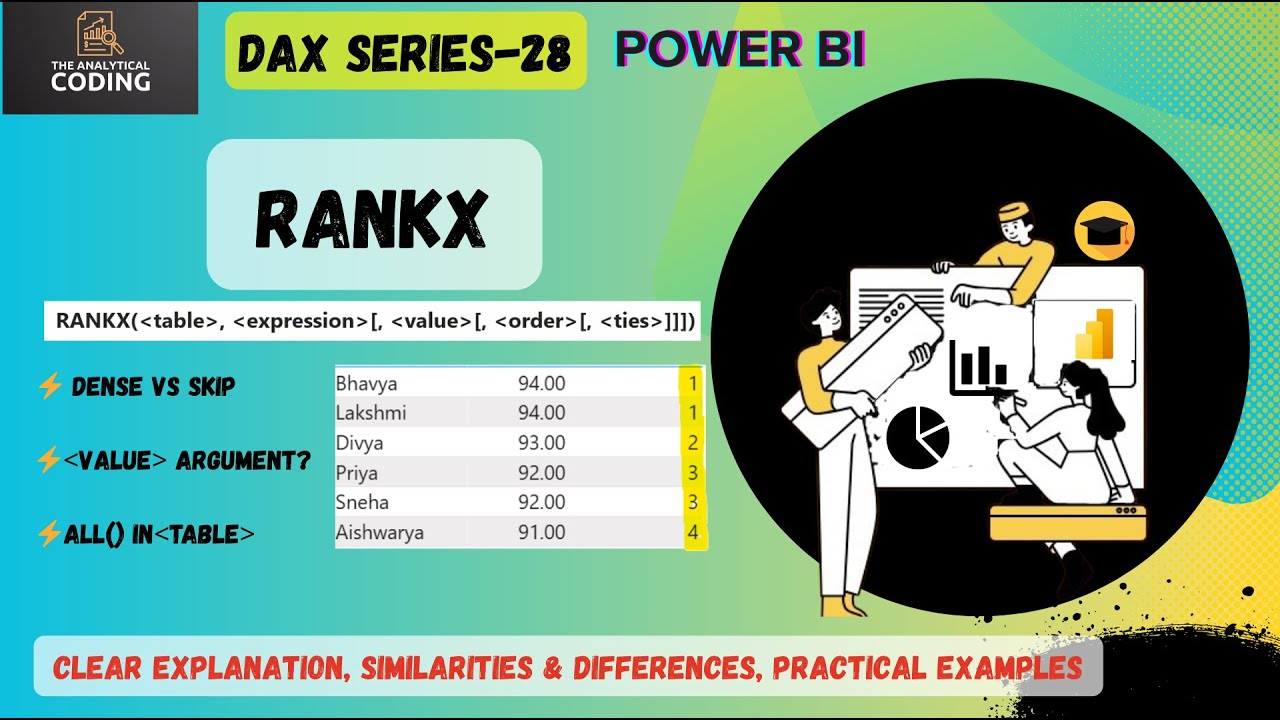
What is RANKX in DAX — how it assigns ranking numbers to rows in a table based on an expression.
When to use TopN and when RankX gives better control.
How TopN helps in visual-level filtering.
Why RankX is more flexible and dynamic for visuals and calculations.
Real-world examples:
✅ Top 3 Products by Sales
✅ Ranking Products by Sales
✅ Real Use Case for your projects
Common interview question patterns related to both.
💡 Concept Deep Dive
Both TOPN() and RANKX() are DAX functions used for ranking and sorting, but they behave differently:
TOPN returns the top N rows from a table based on an expression, perfect for scenarios like “Top 10 Customers by Sales.”
RANKX calculates the rank number for each row, allowing you to see all values but with ordered context — perfect for “Show all customers with their rank.”
In this video, I’ve not just shown the syntax but also explained the DAX context behind it — row context vs filter context, and how CALCULATE + FILTER combinations change behavior.
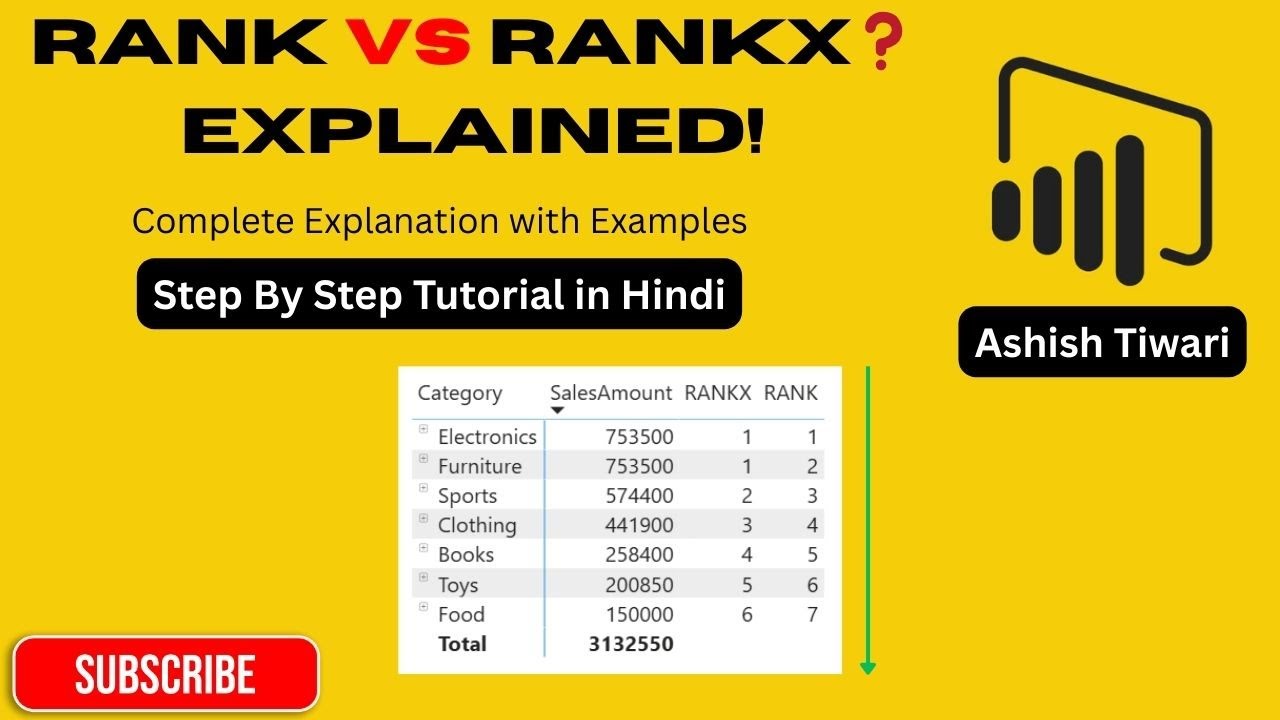
I’ve also linked back to my earlier RANKX video, which you should definitely watch if you want to become a master at dynamic ranking.
🎥 Watch the full RANKX video here (Highly Recommended): • RANK vs RANKX in Power BI | Complete DAX T...
🚀 Why This Video Is Important
If you’re preparing for a Power BI interview or working on advanced analytics dashboards, questions like these are common:
“How do you show top 5 products dynamically?”
“What’s the difference between TopN and RankX?”
“Can you rank customers by revenue while still showing all customers?”
“What if two customers have the same rank?”
This video will help you answer all those confidently — with clear examples and practical demonstrations.
⚡ Key Takeaways:
✅ Complete understanding of TOPN and RANKX in DAX
✅ When to use TopN vs when to use RankX
✅ Syntax explanation and real-world logic
✅ How to combine TopN with measures and visuals
✅ Important interview questions and tricks
🧠 Real-Life Use Cases Covered
Displaying Top 10 Customers dynamically based on slicer
Showing Top Performing Products in Dashboard
Ranking Sales by Region or Category
Using RankX inside CALCULATE for performance
Creating TopN measure using DAX
Handling Ties in Ranking
💬 Related Videos to Watch Next
📺 [RANKX in Power BI Explained — • RANK vs RANKX in Power BI | Complete DAX T... ]
📺 [Row Context vs Filter Context — • DAX Row Context vs Filter Context in Power... ]
📺 [CALCULATE, CALCULATETABLE, FILTER — Explained Together - • CALCULATE vs CALCULATETABLE vs FILTER Expl... ]
📺 [Dynamic MTD, QTD, YTD using DAX- • Dynamic MTD, QTD, YTD in Power BI | DAX wi... ]
-------------------------------------------------------------------------------
Please Ignore
-------------------------------------------------------------------------------
🔍 Keywords:
Power BI TopN vs RankX, TopN DAX, RankX DAX, Power BI DAX TopN, Power BI DAX RankX, DAX Ranking Functions, TopN Power BI Example, Power BI Interview Questions, TopN vs RankX Example, Power BI DAX for Beginners, Power BI Data Analyst Interview, Power BI Ranking Top Customers, Power BI TopN Measure, Power BI Dynamic Ranking, Power BI DAX Tutorial Hindi, Power BI Rank Function, Power BI Sort Order DAX
🔖 Hashtags
#PowerBI #DAX #TopN #RANKX #PowerBIDAX #PowerBITutorial #PowerBITraining #PowerBIIndia #DataAnalytics #PowerBIInterview #PowerBIProjects #DataModeling #BusinessIntelligence #PowerBIForBeginners #PowerBICommunity #PowerBITips

Доступные форматы для скачивания:
Скачать видео mp4
-
Информация по загрузке: