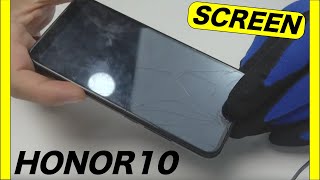
Honor 10 Teardown | disassembly
Автор: Wit Rigs
Загружено: 2018-06-08
Просмотров: 50046
In this video, I'll show you how to disassemble Honor 10, including a fingerprint scanner, Battery, Rear Camera, Front camera and LCD Screen.
Get Original Replacement Parts For Honor 10 : https://witrigs.com/d4tln
Type: IPS LCD capacitive touchscreen, 16M colors
Size: 5.84 inches, 85.1 cm2 (~79.9% screen-to-body ratio)
Resolution: 1080 x 2280 pixels, 19:9 ratio (~432 ppi density)
Protection: Corning Gorilla Glass (unspecified version)
Chipset: Hisilicon Kirin 970
Internal: 64/128 GB, 6 GB RAM or 64 GB, 4 GB RAM
Primary: Dual: 16 MP (f/1.8) + 24 MP B/W, phase detection autofocus, LED flash
Features: Geo-tagging, touch focus, face detection, HDR, panorama
Video: 2160p@30fps, 1080p@30fps
Secondary: 24 MP, f/2.0, 1080p
Get full and original replacement part for Honor 10 at
https://www.witrigs.com/replacement-p...
Witrigs offers not only mobile repair tutorial including disassembly, assembly, and components replacement guide, but also phone accessories review video on YouTube.
Publisher: Witrigs - http://www.witrigs.com/
Witrigs YouTube Channel - / witrigs
If you are interested in DIY phone repair or latest phone accessories review,
Like Us on Facebook: / witrigs-1718915445072177
Subscribe Us on YouTube: / witrigs
Follow Us on Twitter: / witrigs
Add Us on Google+: https://plus.google.com/+Witrigs-com
Subscribe Us on Blog: http://www.witrigs.com/blog/
Don’t forget to Like if this video helps you.
And don’t forget to SUBSCRIBE!
Tools:
1. Spudger - https://zegsu.com/s/dj44y
2. PH#000 Screwdriver - https://zegsu.com/s/dj5m8
3. SIM Card Eject Pin - https://zegsu.com/s/dj4m7
4. Round handle spudger - https://zegsu.com/s/dj437
5. Hair Dryer or Heat Gun - https://zegsu.com/s/dj44c
6. T3 Torx Screwdriver - https://zegsu.com/s/dj42j
7. Tweezers - https://zegsu.com/s/dj447
8. Guitar Pick - https://zegsu.com/s/dj43z
Steps
Step 1 Remove the SIM card tray
Step 2 Remove the back cover
Step 3 Remove the motherboard
Step 4 Remove the loudspeaker and charging port
Step 5 Remove the battery
Step 6 Remove the LCD screen

Доступные форматы для скачивания:
Скачать видео mp4
-
Информация по загрузке:


![Honor 10 – Screen replacement [including reassembly]](https://ricktube.ru/thumbnail/bs1-Zbj2lH4/mqdefault.jpg)


![Honor 10 – Display wechseln [mit Rahmen]](https://ricktube.ru/thumbnail/ZB3GzDwbsb0/mqdefault.jpg)
![Honor 10 – Battery replacement [including reassembly]](https://ricktube.ru/thumbnail/Zn03DveeTfY/mqdefault.jpg)




![Катастрофа, которая нас (возможно) ждёт [Veritasium]](https://ricktube.ru/thumbnail/NKeIqEou5k8/mqdefault.jpg)
