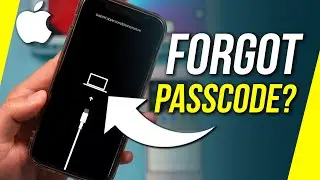
How to Unlock iPhone 11 if Forgot Passcode
Автор: TenorshareOfficial
Загружено: 2022-07-29
Просмотров: 226153
Free Download 4ukey to help you unlock iPhone 👉 : https://bit.ly/3JTD1Ef
If you forgot your iPhone passcode and see the iPhone unavailable or security lockout message, learn how to unlock it in this video.
⏱ TIMESTAMP
00:00 Intro & Preview
00:37 Erase iPhone using Apple ID
01:30 Unlock iPhone with 4uKey
02:35 Restore iPhone using iTunes
💡 How to Unlock iPhone 11 if Forgot Passcode
Method 1: Erase iPhone using Apple ID
1. Make sure iPhone is connected to the network and Apple ID and password are ready
2. Enter the password continuously until the Erase iPhone option appears
3. Select Erase iPhone and confirm, enter the Apple ID password and start erasing
4. After the erasure is complete, the Hello screen will appear and you can reset the iPhone
Method 2: Unlock iPhone using 4uKey
1. Run the 4uKey program and connect iPhone to the computer
2. Click Start and select Next
3. If the device does not connect automatically, follow the prompts to enter recovery mode (such as iPhone 11: quickly press the volume up and volume down, then press and hold the side button until the recovery mode screen appears)
4. After downloading the latest firmware package, click Start Removal
5. After completion, you can reset the iPhone
Method 3: Restore iPhone using iTunes
1. Make sure iPhone is connected to the computer and in recovery mode
2. Select the Restore or Update Device option in iTunes
3. iTunes downloads the latest iOS and restores it, erasing all content and settings
4. After the restoration is complete, the device restarts and you can reset the iPhone
⚠Important notice:
1. This video is only for educational purpose of showing users how to regain access to their own device when they forgot their passwords.
2. This video doesn’t demonstrate how to use computers or information technology with the intent to steal credentials, compromise personal data or cause serious harm to others.
3. 4uKey will erase all content and settings from the device just like iTunes.
4. You can restore your device from a backup after the unlocking if you have backups stored in iCloud or your computer.
5. 4uKey is unable to obtain access to credentials, compromise personal data or cause serious harm to others. Do not try to violate YouTube community guidelines.
#unlockiphone11 #forgotiphonepasscode #tenorshare #4ukey
🔔 Subscribe Here (it's FREE!): https://bit.ly/30eZwvG
---------Social Media------------
Facebook: / tenorshareofficial
Twitter: / tenorshare_inc
Pinterest: / tenorshare
Instagram: / tenorsharesoftware
TikTok: / tenorshareofficial
Tenorshare Official Website: https://www.tenorshare.com
––––––––––––––––––––––––––––––
Adventures – Markvard, Luke Bergs & LiQWYD
/ markvard
/ bergscloud
/ liqwyd
Creative Commons — Attribution 3.0 Unported — CC BY 3.0
Free Download / Stream: https://bit.ly/3tKyc7r
Music promoted by Audio Library • Adventures – Markvard, Luke Bergs & LiQWYD...
––––––––––––––––––––––––––––––

Доступные форматы для скачивания:
Скачать видео mp4
-
Информация по загрузке:




![Forgot iPhone Passcode? Here's The Fix! [2023]](https://image.4k-video.ru/id-video/PYSR4nPeo48)


![[2 Ways] How to Unlock iPhone 11 without Password or Computer | iOS16 Supported](https://image.4k-video.ru/id-video/RrxUwwBJHys)


