Популярное

Музыка Кино и Анимация Автомобили Животные Спорт Путешествия Игры Юмор

Интересные видео

2025 Сериалы Трейлеры Новости Как сделать Видеоуроки Diy своими руками

Топ запросов

смотреть а4 schoolboy runaway турецкий сериал смотреть мультфильмы эдисон
dTub
Скачать

How to Remove Bags and Blemishes using the Patch Tool in Photoshop

Автор: PHLEARN

Загружено: 2014-01-22

Просмотров: 207998

Описание:

I Guarantee I Can Teach You to Master Photoshop. Learn How: https://phlearn.com/aaronwillteachyou

Using the Patch Tool
The patch tool is perfect when you need to retouch a large area. After you have created a Stamp Visible (Shift+Alt+Optn+E), make a selection around the area you would like changed.

These areas will include skin blemishes, under eye bags, wrinkles, dark spots, scars etc.

After making your selection, click and drag inside of the selection to a similar area that does not have any blemishes.

The Fade Tool
The Patch Tool is not perfect, sometimes the blending won't look uniform. In this case the best option is to face out the patch effect until it does blend smoothly.

You could use things like the eraser tool or a layer mask, but the Fade Tool is the best option. You will be able to see your changes in real time and it will allow you to continue patching on the same layer.
If you thought this episode was great our "Pro Tutorials" are about 10 times better, more in-depth detailed information, and are priced perfectly for the photographers and photoshoppers wanting to become the best. Of course we teach it the right way, you just have to get access to the lesson check out https://phlearn.com/aaronwillteachyou.

Make sure to subscribe to our Youtube channel for great videos, hangout with us on Google+, like us on Facebook, chat on Twitter, and capture moments on Instagram. All of our accounts have something fun to offer.

Phlearn Accounts
Website: http://phlearn.com
Youtube:    / @phlearn  
Facebook:   / phlearn  
Twitter:   / phlearn  
Google+: https://plus.google.com/u/0/116791098...
Instagram:   / phlearn  
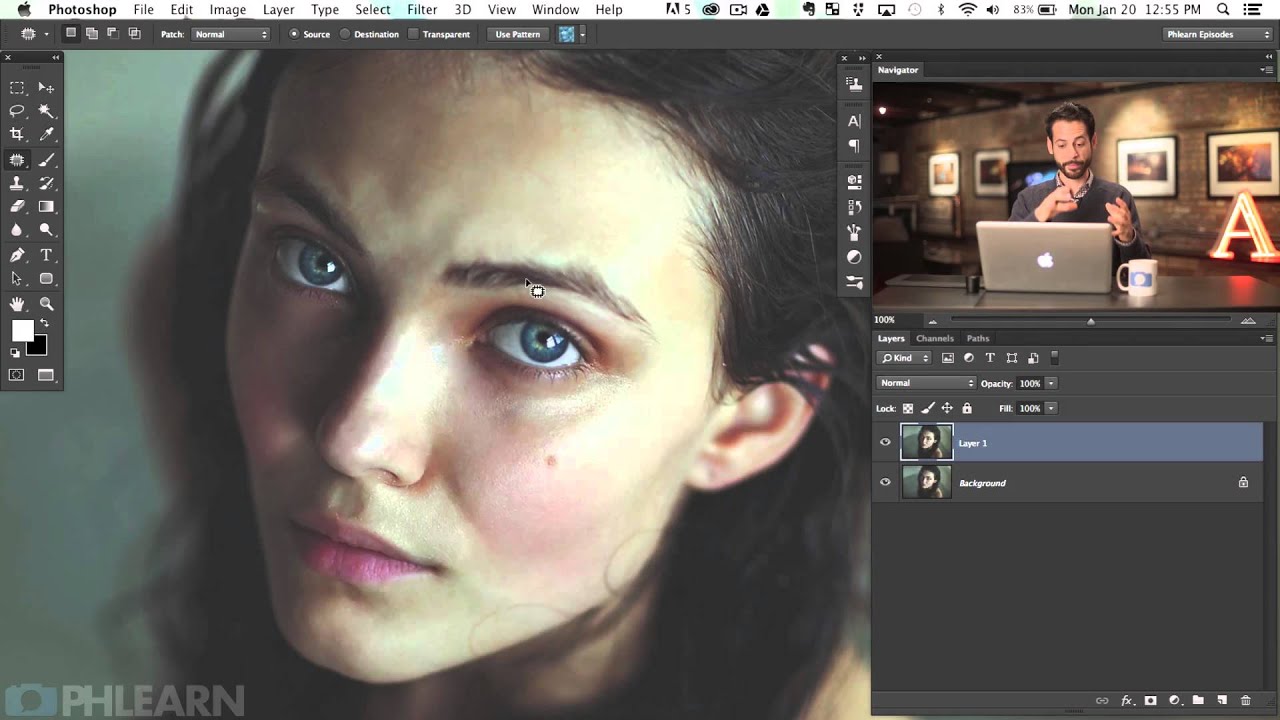
How to Remove Bags and Blemishes using the Patch Tool in Photoshop

Поделиться в:

Доступные форматы для скачивания:

Скачать видео mp4

  • Информация по загрузке:

Скачать аудио mp3

Похожие видео

How to Add a Tattoo to a Person in Photoshop

How to Add a Tattoo to a Person in Photoshop

Действительно ли новый инструмент «Резкость» в Photoshop кардинально меняет ситуацию?

Действительно ли новый инструмент «Резкость» в Photoshop кардинально меняет ситуацию?

Как правильно заводить двигатель в мороз?

Как правильно заводить двигатель в мороз?

Предсказания шаманов, удары по АЭС перед Давосом, Кадыровы на грани  @BelkovskiyS #белковский

Предсказания шаманов, удары по АЭС перед Давосом, Кадыровы на грани @BelkovskiyS #белковский

The Amazing Power of Frequency Separation Retouching in Photoshop

The Amazing Power of Frequency Separation Retouching in Photoshop

Create and Shape Eyebrows in Photoshop

Create and Shape Eyebrows in Photoshop

Color Grading Images in Photoshop with Gradient Maps

Color Grading Images in Photoshop with Gradient Maps

Sade - Ultimate

Sade - Ultimate

УДИВИТЕЛЬНЫЕ тона кожи с использованием ГРАДИЕНТОВ в Photoshop

УДИВИТЕЛЬНЫЕ тона кожи с использованием ГРАДИЕНТОВ в Photoshop

Nano Banana Pro🔥 - Лучшая нейросеть для изображений! Полный разбор за 40 минут

Nano Banana Pro🔥 - Лучшая нейросеть для изображений! Полный разбор за 40 минут

The Patch Tool: Does More than You Think | Complete Photoshop Guide

The Patch Tool: Does More than You Think | Complete Photoshop Guide

Понять ЭКСПОЗИЦИЮ раз и навсегда (Без сложных схем)

Понять ЭКСПОЗИЦИЮ раз и навсегда (Без сложных схем)

Мебельная фурнитура которую вы не поняли

Мебельная фурнитура которую вы не поняли

Как редактировать RAW-файлы/фотографии в Evoto

Как редактировать RAW-файлы/фотографии в Evoto

Теперь Gigapixel БЕСПЛАТЕН в Photoshop – ВРОДЕ БЫ.

Теперь Gigapixel БЕСПЛАТЕН в Photoshop – ВРОДЕ БЫ.

Скандал з Бакановим | Віталій Портников

Скандал з Бакановим | Віталій Портников

Самые востребованные корректировки теперь доступны в Photoshop!

Самые востребованные корректировки теперь доступны в Photoshop!

Photoshop Problem Solving - Replace a boring floor with the wall texture

Photoshop Problem Solving - Replace a boring floor with the wall texture

High-End Skin Retouching & Sculpting in Photoshop

High-End Skin Retouching & Sculpting in Photoshop

How to Create Realistic Eye Makeup in Photoshop

How to Create Realistic Eye Makeup in Photoshop

© 2025 dtub. Все права защищены.


  • Контакты
  • О нас
  • Политика конфиденциальности


Контакты для правообладателей: infodtube@gmail.com