What is a Network
Автор: Kandu Education Ltd
Загружено: 2017-11-11
Просмотров: 82409
A Network is a group of devices that are connected in such a manner that they can share information and resources with each other.
To create a Network we must have a number of basic components such as
NETWORK DEVICES
When we talk about Networks devices we may think about a group of COMPUTERS connected together, but a Network can also include other items such as SERVERS, PRINTERS, GAME CONSOLES such as the PS4, MOBILE PHONES and devices such as the AMAZON ECHO, also known as a VOICE CONTROLLED INTELLIGENT PERSONAL ASSISTANT. Generally speaking we call these devices are called “NODES” or “HOSTS”.
NETWORK MEDIA
The NETWORK DEVICES must be connected to each other in some way. This connection can be in the form of COPPER WIRE, communicating through ELECTRICAL SIGNALS, FIBER-OPTIC CABLES, communicating through LIGHT PULSES, or a WIRELESS connection using RADIO WAVES.
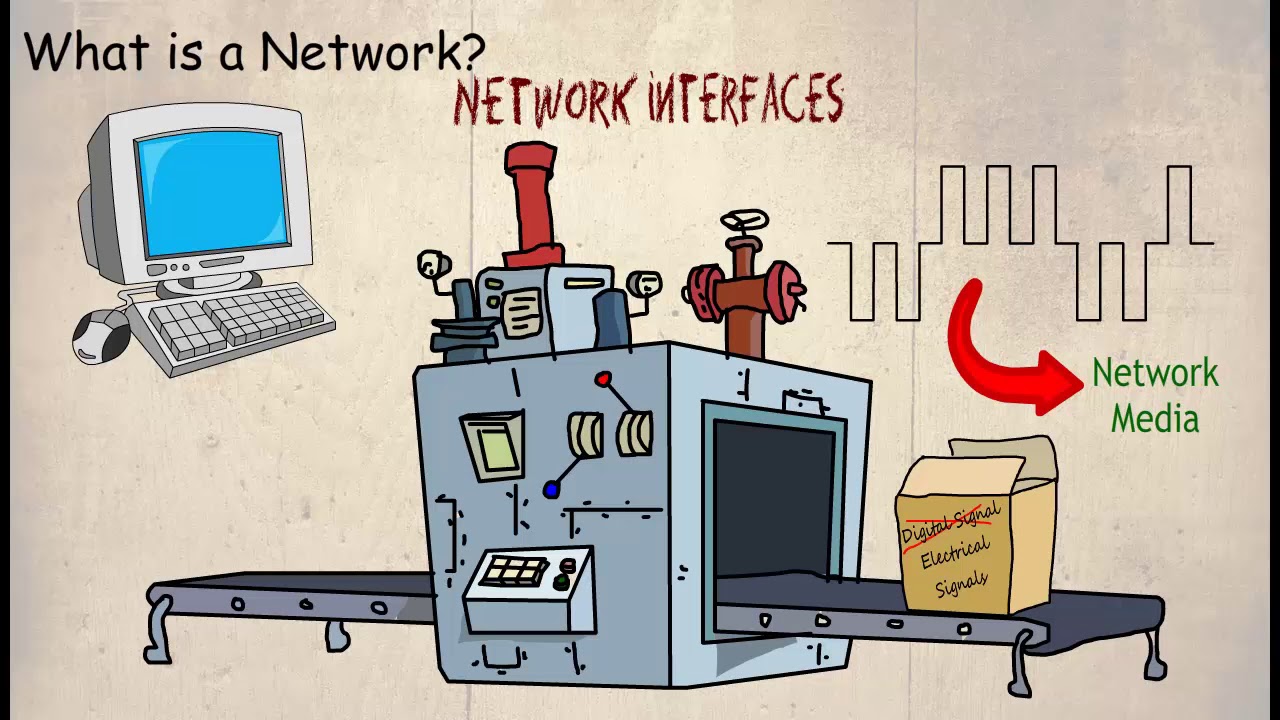
The CABLES, or SIGNALS used to connect the HOST to the Network is referred to as the NETWORK MEDIA, or MEDIUM.
NETWORK INTERFACE
As there are different types of NETWORK MEDIA the Network HOSTS should be equipped with an appropriate INTERFACE in order to make the connection. In some cases a NETWORK ADAPTER is an integrated part of the MOTHERBOARD, this is often the case when connecting to COPPER BASED MEDIA such as TWISTED PAIR CABLE. When connecting to a different type of media, for example FIBER-OPTIC, an engineer will more than likely be required to install an additional NETWORK ADAPTER to provide a suitable connector.
The function of the Network Interface card is quite complicated. It has to convert the DIGITAL SIGNALS from the device into a signal that is suitable to be transmitted through the NETWORK MEDIUM.
A COMMON NETWORK PROTOCOL
Finally we need a PROTOCOL. This is an agreed set of rules on how information is formatted and sent onto the Network. If the PROTOCOLS are different then communication cannot be made between the devices. This is similar to try to speak to someone who doesn’t speak your language
Let’s consider the following example
Here we have four COMPUTERS with four different OPERATING SYSTEMS. However, communication is still possible as long as the COMPUTERS are configured to use the same PROTOCOLS.
The PROTOCOL dedicates how the data is assembled, PACKAGED and sent onto the Network, it also dictates how it is UNPACKAGED when it received by another COMPUTER on the same Network. The PROTOCOL provides the rules of communication between Network HOSTS.
To summarise, there are four components that make up a Network, and these are, the NETWORK DEVICES that are referred to as NODES or HOSTS, the NETWORK MEDIA, which is CABLE or WIRELESS MEDIA that connects the devices together. A NETWORK INTERFACE that is used to connect the HOSTS to the MEDIUM, and translate the DIGITAL SIGNAL into a signal that can be transmitted through the medium, and a common PROTOCOL, this is a common language, or set of rules used by the HOSTS to communicate
Доступные форматы для скачивания:
Скачать видео mp4
-
Информация по загрузке: