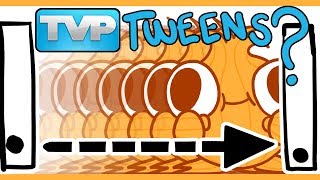
HOW TO USE THE CAMERA TOOL IN TVPAINT / HOW I MADE THIS
Автор: kdsketch
Загружено: 2021-10-08
Просмотров: 19410
In my current animated storytime there are a couple of shots that need camera moves! Here I go over how I use the camera tool in TVPaint (my main animation software). Hope this helps!
⚡TIMESTAMPS⚡
00:00 Adding the camera tool to a shot
00:16 Adjusting the camera
00:55 Creating the End Point
01:23 Adjusting the Camera's Path and Timing
03:07 Creating a project with camera
05:12 Adjusting Visibility, Display Settings and Colours
06:14 Rendering with a camera in TVPaint
-------------------------------------
DRAWING TABLETS
⚡NON-SCREEN DRAWING TABLET - https://geni.us/0dyC
⚡SCREEN DRAWING TABLET - https://geni.us/3uYO0kd
⚡WHAT I USE⚡
Blue Yeti Mic - https://geni.us/AwcvKuT
Foam Muffler - https://geni.us/LpCU4
Drawing Tablet - https://geni.us/3uYO0kd
Recording Audio - Audacity (Free)
Animation - TVPaint 11 Pro
Editing - Davinci Resolve (Free version)
SOCIALS
⚡INSTAGRAM: / kdsketch
⚡TWITTER: / kdsketch
⚡TWITCH: / kdsketches
⚡DISCORD: / discord
⚡GUMROAD: https://gumroad.com/kdsketch
⚡PATREON: / kdsketch
Links used in this description may be affiliate links, which means if you decide to purchase through one of those links, you won't pay any extra but I will get a small commission that helps support the channel! Thank you so much!

Доступные форматы для скачивания:
Скачать видео mp4
-
Информация по загрузке: