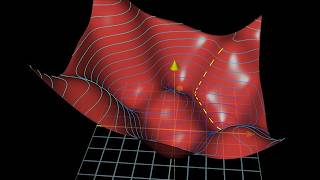
Creo Parametric - Offset Command - Curves and Model Edges [Demo]
Автор: Creo Parametric
Загружено: 2019-05-07
Просмотров: 3818
This Creo Parametric tutorial video shows how to use the Offset command when the inputs are datum curves and model edges.
For offsetting curves, it shows how to generate a new curve either along the surface or normal to surface, how to add measurement points, measuring either normal or parallel, and using a Datum Graph to control the offset distance.
For offsetting model edges, it shows distance types of normal to edge, along the edge, and to vertex.
In addition, it shows the config.pro option enable_offset_fan_curve for adding more functionality to the Offset command.
For more information, visit https://www.creowindchill.com.
If you learned something from this video, please give it a thumbs up. If you like this video, please click the Subscribe button to be informed when new videos are uploaded. Also please write a comment if you would like to see more videos like this.
Feel free to share or embed this video, and add it to your playlists.
Creo admins, you can share the Creo Parametric channel with your users as a training tool:
http://tinyurl.com/CreoParametric
"Top Down Design in Creo Parametric" can be read for free on Amazon.com with Kindle Unlimited:
http://tinyurl.com/CreoTopDown
“Configuring Creo Parametric 4.0” can be read for free on Amazon.com with Kindle Unlimited:
https://www.amazon.com/dp/B07DJ4XD94
Thanks,
Dave
Additional links:
https://www.ptc.com/en/cad-software-b...
https://www.ptc.com/en/mathcad-softwa...
https://www.ptc.com/en/cad-software-b...
https://www.ptc.com/en/cad-software-b...
https://www.ptc.com/en/mathcad-softwa...
https://www.ptc.com/en/cad-software-b...
![Creo Parametric - Offset Command - Curves and Model Edges [Demo]](https://ricktube.ru/thumbnail/I-QPw2HXfBY/hq720.jpg)
Доступные форматы для скачивания:
Скачать видео mp4
-
Информация по загрузке: