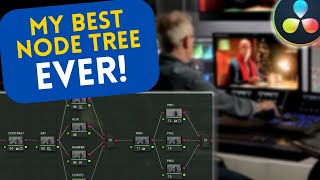
How I Create a Killer Cinematic Night Film Look in DaVinci Resolve
Автор: Shutter Specter
Загружено: 2024-12-23
Просмотров: 2010
🔥 FREE Presets & Tools: https://ko-fi.com/shutterspecter/shop
Learn how to create a cinematic film look for night scenes using DaVinci Resolve Studio. In this tutorial, I take you through my advanced color grading process step-by-step, including the use of the Film Look Creator to achieve that authentic filmic feel without needing external plugins.
I’ll show you how to set up your node tree, color manage your footage, and use techniques like the push and pull method to get cinematic contrast. This process is perfect for creating professional night scene color grades in DaVinci Resolve Studio. Even if you’re using the free version, I’ll offer tips on how to apply similar techniques.
What You’ll Learn:
How to use the push and pull technique for cinematic contrast.
Setting up a color space transform for night footage.
Applying the Film Look Creator to create a professional film look.
Adjusting tone curves, color warper, and key elements to refine the grade.
By the end, you’ll have a flexible process that can be applied to various film looks and color grading workflows for night scenes in DaVinci Resolve.
Support me here: https://ko-fi.com/shutterspecter
The music I use: https://share.uppbeat.io/dwrtsmizbunz
Chapters:
0:00 - Showcase
1:02 - Nodes & Color Space
3:05 - Cinematic Contrast
7:58 - Film Look Creator
17:14 - Color Adjustments
21:20 - Finalizing Grade
24:50 - Create PowerGrade
26:03 - Noise Reduction

Доступные форматы для скачивания:
Скачать видео mp4
-
Информация по загрузке: