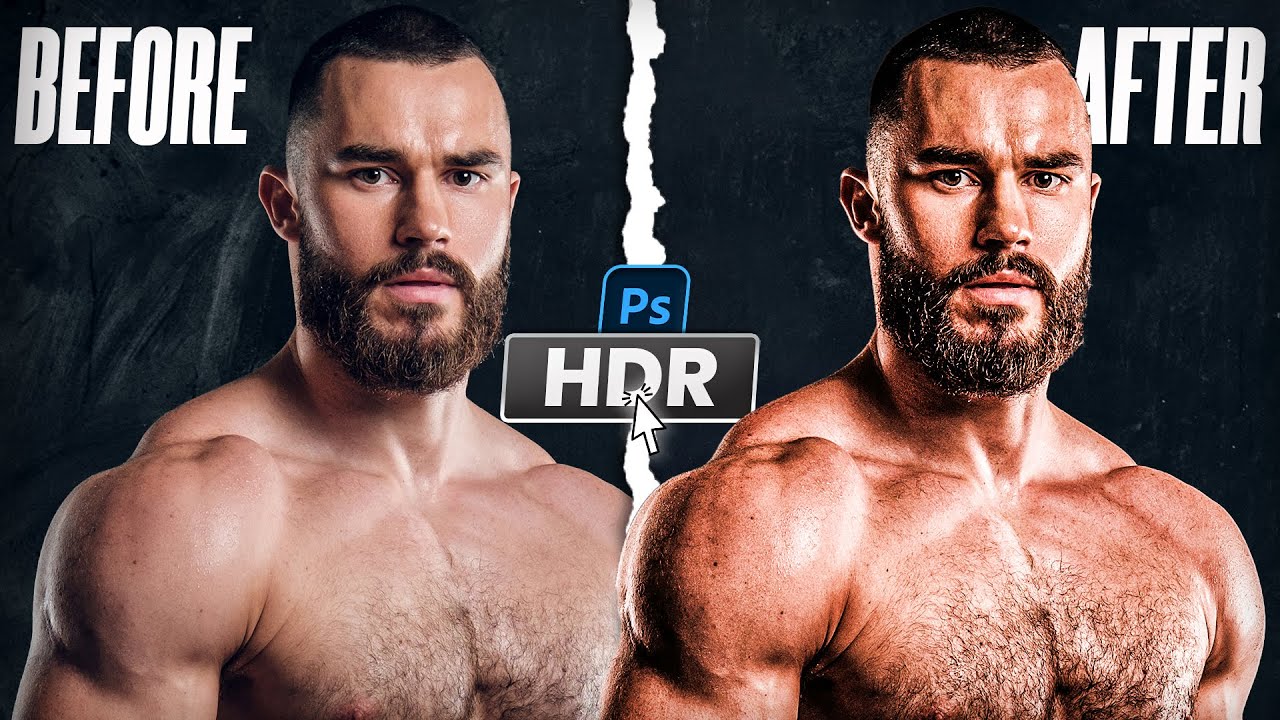
Cinematic HDR Editing in Photoshop: How to Make Your Photos Look Like Movie
Автор: How To Design
Загружено: 2025-07-10
Просмотров: 523
Cinematic HDR Editing in Photoshop: How to Make Your Photos Look Like Movie
🔥 Want your photos to look sharper, more cinematic, and full of details, l mean HDR quality?
You have reached at the right place and right tutorial. In this Photoshop tutorial, I’ll show you how to create a stunning HDR effect step-by-step — perfect for portraits, thumbnails, and digital art!
✅ What You’ll Learn:
How HDR effect works in Photoshop
Using HDR Toning & Smart Objects
Contrast, Detail & Pop Techniques
Fast tips to level up your edits
📸 This technique works in Photoshop 2025 and earlier versions.
⏱️ Timestamps:
00:00 Intro
00:40 Smart Object Setup
01:20 HDR Toning Settings
03:00 Color & Texture Adjustments
04:10 Final Touch & Export
how to create hdr effect in photoshop
make your photos pop
photoshop tutorial beginner friendly
before and after photo editing photoshop
🔔 Subscribe for more Photoshop tutorials, design tricks, and photo editing hacks every week!
#PhotoshopHDR #PhotoshopTutorial #PhotoEditing #DigitalArt #HDRPhotoshop #Photoshop2025 #BeforeAfterEffect #MakePhotosPop #CinematicEdits
Доступные форматы для скачивания:
Скачать видео mp4
-
Информация по загрузке: