Inside My Low Power, High Power Home Lab: AI, VLANs, Routers & Automation!
Автор: HillPhantom
Загружено: 2025-07-17
Просмотров: 43299
Budget Energy-Efficient Home Lab Tour | Unifi Cloud Gateway Ultra + Raspberry Pi + AI Rig
Welcome to the ultimate budget-friendly, energy-efficient home lab setup! In this video, I’ll take you inside my real-world, power-conscious network lab—built for performance, privacy, and future-proof control—without breaking the bank. Whether you're into self-hosting, home automation, or experimenting with local AI, this setup gives you a modular, scalable foundation. Let’s break it down.
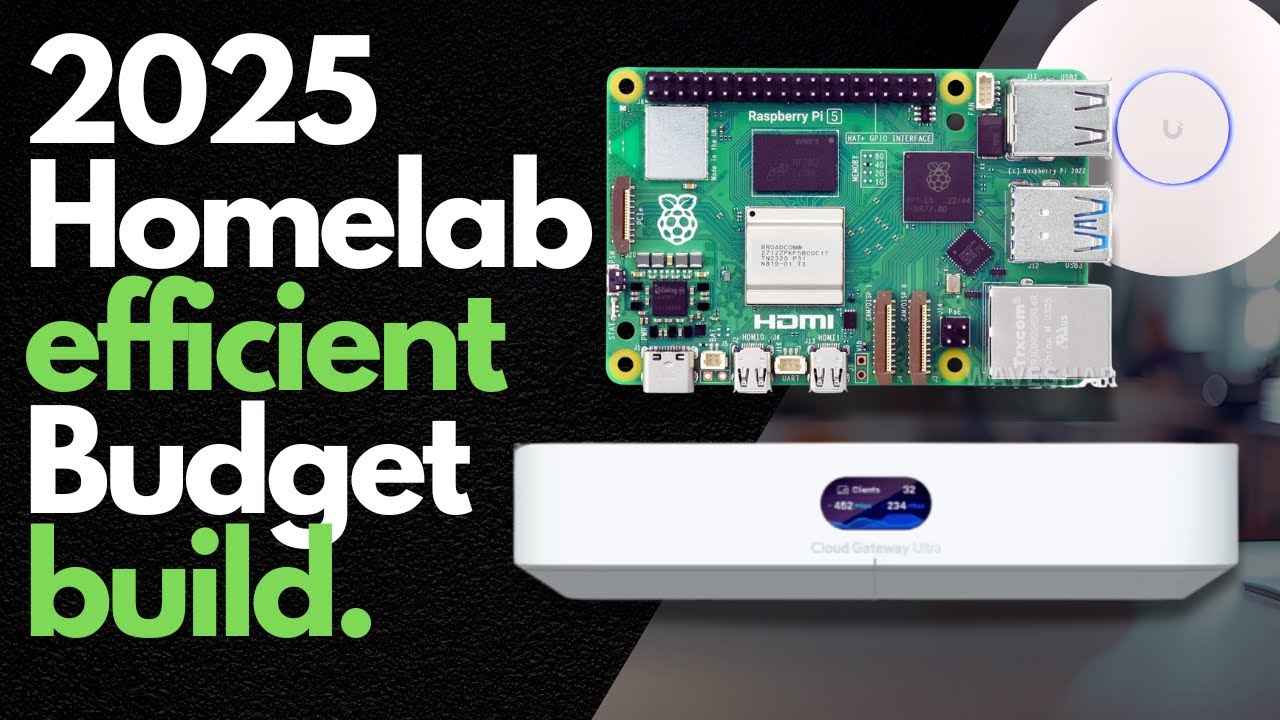
🧠 Core Networking: Unifi Cloud Gateway Ultra + USW-Lite-16-PoE
At the heart of the network is the Unifi Cloud Gateway Ultra, a compact yet powerful router and firewall with VLAN segmentation built right in. It’s paired with the USW-Lite-16-PoE switch, which gives me:
16 Gigabit Ethernet ports
8 PoE+ ports to power devices like Raspberry Pis and access points
This combo offers rock-solid performance with low energy draw—ideal for 24/7 operation.
Product Links
N100 Router - https://tinyurl.com/yu3ycfak
Unifi Cloud Gateway Ultra - https://tinyurl.com/3brp2e75
Unifi U6 - https://tinyurl.com/yhzrx2th
Unifi U7 Pro - https://tinyurl.com/yrdzvkuy
Unifi 16 Port POE Managed Switch - https://tinyurl.com/4bhy4syk
Amazon Eero Wifi - https://tinyurl.com/3m6xzxdf
Nivida 3060 12 GB Graphics Card - https://tinyurl.com/c9wemtnr
Raspberry Pi 5 8 GB - https://tinyurl.com/4vtfpbjt
Raspberry Pi 5 vPOE Hat - https://tinyurl.com/yrrb4j3n
Other Home Lab Goodies - https://amzn.to/4iyo4FQ
🖥️ VLAN 1 – Trusted Devices & Local AI
This is my Default / Trusted VLAN, and it’s where all the heavy lifting happens. Devices on this VLAN include:
My main PC with an NVIDIA RTX 3060 GPU – This doubles as my local AI workstation, running models like LLaMA or Stable Diffusion without relying on the cloud.
Laptops & NAS – All securely networked for media storage, backups, and productivity.
WiFi – Handled by a Unifi U6 access point, this VLAN’s wireless coverage is clean and isolated.
It’s all optimized for speed, stability, and security.
🍓 VLAN 2 – Raspberry Pi Lab
This is my Untrusted VLAN, built entirely for experimentation and app hosting:
Multiple Raspberry Pis, each running Docker containers to handle lightweight services, media servers, dashboards, and internal tools.
All Pis are powered by PoE via the USW-Lite-16 switch, making cable management clean and efficient.
No WiFi on this VLAN to limit exposure—just wired-only for maximum control.
This VLAN keeps the dev/test environment sandboxed from the trusted systems while running efficiently on ARM-based low-power nodes.
📶 VLAN 3 – IOT & Guest Network
The third VLAN is dedicated to IoT devices and guests, keeping them isolated from the rest of the network:
WiFi is provided by Eero access points, handling guest devices and smart home gear.
This VLAN houses:
ESP32 sensors
Smart cameras
IoT plugs and lights
A dedicated Raspberry Pi running Home Assistant, which orchestrates all smart automations
This setup ensures that even if one IoT device is compromised, the rest of the network remains secure.
Chapters
00:00 - Home Labs For Beginners
00:30 - Why Energy Is Important
02:02 - My home Diagram
02:43 - Home Lab Hardware
07:00 - VLans and Firewall Rules
12:28 - Low Power High Power Love
13:00 - My Home Lab Wrap Up
My other Home Lab Videos
• Home Lab Setup for Beginners - Everything ...
• DIY Cloud Storage: Build Your Own NAS
• Discover my Top Home Lab Applications that...
• The Complete Guide to Home Lab Hardware an...
• I Built a DIY ESP32 Millimeter-Wave Radar ...
• How I Made My Smart Home Smarter With Chat...
• The N150 Mini PC That's the Perfect Budget...
• Make an Inexpensive Home Lab with Virtual ...
⚡ Why It Works
This lab is designed to be low-power, cost-effective, and high-performance:
The Cloud Gateway Ultra handles routing and firewall duties without drawing much power.
Raspberry Pis are efficient and easily replaced or repurposed.
The RTX 3060 PC only spins up for AI tasks or heavy workloads.
Access points and switch PoE are fine-tuned to avoid waste.
Whether you're new to home labs or looking to upgrade, this architecture gives you flexibility, isolation, and security on a tight power budget.
📺 Watch the full video to see the VLAN configurations, rack layout, and how it all ties together!
🛠️ Have questions? Drop them in the comments, and don’t forget to Like & Subscribe for more deep dives into networking, AI, and smart home automation!
#homelab #selfhosting #networking #diy #raspberrypi
Доступные форматы для скачивания:
Скачать видео mp4
-
Информация по загрузке: