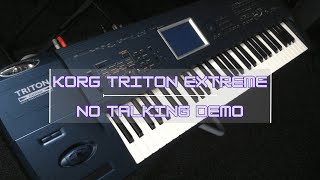
Unlock KORG TRITON STYLES and ACCOMPANIMENT!
Автор: Phill C - AZexperiment
Загружено: 2024-09-22
Просмотров: 675
How to unlock Beats on the KORG Triton
Welcome to your quick guide on getting started with beats on the KORG Triton keyboard! Follow these steps to add rhythm to your playing.
@apostlestephenchristianvid9619Thanks for the question!
Step 1: Activate the Arpeggiator
Locate the Arpeggiator Button: Find the on/off button for the Arpeggiator on the keyboard.
Turn it On: Press the button to activate the Arpeggiator. This will transform your sound from bland to rhythmic.
Step 2: Explore Sounds and Combinations
Select Combi Mode: Switch to Combi mode to access a variety of sounds.
Browse Categories: Use the category buttons on the left to explore different sounds, including:
Drums
Bass
Chords
Choose a Combination: Select a combination that interests you (e.g., Big Band Jazz or Gig Split).
Step 3: Layer Your Sounds
Add Additional Voices: Once you have a base sound, consider layering other voices for a richer texture.
Activate bass sounds, chords, and other rhythmic elements to enhance your beat.
Step 4: Experiment and Jam
Try Different Combinations: Go through the various combinations and explore how they work together.
Jamming: Start playing along with the beat! Feel free to improvise and have fun.
Tips for Best Results
Always ensure the Arpeggiator is activated when exploring different combinations.
Experiment with different sound categories to discover unique rhythms and tones.
Enjoy creating beats and exploring the creative possibilities of your KORG Triton!
CHAPTERS:
00:00 - Intro
00:13 - Korg Triton Beat Tutorial
01:40 - Arpeggiator Button Rhythm Techniques
05:36 - Exploring Korg Triton Combinations

Доступные форматы для скачивания:
Скачать видео mp4
-
Информация по загрузке: