Building a Calculator in Python
Автор: Sanzu
Загружено: 2026-01-12
Просмотров: 101
A sleek, functional graphical calculator built using Python’s Turtle graphics module and Tkinter.
This project demonstrates how to create a custom user interface, handle click events, and perform mathematical evaluations in a visual environment.
Features
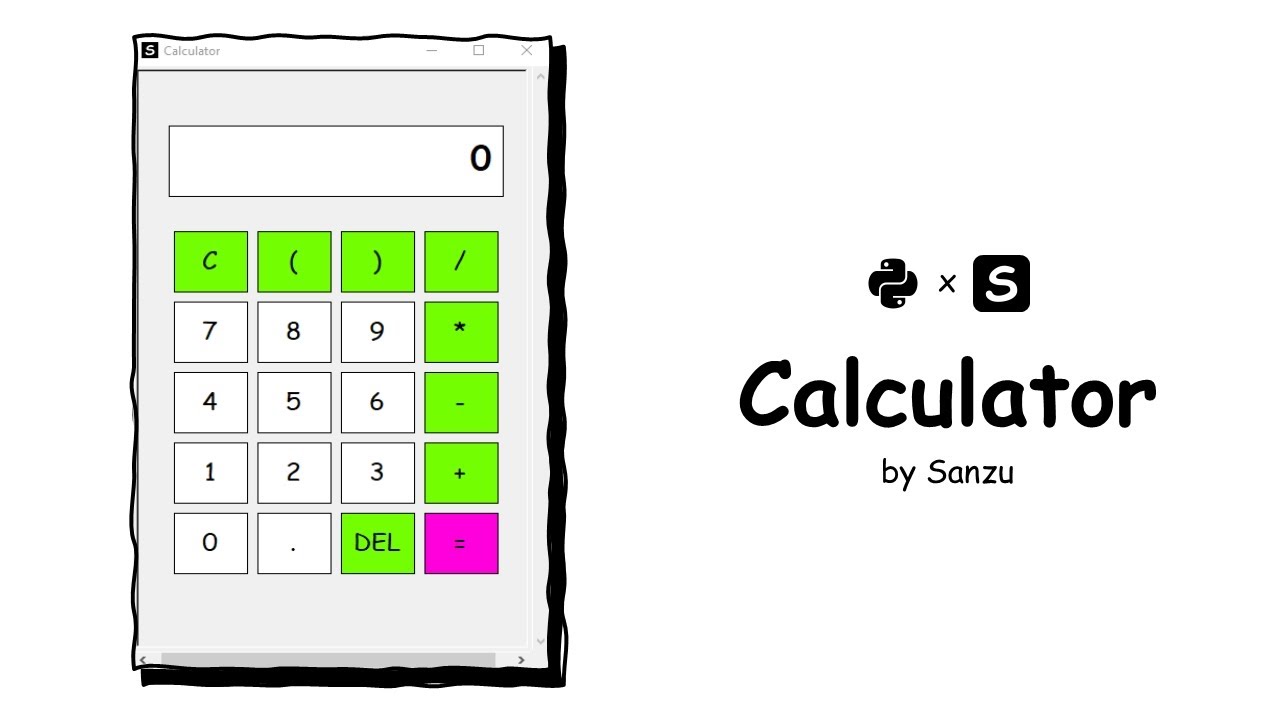
• Custom GUI: A completely custom-drawn interface using Turtle graphics.
• Dynamic Styling: Color-coded buttons (White for numbers, Green for operators, Pink for equals).
• Interactive Input: Full support for mouse-click interactions.
• Math Logic: Handles addition, subtraction, multiplication, division, and parentheses using Python's evaluation logic.
• Smart Display: Includes an "Error" catch for invalid equations and a character limit with truncation to keep the display clean.
• Icon Support: Built-in support to display a custom icon.png in the window title bar.
Prerequisites
• Installation:
Python 3.x
• Run the script:
python calculator.py
How it Works
The application uses two separate Turtle objects to manage the experience:
• The Drawer: Responsible for rendering the static UI elements like buttons and the display box.
• The Display Pen: Responsible for updating the text on the screen every time a button is pressed.
• Button Hitbox Logic: Since Turtle graphics don't have built-in buttons, this script uses coordinate mapping.
Every button's (x, y) boundaries are stored in a list. When you click, the script checks if your mouse coordinates fall within any of those stored boundaries.
Usage Note
The calculator uses Python's eval() function to calculate results.
Subscribe: / @heysanzu
Reddit: / heysanzu
Facebook: / heysanzu
GitHub: https://www.github.com/heysanzu
.
.
.
#python #coding #calculator #programming
Доступные форматы для скачивания:
Скачать видео mp4
-
Информация по загрузке:
![The ultimate introduction to modern GUIs in Python [ with tkinter ]](https://image.4k-video.ru/id-video/mop6g-c5HEY)