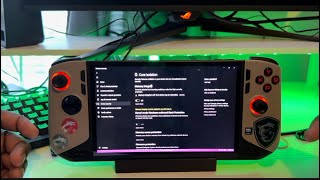
MSI Claw 8 AI+ Best Hidden Settings to Change (Part 1)
Автор: HonestCyborg
Загружено: 2025-10-20
Просмотров: 16229
📺 Watch Part 2 here – advanced CPU Boost & GPD Motion Assistant guide!
• MSI Claw 8 AI+ Best Hidden Settings to Cha...
link for bios:
https://www.msi.com/Handheld/Claw-8-A...
link for gpd motion assistant:
https://mega.nz/file/bGZxVBQb#5EY6ExU...
In this video, I show you the 3 most important settings every MSI Claw 8 owner should change right away to get better performance, smoother gameplay, and fewer issues.
✅ CPU Boost – It’s on by default and can cause high temps and power draw. I’ll show you how to safely turn it off to get more stable FPS and cooler performance.
✅ BIOS Update (Manual) – The MSI Center often doesn’t update BIOS properly. I’ll guide you step-by-step on how to update it manually for better stability and compatibility.
✅ VRR (Variable Refresh Rate) – If you use the FPS overlay, VRR can sometimes turn off automatically. I’ll show you how to fix that so you always get smooth, tear-free gameplay.
If you own the MSI Claw 8, these changes can make a huge difference. Try them out and let me know if your gaming experience improves!
Time stamp:
00:00 Introduction
00:51 CPU Boost OFF
02:55 BIOS Update
05:21 VRR On
👉 Don’t forget to like, comment, and subscribe for more handheld optimization tips and performance tests!
#MSIClaw8 #HandheldGaming #PerformanceBoost #GamingTips #MSIClaw #GamingOptimization

Доступные форматы для скачивания:
Скачать видео mp4
-
Информация по загрузке: