Shelly Cashman Access 365 | Module 3: SAM Project A | Connect Marketing Group
Автор: Assignments Tutorial
Загружено: 2025-10-21
Просмотров: 50
Shelly Cashman Access 365 | Module 3: SAM Project A | Connect Marketing Group #shellycashman
If you directly want to get the project from us then contact us on our Whatsapp. Link is given here,
Whatsapp Contact Link:
https://api.whatsapp.com/message/4B6N...
Whatsapp Number:
+919116641093
+918005564456
Gmail Id:
singhal.agrawal.bharati@gmail.com
We are providing help in all Online Courses, Computer Science, Business and Management, Business Math, Business and Finance, Business and Accounting, Human Resource Management, History, English.
PROJECT STEPS
1. Connect Marketing Group is a national company that provides marketing services such as contact research, brand building, and merchandising to retail stores. As a sales analyst, you need to update the company database regularly. You want to improve the table designs and use forms to enter and maintain data.
Create a Split Form for the Companies table and save it, using CompaniesSplit as the name. Do not close the form.
2. Switch the CompaniesSplit form to Form View, and then add a record using the values shown in Table 1 to enter data for a new company. Close the CompaniesSplit form.
Table 1: Values for the New Record
CompanyID [AutoNumber field—press TAB]
CompanyName Home Market
RetailStores 35
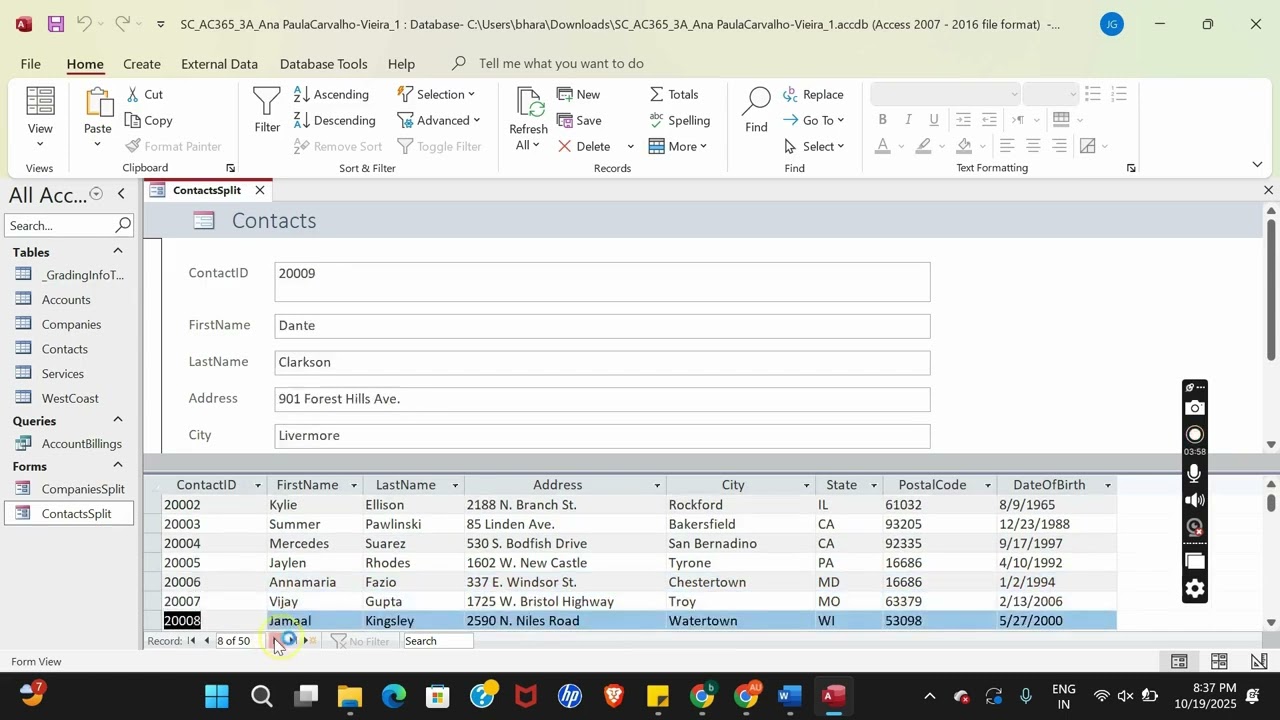
3. Open the ContactsSplit form in Form View to maintain records for Connect Marketing contacts. Update contact records as follows:
a. Search for and navigate to the record with the ContactID field value of 20032 for Kareem Aziz.
b. In the Address field, replace 443 E. Elmwood Ave. with 410 E. Elmwood Ave. as the street address.
c. Search for and navigate to the record with the ContactID field value of 20045 for Ramona Torres, and then delete the record.
d. Close the ContactsSplit form.
4. Connect Marketing provides four types of services to its clients. Open the Services table in Design View and add a lookup field as follows to make it easy to enter service types:
a. Use the Lookup Wizard to change the ServiceType field to a Lookup field. Select the option to type in the values that you want.
b. Enter the values shown in Table 2 in the order shown.
c. Limit the values to only the items in the list, and do not allow multiple values for the field.
d. Save the changes to the table design, but do not close the table.
Table 2: Values for the ServiceType Lookup Field
E-commerce
Marketing
Retail
Sales
5. Switch the Services table to Datasheet View and then correct an error by using the lookup list to change the ServiceType field value to Marketing for ServiceID SV1504. Close the Services table.
6. Open the Accounts table in Datasheet View, and then add a field to the table to calculate the annual payment amount as follows:
a. Add a new field to the end of the Accounts table using the Calculated data type and the Currency format.
b. Use the expression [MonthlyBill]*12 to calculate the field values.
c. Assign the name AnnualBill to the field.
d. Save the changes to the Accounts table and then close it.
7. Connect Marketing is adding two staff members to every sales team. Update the Services table as follows to reflect this change:
a. In Query Design View, create an Update query based on the Services table.
b. Select the ServiceType and Team fields from the Services table.
c. Add criteria to select only those records where the ServiceType field values equal Sales.
d. Update the Team field using [Team]+2 as the expression for the new field value.
e. Save the query using UpdateServices as the name, run it, and then close it. The query should update four records.
8. Connect Marketing is developing a special program for contacts in Florida and Georgia. Create a new table for contacts in these states as follows:
a. In Query Design View, create a Make Table query that selects all the fields from the Contacts table in the same order that they are listed in the field list. Select all the fields individually for the design grid; do not use the (*) asterisk.
b. Add criteria to select only those records where the State field value is FL or GA.
c. In the Make Table dialog box, assign the name ProgramContacts to the new table.
d. Save the query using FLGAContacts as the name, run it, and then close it. The new ProgramContacts table should contain seven records.
9. Accounts with a $0.00 monthly billing amount represent completed contracts that can be removed from the Accounts table. Remove the records as follows:
a. In Query Design View, create a Delete query for the Accounts table.
b. Select the MonthlyBill field from the Accounts table.
c. Add criteria to delete only those records where the MonthlyBill field values equal 0.
d. Save the query using DeleteAccounts as the name, run it, and then close it. The query should delete five records.
Доступные форматы для скачивания:
Скачать видео mp4
-
Информация по загрузке: