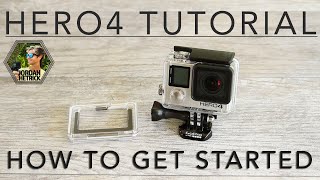
GoPro HERO4 - How to set up & use Quikcapture Mode
Автор: Travel with Brynmag
Загружено: 2014-11-18
Просмотров: 34560
QuikCapture is a new feature in both the GoPro HERO4 cameras (Silver & Black Editions). It is an improved version of the old One Button Mode that existed in the Hero2, HERO3 and HERO3+ cameras.
You can not only use it to turn on the camera and start recording VIDEO, with the press of just one button, now you can also use it to do the same with Timelapse
Here's a quick video on how to set up and use QuikCapture mode in the GoPro HERO4.
First thing to do is enable QuikCapture. Then BEFORE turning off the camera, you should make sure you set all your video and Timelapse settings, that way the camera is ready to go
Thank you for watching.
SUBSCRIBE, THUMBS UP, Leave a COMMENT, and SHARE! :)
"LIKE" us on FACEBOOK:
/ brynmagproductions
Follow us on Twitter: / brynmagyt
Follow us on Google+: https://plus.google.com/+brynmag
Intro Music: "Urban Intro" by Royalty Free Music Library
Licensed via: http://www.audiomicro.com/royalty-fre...
Background Music: "Airport Lounge" by Kevin MacLeod
Creative Commons Copyright
www.incompetech.com

Доступные форматы для скачивания:
Скачать видео mp4
-
Информация по загрузке: