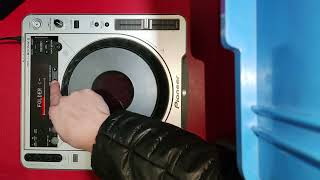
Pioneer CDJ-800 MK2 firmware upgrade
Автор: Edgar Roncero
Загружено: 2023-05-31
Просмотров: 8996
Confirm the CDJ-800MK2 system version
1. Turn the power ON.
2. Press and hold the RELOOP/EXIT button for 10 seconds.
The system version will appear in the display. (ex. [1.80] )
To return the CDJ-800MK2 to normal operation, turn the power OFF and then ON again.
Program Update Procedure
1. Confirm that the unit power is OFF and no disc is loaded. In this condition, press and hold both the TIME
MODE/AUTO CUE and AUTO BEAT LOOP2 buttons and turn the power ON.
2. When "DOWNLOAD" appears on the display, release the TIME MODE/AUTO CUE and AUTO BEAT LOOP2 buttons.
3. Insert the program update disc.
• The display will show the “DOWNLOAD” scrolling menu.
• Do not turn the power OFF while the update process is running.
• The update will be completed in about 1 minute.
• When the update is finished, the message: “COMPLETE” will appear and the program update disc will be
ejected.
4. Remove the program update disc and turn the power OFF to complete the update procedure

Доступные форматы для скачивания:
Скачать видео mp4
-
Информация по загрузке: