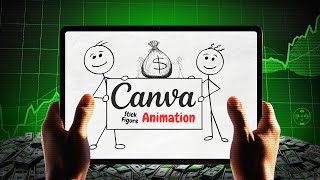
How to Make Animated Cartoon Videos Using Canva for FREE
Автор: Makes It With AI
Загружено: 2025-07-08
Просмотров: 141827
How to Make Animated Cartoon Videos Using Canva for FREE
Want to try Canva Pro free for 30 days? Here’s the link - https://bit.ly/Canva30DayFREETrial
Learn How to Make Animated Cartoons for FREE with Canva + AI Tools!
Want to create animated videos without expensive software or complicated tech? Want to watch a Canva animation tutorial? In this beginner-friendly tutorial, I’ll show you exactly how to make animated cartoons using 100% free tools — including Canva (using a free account) and AI.
✅ No animation experience needed
✅ No paid software
✅ Just step-by-step, easy cartoon creation
Tools used:
Want to try Canva Pro free for 30 days? Here’s the link - https://bit.ly/Canva30DayFREETrial
I love Creative Fabrica! Check it out for yourself here - https://bit.ly/3TSux4J
TIME STAMPS:
00:00 - Introduction
0:32 - Starting My Video - Tip 1
2:30 - Tip 2 in Canva
3:52 - Tip 3 in Canva
6:19 - Animation Tip Bonuses
8:08 - Conclusion
In this video, you’ll discover:
👉 3 tips to instantly improve your cartoons - plus say til the end for 2 more BONUS tips
👉 How to use a Canva free account to generate scenes and animations
👉 How to animate everything directly in Canva (yes, it works!)
Whether you’re making explainer videos, YouTube shorts, or just having fun — this video will get you started fast and shares several tips and bonuses using free ai animation tools.
🔔 If you get value, hit LIKE and drop me a comment: Have you ever tried making an animated video before?
👇 Watch now, and start animating like a pro—no budget required.
👉 Like what you see? Don't forget to like, subscribe, and hit the notification bell to stay updated with our latest tutorials.
Your support means the world to me! Got questions? Drop them in the comments below. Thanks for watching, and I'll see you in the next video!
Join the Revolution:
Ready to create animations that stand out? Grab your computer or laptop, follow along, and let's get animated! Your audience will be amazed by what you can create with Canva & AI.
Stay Connected:
Whether you're an aspiring artist or a seasoned pro, "Makes It With AI" is here to guide you every step of the way on your creative journey as we make art with AI and other online tools. Don't forget to like, subscribe, and share our videos with your friends. Until next time, keep creating, keep innovating, and keep making it with AI!
Thanks for supporting my channel - whenever you purchase through my affiliate links I might make a small commission (at no extra charge to you). Plus, it helps me create even more new content for you!
🔔 Don’t forget to subscribe for more tutorials on animation, Canva tricks, and AI tools!
Tools I Use:
Canva - https://bit.ly/Canva30DayFREETrial
Dzine - https://bit.ly/TryDzine
ElevenLabs - https://bit.ly/4ofDu4P
CreateStudio - https://bit.ly/TryCreateStudio
Lemonslice - https://bit.ly/TryLemonSlice
Leonardo - https://bit.ly/42K6x6P
Flexclip - https://bit.ly/TryFlexclip
Vecteezy - https://bit.ly/488DH2G
Suno - https://bit.ly/TrySuno
Creative Fabrica - https://bit.ly/3TSux4J
Vheer - https://bit.ly/43d3CVG
VidIQ - https://bit.ly/3W2p4tE
Kittl - https://bit.ly/4dUe1Jc
Fiverr - https://bit.ly/Try5er
NightCafe - https://bit.ly/Try-NightCafe
#CanvaAnimation #AICartoons #makemoneywithai

Доступные форматы для скачивания:
Скачать видео mp4
-
Информация по загрузке: